
Check your KDP book details while you type
Author Toolbelt checks your description, your seven keywords and your title right on KDP's own Details page, using KDP's rules. It only reads what is on your screen, and nothing you type leaves your browser.
Free for your first 3 books. Not affiliated with or endorsed by Amazon.

A 36 second silent demo on an example book. Captions are on the screen. It shows the description count with an unsupported heading flagged, a repeated keyword and a title word flagged in the keyword boxes, and a sales word flagged in the title.
What it checks
Description
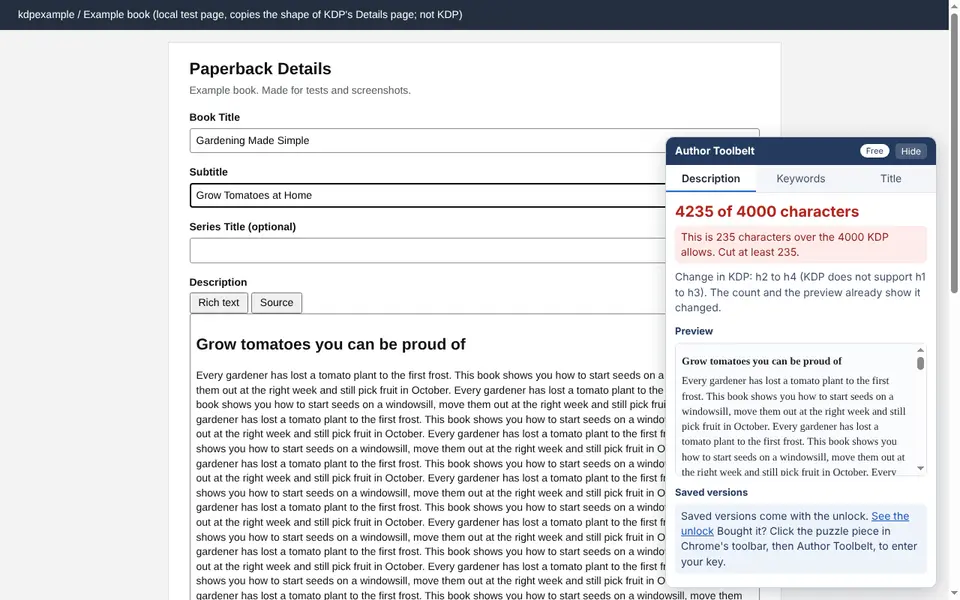
Counts every character the way KDP does, tags included, against the 4,000 limit, and shows how many are left or how far over you are. It flags the tags KDP does not support (h1, h2 and h3 among them) and shows a preview of how the description will read.
KDP's help page on the book description
Keywords
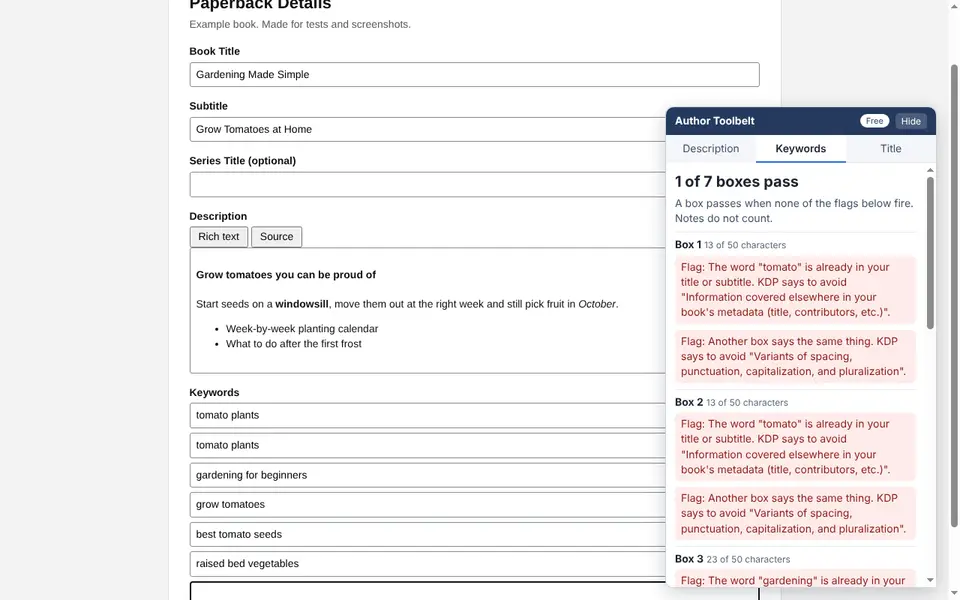
Checks your seven keyword boxes for a box that repeats an earlier one and for words already in your title, subtitle or series name. Each flag comes with KDP's own sentence, and it shows how many boxes are still empty.
Title
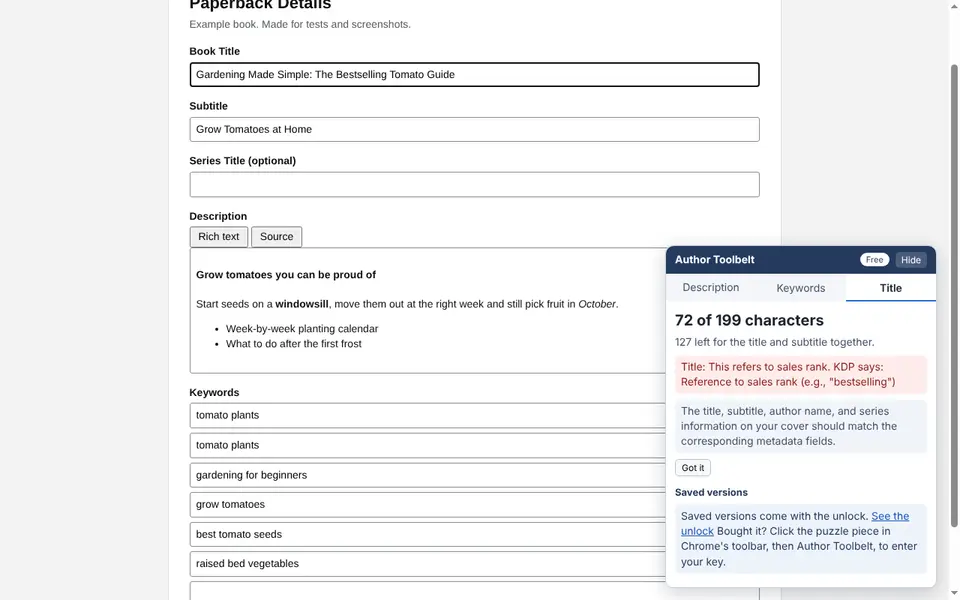
Checks the title and subtitle together against KDP's limit of fewer than 200 characters, and flags the words KDP's guidelines do not allow, such as "bestselling" and "free". It reminds you once per book that the title, subtitle and author name on the cover should match what you type in KDP.
The limits and rules above come from the KDP help pages linked in each block, checked on 19-Nov-26. KDP can change them.
Free and unlocked
| Free | Unlocked | |
|---|---|---|
| All the checks, with counts and KDP's sentences | First 3 books | Every book |
| Description preview | Yes | Yes |
| Saved versions of description, title and subtitle | No | Yes, 20 for each field of each book |
| Keyword parking list and swap | No | Yes |
| Export saved data as a file | Yes | Yes |
The unlock is one payment of $19, with no subscription. If it isn't useful, email me within 7 days of buying and I'll refund you in full.
Your data stays with you
The extension reads the boxes you can already see on the page and shows its checks next to them. It writes nothing into KDP. There is no account, no password and nothing is sent anywhere: the saved versions and the unlock key live in your own browser. See the privacy policy.
Who made it
I'm Chris Baird. I've published books on KDP and coach self-publishers, and I kept watching the same slips: a description over the limit, a keyword that repeats the title, a title KDP sends back. I built these checks on this site first, and they are still free here. The extension is for when you would rather not copy and paste between tabs: it checks in KDP's own boxes while you type, and it remembers your books.
Questions
Does it work on Edge or Firefox?
Edge, yes: it installs from the Chrome Web Store. Firefox is not in the first version.
Does it work for paperback and Kindle?
Yes. It works on the book Details page for paperback, hardcover and Kindle eBook.
Does it change anything in KDP?
No. It reads the boxes on your screen and shows its checks in a panel. It never types, saves or clicks anything in KDP.
What if KDP changes its page?
Then I update the extension.
What if it isn't useful?
Email me within 7 days of buying and I'll refund you in full. The 7 days count from the date you bought it.