Which one do I need?
- Do you want your book price, royalties and ad numbers in one spreadsheet? Author Numbers Kit.
- Do you want your print book to look like it came from a publisher, set up for you in Word? Book Interior Template Pack.
- Do you want the whole listing for each book and each store written, counted and kept in one place? Book Listing Kit.
- Are you making a picture book or an illustrated book, not a book of text? Picture Book Template Pack.
- Do you want a method for editing your own book before you pay anyone else to? Self-Editing Kit.
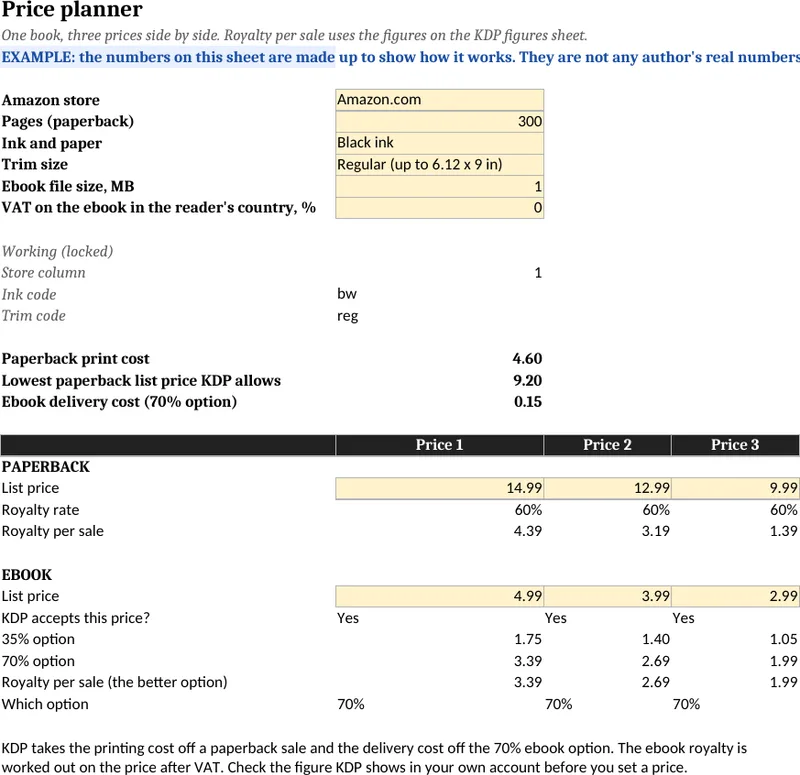
Author Numbers Kit, $17
- A price planner that puts three prices side by side for paperback and ebook, with KDP's print costs and royalty rules already in.
- Sheets for your yearly sales and royalties, a weekly Amazon ads tracker and a series read-through.
- A book budget, a sales goal sheet, an example copy of each sheet with made-up numbers and a 4-page PDF guide.
For you if you publish on Amazon KDP and want to work out your own numbers in Excel, Google Sheets or Apple Numbers.
See the Author Numbers Kit
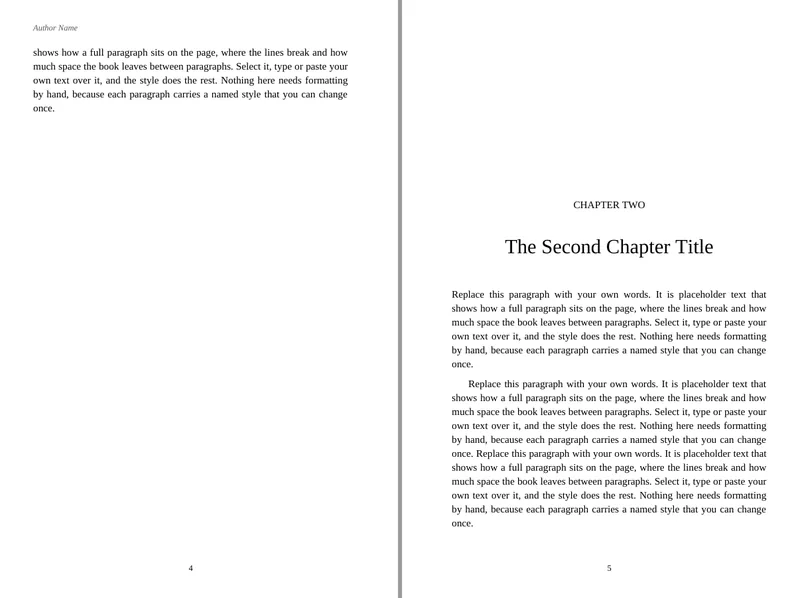
Book Interior Template Pack, $17
- Three designs, Novel, Nonfiction and Workbook, as Word files with every look saved as a named style.
- Four of KDP's trim sizes for the text books and 8.5 x 11 for the workbook, each for 24 to 300 pages and for 301 to 700.
- Front and back matter already set up, an ebook version of each design, and a 6-page guide on uploading to KDP.
For you if you are formatting your own book in Word and want the whole look set, not only the page size and margins.
See the Book Interior Template Pack
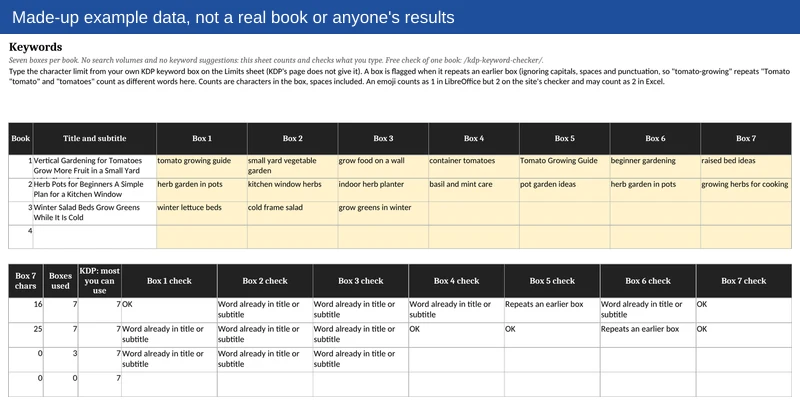
Book Listing Kit, $17
- One spreadsheet with a row per book for the title and subtitle, description, keywords and categories, with each length counted against the store's limit.
- A Per store sheet for the price, ISBN and link of each book in each store, plus sheets for your author bio in three lengths, reviews and A+ content, and a change log.
- A Limits sheet that gives each store's figure with its link and the date it was checked, a made-up example book and a 4-page PDF guide.
For you if you have books on KDP and other stores and want their details in one place instead of in old notes and emails.
See the Book Listing Kit
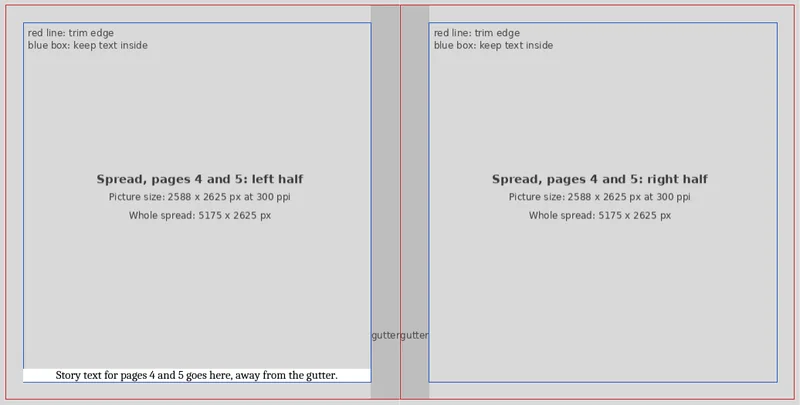
Picture Book Template Pack, $17
- Three layouts as Word files: Full-page art, Art and text, and Spreads, each for three KDP trim sizes with and without bleed, at 24, 32 and 40 pages.
- Picture boxes at the exact page size with the pixel size at 300 ppi written inside, mirrored margins at or above KDP's minimums, and the gutter marked on spreads.
- Storyboards to print and sketch on, and a 6-page guide on putting a picture to the edge and exporting the PDF for KDP.
For you if you are laying out your own picture book in Word and bring your own pictures and words.
See the Picture Book Template Pack
Self-Editing Kit, $17
- Seven editing passes in order, from the structure of the book to the printed proof, with a page for each pass.
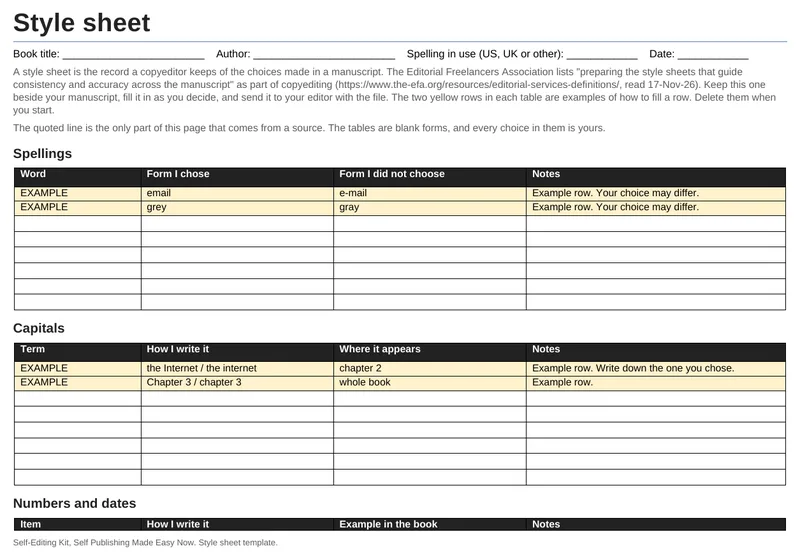
- A style sheet template, ten find and replace steps for Word with a practice file, and a chapter tracker in Excel.
- A beta reader question sheet, an editor brief and a 5-page PDF guide to which file to use when.
For you if you want to do a careful first edit of your own book before you show it to anyone or hire an editor.
See the Self-Editing Kit
If it isn't useful, email me within 7 days of buying and I'll refund you in full.
Not sure a kit is what you need?
