
Want your print book to look like it came from a publisher, without learning Word's page set-up?
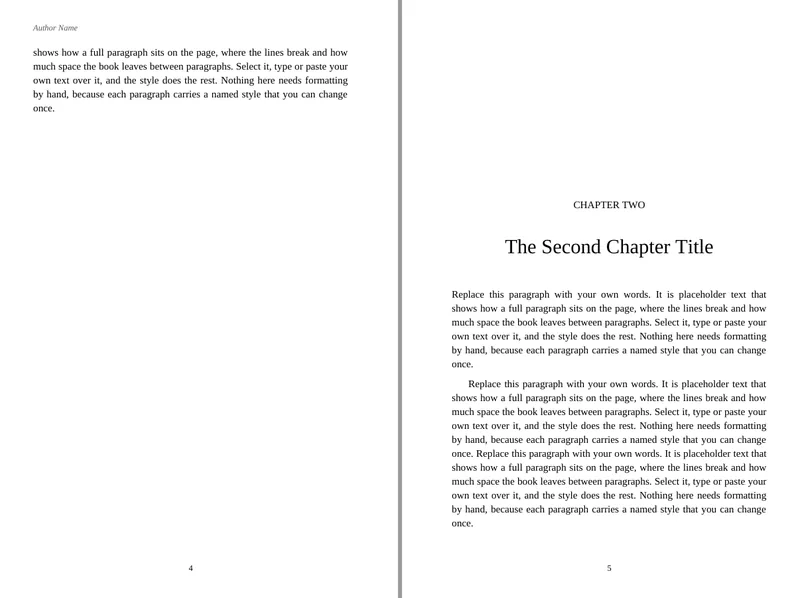
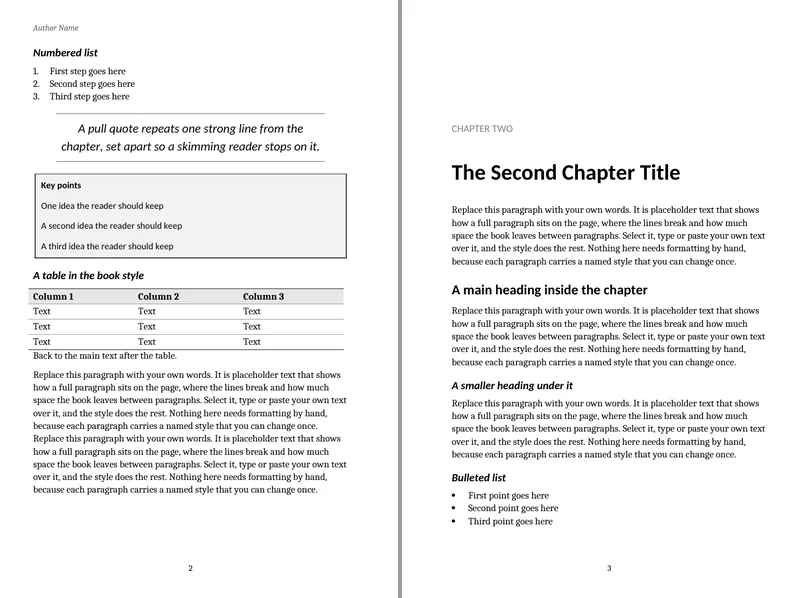
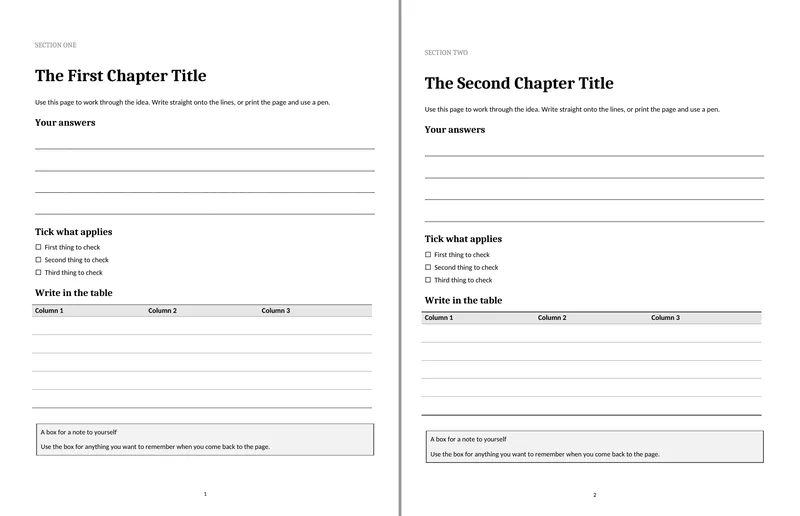
- Three designs: Novel, Nonfiction and Workbook. Each one is a Word file with every look saved as a named style.
- Four of KDP's trim sizes: 5 x 8, 5.25 x 8, 5.5 x 8.5 and 6 x 9 inches, and 8.5 x 11 for the workbook, each in a file for 24 to 300 pages and one for 301 to 700.
- The front and back matter are already set up: half title, title page, copyright page, dedication, contents, sample chapters, about the author and also by.
- An ebook version of each design, with the contents and chapter breaks KDP asks for.
- A 6-page guide on turning the file into a PDF and uploading it to KDP.
One payment. If it isn't useful, email me within 7 days of buying and I'll refund you in full.

What the pages look like
What is inside
- Novel: 8 Word files (4 trim sizes, 2 page ranges each), in Times New Roman.
- Nonfiction: 8 Word files, in Cambria and Calibri, with two subheading levels, bullets and numbers, a pull quote, a table style, a footnote and a key points box.
- Workbook: 2 Word files at 8.5 x 11, with fill-in lines, tick boxes, a table to write in and a note box.
- Ebook: 3 Word files, one for each design, with no headers or footers and a contents list.
- A 6-page PDF guide on exporting your file and uploading it to KDP.
Every print file has mirrored margins, running heads (author name on left pages, title on right pages), page numbers that start at chapter 1, and widow and orphan control. The margins are at or above KDP's minimums for the page range. No font files are included: the fonts are ones Word already has.
Who it is for
It is for you if you are formatting your own book in Word and want the whole look set for you, rather than page size and margins alone. It is not for you if you want it done for you: that is my book formatting service.
Laying out a picture book? These are text designs, so look at the Picture Book Template Pack instead.
A blank page template sets the page size and margins. These set the whole look as well: the chapter openings, the running heads, the headings and the front matter.
Questions
What do I get?
A zip file with 21 Word files and the PDF guide. You get the download link straight after you pay.
What do I need?
Word, on Windows or Mac. I tested the files in LibreOffice but could not test them in Word, so Word may ask to update the contents page when you first open it: say yes. The guide says what to do.
What if it isn't useful?
Email me within 7 days of buying and I'll refund you in full. The 7 days count from the date you bought it.