
How do you edit your own book before you pay an editor?
- Work through seven passes in order, from the structure of the book to the printed proof, with a page for each pass.
- Keep a style sheet for your spellings, capitals, numbers, hyphens and names, so your choices stay the same all the way through.
- Run ten searches in Word for Windows or Mac that find mechanical faults, such as double spaces and straight quotes, and try them first on a practice file.
- Track every chapter in a spreadsheet: the pass it has reached, your open questions and the figures from the free readability checker.
- Fill in a brief for the editor you hire later, so they know what you have already done and what worries you.
One payment. If it isn't useful, email me within 7 days of buying and I'll refund you in full.

Here is what the pages look like
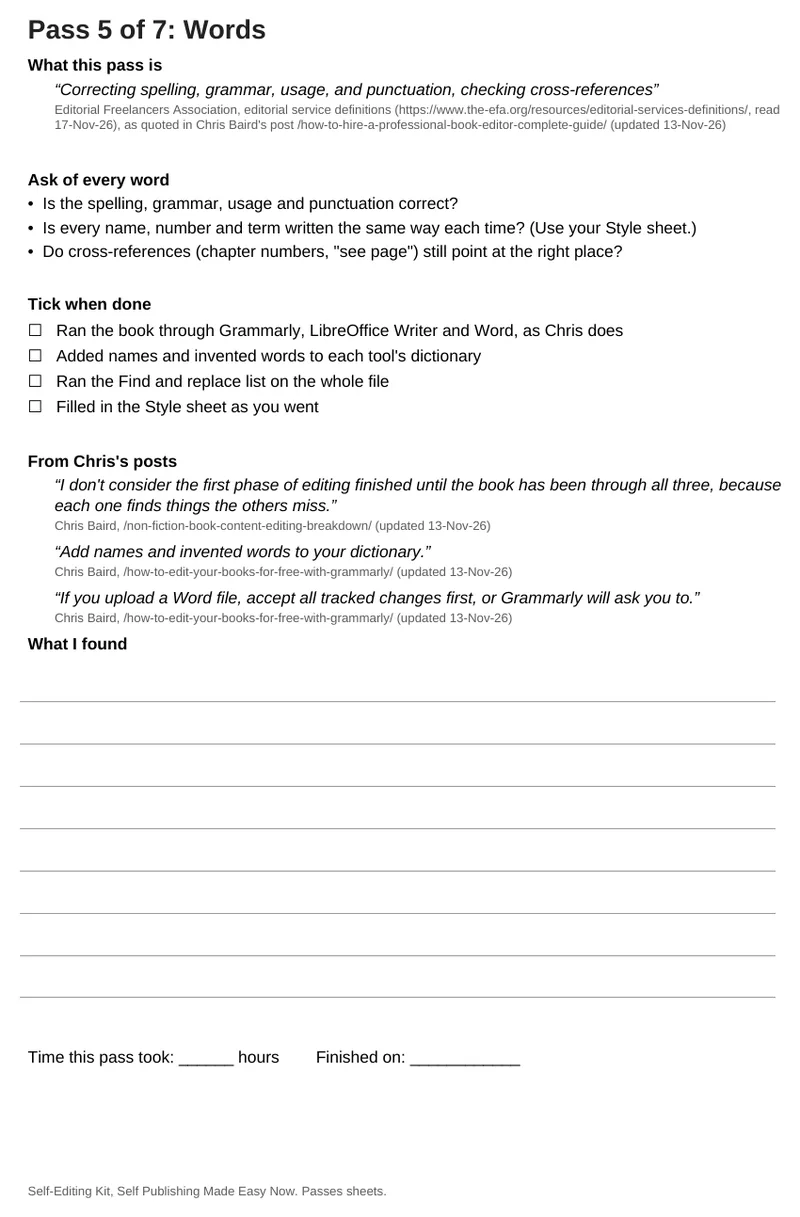
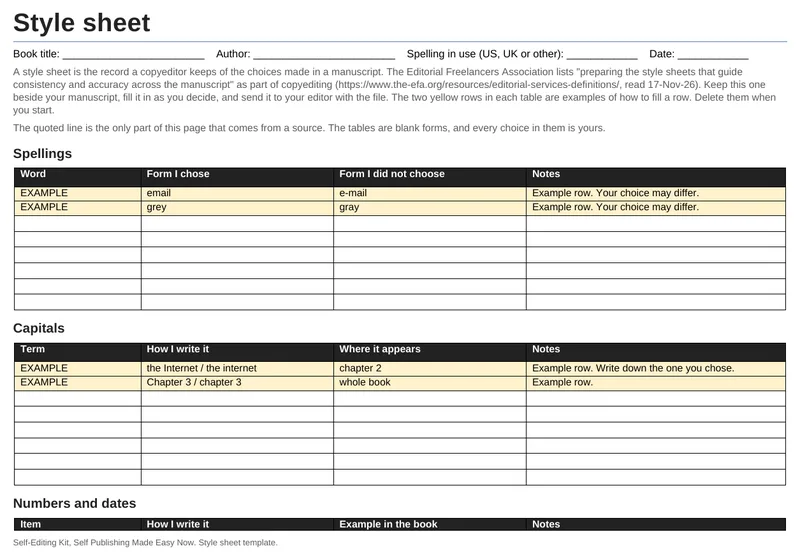
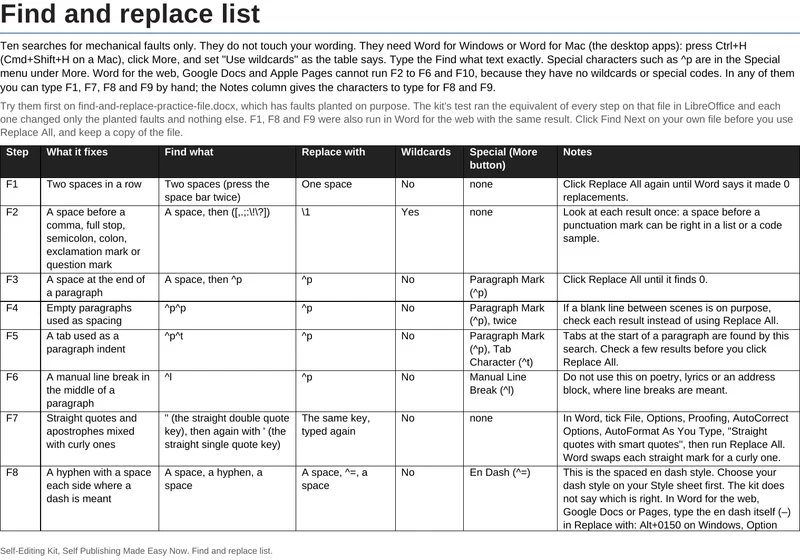
What is inside
- Self-editing passes (Word and PDF, 8 pages): a cover page, then one page for each of seven passes: structure, chapters and scenes or sections, paragraphs, sentences, words, proofreading and the printed proof
- Style sheet template (Word, 3 pages)
- Find and replace list (Word and Excel): 10 steps
- Find and replace practice file (Word), with faults planted on purpose so you can try the steps first
- Chapter tracker (Excel): a row for each of up to 60 chapters, and a summary sheet
- Editor brief (Word, 2 pages)
- Beta reader question sheet (Word, 2 pages): six questions and four blank lines for your own
- A 5-page PDF guide to the order of work and which file to use when
The kit is $17, one payment. You download one zip file.
Who it is for
Authors who want to do a careful first edit of their own book before they show it to anyone or hire an editor. The kit gives you a method and places to keep your decisions. It does not say what is right for your book. Where it gives advice, the advice comes from my own posts on editing, and the passes file names where.
Who it is not for
This is not an edit, and it does not replace an editor. It does not read your manuscript. If you want your manuscript read and every finding marked, my manuscript review marks the findings and leaves the writing yours.
What you need to open it
Word for the documents and Excel for the chapter tracker. The Word files open in Word for the web, Google Docs and Apple Pages with the cover and heading styles kept and the tick-box character shown, and the chapter tracker works in Microsoft Excel and Apple Numbers (same totals, 40 chapters). I ran the ten searches in LibreOffice, and three of them (F1, F8 and F9) in Word for the web. The ten searches need Word for Windows or Word for Mac (the desktop apps). Word for the web, Google Docs and Pages cannot run F2 to F6 and F10, but you can type F1, F7, F8 and F9 by hand in any of them. Click Find Next first and keep a copy of your manuscript before you use Replace All.