
A+ Content image size checker
Each A+ Content module on KDP wants its own image size. Pick the module, drop your image, and this page says whether it fits. It shows the crop, then saves a copy at the right size and under the file size limit. Your image is read in your browser and is never uploaded.
Pick a module and an image to see the result.
Figures from KDP's own help pages, checked on 17-Nov-26: A+ Content Examples and A+ Content Guidelines. They can change, so check the page before you upload.
The Examples page gives a smallest size for each of these modules, and a suggested size for three of them. This page crops to the suggested size, or to the smallest size where KDP gives no suggestion. The Guidelines page says "Individual files must remain under 2 MB", while the module pages say 3 MB. This page saves under 2 MB so it passes both. It also says "Supported image file types include: jpg and png in the RGB colorspace." and "Resolution should be at least 72 dpi." This page cannot read the colour space or the dpi of the file you drop.
Want the images made for you? See my book cover design service.
The Book Listing Kit has room for your A+ Content quotes alongside your other listing text.
More free tools: the author media kit builder, the 3D book mockup generator, the book sell sheet template, the self-publishing cost calculator, the book page count calculator and the KDP keyword box checker. See all the free tools.
What A+ Content may not contain
These lines are KDP's own words from its A+ Content Guidelines page, checked on 17-Nov-26. The page lists more than this, so read it in full before you submit.
- Do not include pricing, promotional details or discounts, promotion references such as "affordable," "cheap," "bonus," "free,"
- language directing customers to purchase such as "buy now," "add to cart," "get yours now," or "shop with us."
- We don't allow customer reviews in A+ Content.
- Do not mention time sensitive information such as now, new, latest, yet, on sale now, the latest product, or references to holidays.
- A maximum of four quotes or endorsements is allowed. Quotes should only be from well-known publications or public figures and must be accompanied by the author, and if citing a publication, the title.
- Web links or language attempting to redirect to other sites inside or outside of Amazon (including your other products) are prohibited.
- Do not include any shipping details (for example, "free shipping"), QR barcodes, or personal information such as phone number, address, or email on the A+ page.
- Guarantee information, including references to off-Amazon return or refund policies, is strictly forbidden in A+ Content.
- Do not reference or compare products with competitors, regardless of how competitors are mentioned. Comparison charts may only compare against other books in your KDP account.
- Satisfaction claims (for example, "100% satisfaction guaranteed"), and boastful claims such as "#1 rated," "top-rated," and so on are not allowed.
- Do not mention awards received more than 2 years ago.
- The use of animated images (for example, GIF) is prohibited.
- The use of blurry or low quality images and images with watermarks, small text that is unreadable when shown on mobile devices is not allowed.
For the bigger picture, read how A+ Content and Author Central work.
Page done? Here is the rest.
The free checklist is the 12 steps I follow for every book, from choosing a topic to setting up the book's marketing.
You get the free checklist and Chris's emails. Unsubscribe any time. Privacy policy
Amazon A+ Content image sizes
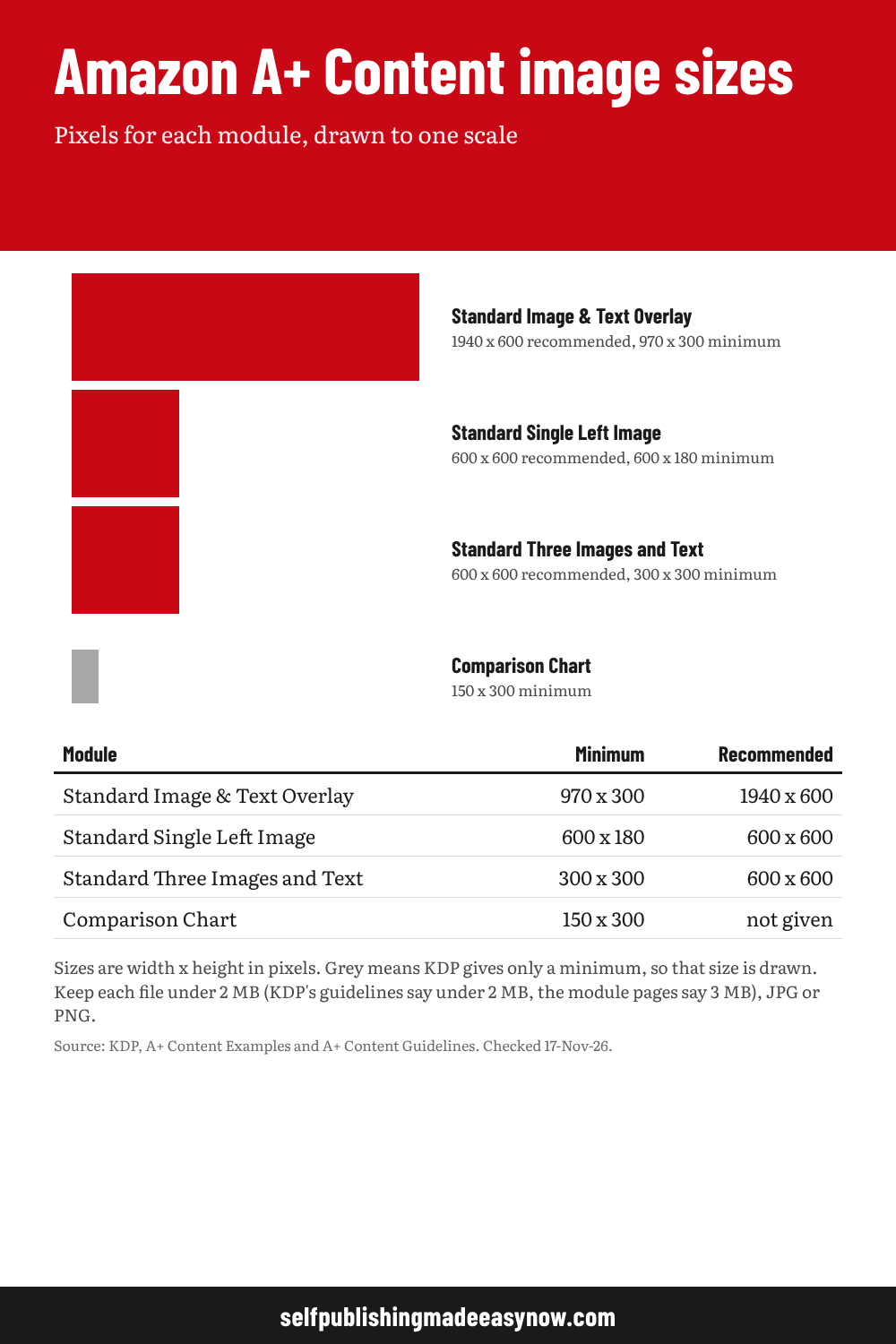
| Module | Minimum | Recommended |
|---|---|---|
| Standard Image & Text Overlay | 970 x 300 | 1940 x 600 |
| Standard Single Left Image | 600 x 180 | 600 x 600 |
| Standard Three Images and Text | 300 x 300 | 600 x 600 |
| Comparison Chart | 150 x 300 | not given |
Sizes are width x height in pixels. Grey means KDP gives only a minimum, so that size is drawn. Keep each file under 2 MB (KDP's guidelines say under 2 MB, the module pages say 3 MB), JPG or PNG.
Source: KDP, A+ Content Examples and A+ Content Guidelines. Checked 17-Nov-26. Charts are made from the same figures as the calculator above. Save the image to keep it.