


This post contains affiliate links. If you buy through one, Urgesta AS may earn a commission at no extra cost to you. Read the affiliate disclosure.
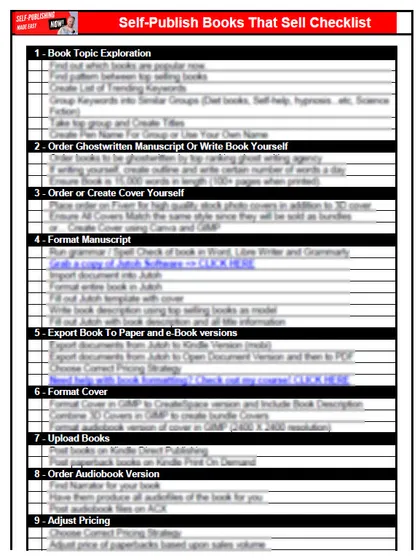
Get the free checklist: the 12 steps I follow for every book I publish.
The quick way to get your book out fast is to set a daily goal, use free tools where they work, and publish a good-enough book instead of a perfect one. Then let readers tell you what to fix. The rest of this post covers my own slow first book, what free tools to use and why being unknown is a bigger problem than a flawed book.
How fast can I really publish my book?
Today’s article has three points, and the third is the most important thing to keep in mind when getting your book onto the market fast.
If you’ve written your book, congratulations: many writers never finish. Now we want it on the market quickly. There are many steps in self-publishing, and each one could cost us sales or embarrass us if the book isn’t ready. The steps can also seem so slow that it feels like it will take years. Traditional publishing does many of the steps for you, but as many of my viewers know, it can be painful and take years, during which you deprive readers of your book and yourself of the money and experience of making sales.
Getting the book out fast has many advantages. It starts a feedback loop with your readers. For the full timeline, see how long it takes to self-publish a book. Grab my free 12-step self-publishing checklist to make sure you don’t skip any step. The method I use to keep the jobs moving is in the get thing done method in self-publishing.
My own story: I started writing a book at a thousand words a day. I recommend setting a daily goal, either a set amount of time for your self-publishing business each day or, if you don’t have a first book yet, a number of words. It may be 100 or 500 words. I found I could do about a thousand, and in no time the first draft was complete.
But I wanted to get to market quickly, and it didn’t go according to plan. I did multiple rounds of editing with different editors. There are different types of editing, covering plot, structure, flow and grammar, and it’s up to you to decide which you want. Then I ordered covers. I started with a basic cover and made so many mistakes. I thought it looked wonderful, then people told me it was terrible. Then I ordered an expensive cover that didn’t meet the needs either. I went back and forth until I found something that worked, using a lot of time.
Then I changed the titles when I realized the importance of keywords. I hadn’t even known keywords mattered. I also went back and forth on descriptions and formatting. It took me months and months, because I had set up huge barriers to make everything perfect. The “good versus perfect” problem gets in the way of getting your book out.
Speed matters. If we get the book on the market quickly we don’t lose motivation, and readers start telling us what they think. My target is reviews of three to five stars. If you want four to five stars, more editing can get you there. If you’re seeing one or two stars, you need more editing, because there’s a mismatch between what you promise and what you deliver. We want to deliver the value we promise. That is the minimum standard I set for every book.
The faster you get the book to market at that quality, the sooner readers can give you feedback, so you can fix the book or your future books. As you practice you begin to master it, and things get faster, especially with a system and virtual assistants. Those drastically sped up how fast I could go from starting to write to being on the market.
Which free tools get my book ready quickly?
At some point I reached the stage where, starting from the title, I knew what I was promising, ordered the cover, and had the book on the market within a single week. I would order the audiobook, which takes a few weeks to produce, and it goes live in a couple of months. I’d have the paperback and Kindle version live within a week and already making sales, with ads running the moment the Kindle book was live.
Yes, a week. Some people go faster, but they take shortcuts on keyword research and cover quality. For a short pamphlet-style book of about 3,000 words, which makes the 24 pages KDP requires as the minimum for a paperback, I’ve done the whole process in a day, designing the cover in Canva. I tested this about a year ago. I wouldn’t recommend it for a real book, since a better cover sells better, but Canva’s templates are good enough that you can put a book on the market the same day and it can sell. The title and cover are crazy important, and a lot of the research goes into finding the market, using tools like KDSpy to find the best keywords.
Here is a quick way to get your book out fast.
1. Format from your Word document with a free tool. Calibre and Draft2Digital will take your Word document and make an EPUB. KDP accepts DOCX, EPUB and KPF files for Kindle books (MOBI is no longer accepted for fixed-layout books since March 2025), and for a paperback without bleed it accepts a PDF, DOCX and other formats, so Word works for both. Check the result in the KDP previewer, because complex formatting may not convert well. I like 6 x 9 inches, and it puts your book into more markets (5 x 8 is acceptable). The table of contents may not look great this way. For proper formatting I recommend Atticus, which takes more time to learn but is by far the best tool. But if we want speed without learning much, this gets your paperback and Kindle files ready in under an hour.
2. Get a professional cover. I’ve used freelance marketplaces such as Upwork to order covers, and I did not find that my $100 covers sold more than my $20 covers, strangely enough. Test it yourself. Choose a designer with a strong track record, such as hundreds of projects with four to five stars. You don’t need straight five stars. Pick someone who uses premium images, not just the free ones from Pixabay or Pexels, and who offers revisions so they go back and forth with you until the cover is right. A cover takes a few days. If you want a cover made for you in every format, I make AI covers, checked against your category: book covers.
Why do the title and cover matter most?
Your title is the most important thing, and that is where KDSpy comes in. The cover is second. If you think covers don’t matter, put up a garbage cover and see. KDP’s free Cover Creator can work for a quick start, but covers made from generic templates often look it and rarely match what sells in your niche. Famous authors with big followings sell regardless of cover and title, which surprises people. Our number one problem as indie publishers is discovery, so make your cover match the top covers in your category. I send my designer a few of the best sellers in my niche and ask for a cover that looks like them. Books with covers like that sell thousands of dollars a month.
The most important point: you can fix the book later, but you can’t freely change the title. KDP says an ISBN cannot be changed on a published book, and the title is locked on a published ebook and on print after 72 hours, so changing it means a new edition, which can create problems linking your paperback to your Kindle book. Some of my older books still cause me trouble because of this, so check KDP’s current rules and get the title right the first time. Use KDSpy and my videos on keyword checking to find the keywords people search for, make sure there aren’t too many books already ranking for them, and see whether there’s demand for your type of book.
Puppy training was a hot keyword many years ago and still sells copies today. Keto diet was hot when there weren’t many books, and now the market is flooded. There are always underserved genres, and sometimes a mix of two genres, like a niche romance subgenre, finds an intersection. For non-fiction, make the primary title the keyword itself, so your promise is in the title, like “How To Grow Vertical Gardens”. We’re not looking for a clever title.
If you’re already a famous author with a gigantic following, this article is not for you. I’m dealing with people whose problem is being discovered, and we want to build your audience.
Your biggest challenge isn’t that the book is terrible. It’s that you won’t be discovered. Get your book out so readers can tell you what is wrong, aim for three to five stars, and if you get less, improve something. We’re not putting garbage on the market, just good-enough books as fast as we can.
Have you used too much time getting your book out? Write “yes” or “no” in the comments.
If you want the simple version of the whole path, read the easiest way to self-publish your book.
Listen to this episode on Spotify
Frequently asked questions
How fast can I publish a book?
Once you have a system, within a week for the paperback and Kindle versions. For a short pamphlet-style book of about 3,000 words I have done the whole process in a day with a Canva cover, but I wouldn't recommend that for a real book.
Which free tools can format my book?
Calibre and Draft2Digital will turn a Word document into an EPUB. KDP accepts DOCX, EPUB and KPF files for Kindle books, so check the result in the KDP previewer because complex formatting may not convert well.
How many pages does a KDP paperback need?
At least 24 pages, which a short book of about 3,000 words reaches.
Can I change my title after I publish?
Not freely. KDP says an ISBN cannot be changed on a published book, and the title is locked on a published ebook (a print book allows 72 hours), so changing it means a new edition, which can create problems linking your paperback to your Kindle book. Get the title right the first time.
What star rating should I aim for?
Three to five stars. If you are seeing one or two stars, you need more editing, because there is a mismatch between what you promise and what you deliver.
Start with the free checklist
The checklist is the 12 steps I follow for every book I publish, from choosing a topic that already sells to setting up the book's marketing. It is free, and you get it straight away.
You get the free checklist and Chris's emails. Unsubscribe any time. Privacy policy
Not sure yet? Book a free 25-minute call
Newest posts
- IngramSpark Standard vs Premium Color: Which Interior for Your Book?
- Which AI Should You Use to Write and Self-Publish a Book?
- What Can I Do Before My Manuscript Is Finished? Five Jobs to Start Now
- How Should I Title My Book's Chapters?
- Atticus or Reedsy Studio: Which Should You Use to Format Your Book?
Popular guides
- Lulu Self-Publishing Review 2026: Pros, Cons and Costs
- IngramSpark Review 2026: Free Setup, New Fees and Is It Worth It?
- Is Pegasus a Vanity Publisher? (2026 Update)
- Can You Sell Self Published Books On Etsy?
- How To Edit Your Books For Free With Grammarly
- Self Publishing Lulu VS Blurb?
- 5 Best Self Publishing Courses for Beginners (2026)
- How Long Should A Self-Published Book Be
- What Are The Minimum Amount Of Words For Paperback Books?
- Comparing Ingramspark, Lulu, and KDP Print
- How Many Books Do Self Published Authors Sell?
- Self-Publish For Under $199!