

This post contains affiliate links. If you buy through one, Urgesta AS may earn a commission at no extra cost to you. Read the affiliate disclosure.
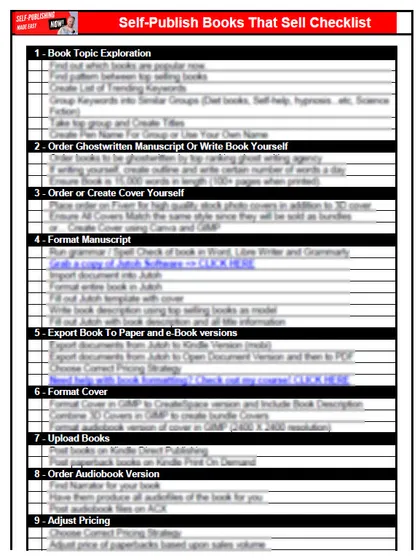
Get the free checklist: the 12 steps I follow for every book I publish.
Table of Contents
- How do you write your ebook?
- Choosing your topic or genre
- Developing an outline or writing plan
- Creating a writing schedule
- How do you proofread and edit your ebook?
- How do you format your ebook?
- How do you design your ebook cover?
- How do you write a book description that sells?
- Which self-publishing platform should you choose?
- How do you set up your account and upload?
- How should you price your ebook?
- How do you market your self-published ebook?
- Where do you go from here?
To self-publish an ebook, choose a topic that sells, outline it, write to a schedule, edit it, format it as an EPUB, get a cover that earns the click, write a description that hooks, then pick your platforms, set a price and market it. There are a lot of steps, which is why my free 12-step self-publishing checklist walks you through them. Here is each step in order.
How do you write your ebook?
Choosing your topic or genre
Start with what you know and are good at. If you’ve trained puppies for years, write about puppy training rather than a topic you have no experience in. For fiction, write in a genre you read yourself.
Then check demand. Are books like yours selling? Your first idea will not be the first book ever written on it, and it won’t make a killing just by existing. I use KDSpy to find keywords with a good ratio: not many books, but the books there selling a lot. Then decide what angle you bring that the others don’t.
Affiliate link: I earn a small commission if you buy, at no cost to you.
Developing an outline or writing plan
Decide what the book is for, break it into key points with supporting details, and put them in order. For fiction that is a storyboard; for nonfiction it is the list of points you will cover. Some writers, the “pantsers”, write by the seat of their pants and fix it later. That works for outstanding writers. For most people it makes the rewrite painful.
Creating a writing schedule
If you wait until you feel inspired, the book never gets done. Pick your best time of day, a place and your tools, and set goals small enough that you don’t burn out. Break the book into tasks you can tick off. I use Todoist to keep track of mine. A routine and a mindset that keeps you going matter as much as talent; there is more on that in increase sales by changing your mindset.
How do you proofread and edit your ebook?
A poorly edited book earns one and two-star reviews, and edited books look professional, so readers are more willing to buy the next one.
- Take a break between writing and editing, so you don’t do both at once.
- Read it aloud, or have your phone or computer read it to you. You hear mistakes you skip when reading.
- Run a spell-check tool. I recommend Grammarly for editing.
- If you have the budget, hire a professional editor. It costs money, but you get an outside view and save time and energy. See how to hire a professional book editor for current rates. If you want every error in your draft marked, with the writing left as yours, I offer a manuscript review.
How do you format your ebook?
EPUB is the format that works on nearly every platform. KDP accepts DOCX, KPF, EPUB and others, and stopped accepting MOBI for fixed-layout ebooks in March 2025 (KDP supported formats). A PDF is fine if you sell directly from your own site, since everyone has a PDF reader.
| Tool | What I think of it |
|---|---|
| Calibre | Good for previewing how an ebook looks. Free for converting Word to EPUB, but the result looks bad because of all the extra code |
| Scrivener | I tried it after I found Word didn’t work. The table of contents didn’t come out the way I wanted, and much of it confused me |
| Vellum | Popular and easy, and many of my clients like it, but pricier for most writers |
| Atticus | The one I recommend. A one-time purchase that makes your ebook EPUB and the print PDF for paperback and hardcover |
I used Jutoh for years before I switched my recommendation to Atticus. Import your edited manuscript, check every chapter, heading and image, then export the EPUB.
How do you design your ebook cover?
The cover’s job isn’t to tell the story. It is to get the click. On Amazon, your biggest challenge isn’t whether the book is good, it is whether anyone clicks in the first place. Your readers have already told you what they buy, so look at the bestsellers in your exact genre (leaving out celebrity books with thousands of reviews) and make your cover fit in with them. A romance cover and a science fiction battle cover look very different. Whenever someone asks me “should I use this cover?”, my first question back is: what do the bestsellers in your niche look like?
You can design it yourself in Canva, which is where I started when I was saving money. Some features are paid now, but the free designs still make good covers. Or hire a professional cover designer. It costs money and can mean some back and forth, but you get an expert’s work and save time.
How do you write a book description that sells?
Hook the reader with what they get from the book, not a summary. Is it exciting entertainment, or does it solve a problem? For fiction, use an engaging hook and a short synopsis without the details. For nonfiction, show you understand the reader’s problem, give the solution and its benefits. You can use ChatGPT to draft options, or Kindlepreneur’s guides, then edit them into your own voice.
Here is the kind of hook I mean: “A riveting tale of love, betrayal and redemption set against the backdrop of a war-torn Europe. Follow the intertwined lives of two star-crossed lovers as they face espionage and sacrifice.” You don’t know the story yet, but you want to.
Which self-publishing platform should you choose?
Amazon KDP first, then go wide. KDP is the largest bookstore in the world and my favorite. If you enroll the ebook in KDP Select, a free program that runs 90 days at a time (KDP Select), you can’t sell that ebook anywhere else during the enrollment.
| Platform | Pros | Cons |
|---|---|---|
| Amazon KDP | Largest store, free to publish | KDP Select means exclusivity |
| Draft2Digital (now with Smashwords) | One upload reaches many stores and libraries | $20 activation for new accounts, $12 a year under $100 a year in sales, about 10% of each sale (Draft2Digital FAQ) |
| Apple Books | 70% royalties on every ebook regardless of price, no file delivery fees (Apple Books for Authors) | Reaches only Apple readers |
I don’t stay exclusive with Amazon. If anything ever goes wrong with your Amazon account, you want money still coming in from the other stores. Amazon has by far the biggest reach, and the other stores widen it.
How do you set up your account and upload?
Sign up on the platform with your email address and details, set up your author profile, then upload the formatted ebook, the cover and the description. KDP asks you to disclose AI-generated content (text, images or translations, see how to get your book translated), even if you edited it afterwards, but not AI-assisted content you created yourself and improved with AI tools (KDP content guidelines).
How should you price your ebook?
Look at what similar books sell for, then weigh your costs, the royalty rate and what readers expect to pay. On Amazon.com, KDP’s 70% royalty option covers ebooks priced from $2.99 to $12.99 since 07-Jul-26 (KDP royalty options). I like to raise my price as sales pick up.
Free and discounted promotions can hook readers on the first book in a series and onto your email list. A higher price earns more per copy until people stop buying, so you’re looking for the price that brings in the most in total. So many authors underprice their books, assuming they have to be cheap. That is a big mistake.
How do you market your self-published ebook?
Many authors think the game is writing the book. It isn’t. Marketing decides what happens after that. Make the book easy to find, build an author brand, and grow a fan base: talk with readers on social media, give away useful content in exchange for an email address, and swap promotions with other authors in your genre. For examples of authors who made it, read success stories: the power of self-publishing.
Where do you go from here?
Take it one step at a time and tick each one off on the checklist. What have you found hardest about getting your ebook published? Tell me in the comments.
Frequently asked questions
Does it cost money to self-publish an ebook?
Publishing on Amazon KDP and Kobo Writing Life is free. Draft2Digital has a one-time $20 activation fee for new accounts, a $12 yearly fee for accounts earning under $100 a year, and keeps about 10% of each sale. Your real costs are usually the cover, editing and tools.
Do I have to tell Amazon if I used AI to write my ebook?
Yes, if AI created the text, images or translations, even if you edited them afterwards. You don't have to disclose AI-assisted work, meaning content you created yourself and then edited or checked with AI tools. See KDP's content guidelines.
What file format should I upload to KDP?
KDP takes DOCX, KPF and EPUB, among others, and stopped accepting MOBI for fixed-layout ebooks in March 2025. EPUB also works for nearly every other store, and a PDF is fine for selling directly from your own site.
Start with the free checklist
The checklist is the 12 steps I follow for every book I publish, from choosing a topic that already sells to setting up the book's marketing. It is free, and you get it straight away.
You get the free checklist and Chris's emails. Unsubscribe any time. Privacy policy
Not sure yet? Book a free 25-minute call
Newest posts
- IngramSpark Standard vs Premium Color: Which Interior for Your Book?
- Which AI Should You Use to Write and Self-Publish a Book?
- What Can I Do Before My Manuscript Is Finished? Five Jobs to Start Now
- How Should I Title My Book's Chapters?
- Atticus or Reedsy Studio: Which Should You Use to Format Your Book?
Popular guides
- Lulu Self-Publishing Review 2026: Pros, Cons and Costs
- IngramSpark Review 2026: Free Setup, New Fees and Is It Worth It?
- Is Pegasus a Vanity Publisher? (2026 Update)
- Can You Sell Self Published Books On Etsy?
- How To Edit Your Books For Free With Grammarly
- Self Publishing Lulu VS Blurb?
- 5 Best Self Publishing Courses for Beginners (2026)
- How Long Should A Self-Published Book Be
- What Are The Minimum Amount Of Words For Paperback Books?
- Comparing Ingramspark, Lulu, and KDP Print
- How Many Books Do Self Published Authors Sell?
- Self-Publish For Under $199!
Tags
- Posts tagged amazon
- Posts tagged authors
- Posts tagged best-sellers
- Posts tagged books
- Posts tagged canva
- Posts tagged Draft2Digital
- Posts tagged EPUB
- Posts tagged Formatting
- Posts tagged Jutoh
- Posts tagged manuscript
- Posts tagged market
- Posts tagged PDF
- Posts tagged proofreading
- Posts tagged readers
- Posts tagged sales
- Posts tagged self-publishing
- Posts tagged selling
- Posts tagged tools