

Get the free checklist: the 12 steps I follow for every book I publish.
If you asked me what step I would add to the publishing process, I would say none. There are already too many steps, and the thing that stops most authors is chasing new tools instead of finishing the basic ones. Here is how I think about it.
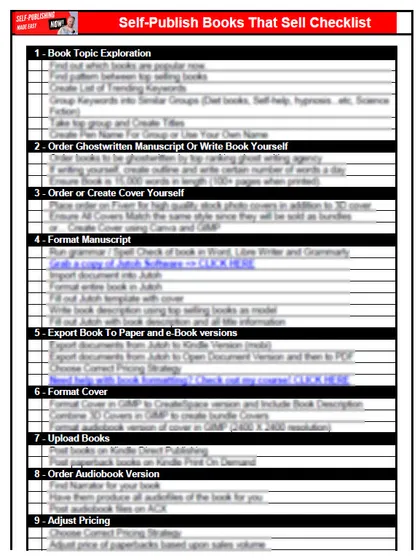
My free checklist breaks the process into phases so you can see if you are missing any steps. It helped me publish 230 books and counting.
Did I feel something was missing from the process?
No, the opposite. When I first started, I felt complete overwhelm. Too many things going on at once and too many steps. It took me months to get my first book on the market: I started in February 2015 and it went live around April. For many people months sound like a long time to wait, but in self-publishing you can move much faster if you do the steps in the right order.
Each phase of the process has many ways to do the individual step. New services and products appear every day, and many of them tell you to do it this way or that way. I avoid that. I would rather keep it simple and go through the steps one by one: do this first, here’s how, then do this next. Read where should a first-time author publish for the start of the road.
What is actually new in publishing?
Amazon has two newer tools, both invite-only betas, so neither is open to everyone:
- Kindle Translate is Amazon’s AI translation for KDP ebooks. It is an invite-only beta, and the source book must be in English, French, German, Italian, Portuguese or Spanish (KDP help). Amazon announced it on 06-Nov-25 (About Amazon). If you want to translate a book, this is the sort of route to wait for, not Google Translate. See banned for taking shortcuts.
- Audiobooks with Virtual Voice makes an audiobook from an eligible ebook with computer-generated speech. It is an invite-only beta in the US, and the list price must be $3.99 to $14.99 (KDP help). I cover audio in are all Kindle books audio. KDP’s Kindle+ page says audiobooks in Kindle+ are available in the US only and need KDP Select, and that a Virtual Voice audiobook is enrolled in Select automatically when its ebook is.
If you do get an invite to Kindle Translate, the help page describes how it works. You can preview the translation before you submit it for publishing. By default the translation takes your source ebook’s list price and royalty plan, and you can set a different price later. A translation can take up to 24 hours to create and up to 72 hours to appear in the Amazon store, and your source ebook is locked for editing until the translations are live. Translations must meet the same content quality guidelines as your ebook, and some may show “Cannot be published” if they fall short of Amazon’s quality threshold (KDP help). That is the opposite of the Google Translate shortcut: Amazon checks the result, and you should too.
Both can change or end, so I would treat them as extras and not as steps in your plan.
What does KDP itself ask me to do?
Less than you might think. KDP’s own guide to creating a title is six steps: click Create on your Bookshelf, choose the type of book, enter the book details, upload and preview your manuscript, set rights and pricing, and for a print book order a proof copy if you want one. Some details cannot be changed after publishing, and each format needs its own ISBN. The hard part is the work between those steps, which is why I keep the checklist in order and add nothing to it.
What stops most authors?
Shiny object syndrome. You get started, then you see a new product or service, then another, and you quit working on the basic steps. The fix is to find the easiest way to do each step on the checklist, and make progress every day. The first day you do one step. The next day you do step two. The third day, step three. Being part of a community also helps you hear which new strategies are working. Read what are the mistakes to avoid when marketing a self-published book if you are about to buy something new.
We want to move the needle: sell more books, create more books and put more products on the market. We are creating value, and it is all about making people’s lives better.
What have you found missing from the process? Tell me in the comments.
Listen to this episode on Spotify
Frequently asked questions
What is Kindle Translate?
It is Amazon's AI translation service for KDP ebooks. It is an invite-only beta, and the source book must be in English, French, German, Italian, Portuguese or Spanish (KDP help).
What is Audiobooks with Virtual Voice?
It makes an audiobook from an eligible ebook with computer-generated speech. It is an invite-only beta, sold in the US only, and the list price must be $3.99 to $14.99 (KDP help).
What steps does KDP ask for when I create a book?
Click Create on your Bookshelf, choose the type of book, enter the book details, upload and preview your manuscript, set rights and pricing, and for print you can order a proof copy first (KDP help).
How long should it take to publish my first book?
It took me about two months for my first one, from February to April 2015. If you do the steps in the right order you can move much faster.
Start with the free checklist
The checklist is the 12 steps I follow for every book I publish, from choosing a topic that already sells to setting up the book's marketing. It is free, and you get it straight away.
You get the free checklist and Chris's emails. Unsubscribe any time. Privacy policy
Not sure yet? Book a free 25-minute call
Newest posts
Popular guides
- Lulu Self-Publishing Review 2026: Pros, Cons and Costs
- IngramSpark Review 2026: Free Setup, New Fees and Is It Worth It?
- Is Pegasus a Vanity Publisher? (2026 Update)
- Can You Sell Self Published Books On Etsy?
- How To Edit Your Books For Free With Grammarly
- Self Publishing Lulu VS Blurb?
- 5 Best Self Publishing Courses for Beginners (2026)
- How Long Should A Self-Published Book Be
- What Are The Minimum Amount Of Words For Paperback Books?
- Comparing Ingramspark, Lulu, and KDP Print
- How Many Books Do Self Published Authors Sell?
- Self-Publish For Under $199!