


Get the free checklist: the 12 steps I follow for every book I publish.
Yes, KDP publishing is still worth it. You can fix mistakes and re-upload your files as often as you like, each new book adds sales, and my Kindle books bring in readers who then buy my paperbacks, which earn about double. Kindle books also make it easy for readers to leave reviews. Below are each of these and the advantage most authors miss.
Which formats should you publish in?
When you start, you decide which formats to put your book into. You might think paper books, because you only read paper. Or audiobooks, or hardbacks. KDP, Kindle Direct Publishing, handles Kindle ebooks, paperbacks and hardcovers in one account. Here I mean putting your Kindle ebook on the market.
You may wonder whether ebooks sell at all. In my case they do. For Kindle you upload an EPUB, a Word file or a KPF file made with Kindle Create. KDP no longer accepts MOBI for new uploads or revisions (KDP MOBI support FAQ), and I explain what to do in Amazon ending support for MOBI files.
My first book went onto KDP in April 2015. I had spent months writing it, getting it edited and finding a cover, then finding a new cover. After it went up I found mistakes, fixed them and re-uploaded. That is one of the advantages: you can fix mistakes and re-upload the book file as many times as you need. Title and author name are more limited, so check KDP’s current rules on changing them.
I saw my first sale and I was hooked. It made me about $2, because I had priced the book at $2.99, in the zone where you get 70%. That zone is now $2.99 to $12.99 on Amazon.com, since 7-Jul-26. It used to be $2.99 to $9.99 (KDP pricing help).
Then I realized that each book I published had a chance of a sale on any given day. The more books on the market, the more sales. Today I watch which books sold each day, and when a book starts selling more, I raise its price, because the market is telling me there is demand. I explain how the ebook and paperback help each other in self-publishing with Kindle: why formats matter.
Do Kindle books help you get reviews?
Yes, and more than paperbacks do. When a reader finishes a Kindle book, they can click and leave a review right there. Paperback readers are less likely to come back to Amazon and leave one.
KDP Select lets you run promotions on your Kindle book: Kindle Countdown Deals and free book promotions (KDP Select help). Countdown Deals only run on Amazon.com and Amazon.co.uk. Check the KDP Select terms for the number of free days and the exclusivity rules before you enrol. Free downloads don’t always turn into reviews, so ask for them, for example from your email list. Reviews that come in from your own readers tend to be positive.
Content marketing finds these readers: your YouTube channel, a podcast, a blog, short stories online.
Is it worth it if you don’t optimize?
Not really. There are so many books arriving on Amazon every day that yours gets lost unless you optimize the cover, description, title and keywords. I haven’t even mentioned the book itself. Marketing is what gets people to click when they see our ads. See the most important factors for ebook publishing.
How do the royalties compare?
You can check the claim about paperbacks with KDP’s own numbers. For a paperback, KDP’s royalty page gives the formula as the royalty rate times the list price, minus printing costs. On Amazon.com the rate is 60% at $9.99 and above, and in KDP’s $15 example with a $5.00 printing cost the author earns $4.00. For an ebook, KDP’s ebook royalty page lists 35% or 70% of the list price without VAT, less delivery costs of about $0.06 per unit on average for the 70% option.
What you earn depends on your price and page count, so run your own numbers before you decide.
What is the advantage most authors miss?
Your Kindle books drive traffic to your paperbacks. My paperbacks have always made double the royalties of my Kindle books. Someone finds the Kindle book, sees it is a good price, and notices there is a paperback.
It works in both directions. The paperback’s higher price makes the Kindle book look like a good deal, shown with the paperback price struck through. And the Kindle book tells people that if money isn’t an issue, they could get the paperback. Set your paperback at a price where you make at least $5 a book after printing costs.
Don’t assume your readers like what you like. I enjoy reading on my iPhone. Some people want paper, some want to listen, some read on a Kindle. The answer is all of the above, so don’t put your book in a format they don’t like.
KDP now offers hardcover books as well as paperbacks. It asks you to say if a book contains AI-generated text or images (KDP content guidelines), and it limits how many new titles you can create each week. The limit has changed more than once, so check KDP’s help page for the current number before you plan a big launch.
Is KDP publishing still worth it to you? Tell me in the comments. For the case against selling only from your own website, read is Amazon KDP worth it. If you are just starting, grab my free 12-step self-publishing checklist first.
I also answered this question in a second video, with a different take:
Listen to this episode on Spotify
Frequently asked questions
Is KDP publishing still worth it?
Yes, as long as you optimize your books to sell. You can fix mistakes and re-upload your files as often as you like, and each new book adds a chance of a sale.
Do Kindle books help you get reviews?
Yes. A reader who finishes a Kindle book can click and leave a review right there, which paperback readers are less likely to do. Free promotions do not always turn into reviews, so ask for them, for example from your email list.
Why publish a Kindle book if paperbacks earn more?
My Kindle books draw readers to my paperbacks, which have always earned about double the royalties. The paperback price also makes the Kindle book look like a good deal.
Is it worth it if you do not optimize?
Not really. So many books arrive on Amazon every day that yours gets lost unless you optimize the cover, description, title and keywords.
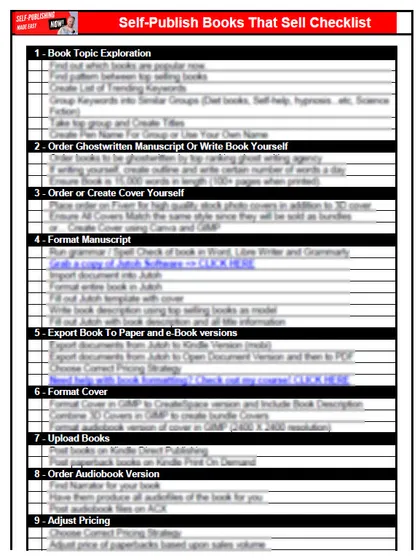
Start with the free checklist
The checklist is the 12 steps I follow for every book I publish, from choosing a topic that already sells to setting up the book's marketing. It is free, and you get it straight away.
You get the free checklist and Chris's emails. Unsubscribe any time. Privacy policy
Not sure yet? Book a free 25-minute call
Newest posts
Popular guides
- Lulu Self-Publishing Review 2026: Pros, Cons and Costs
- IngramSpark Review 2026: Free Setup, New Fees and Is It Worth It?
- Is Pegasus a Vanity Publisher? (2026 Update)
- Can You Sell Self Published Books On Etsy?
- How To Edit Your Books For Free With Grammarly
- Self Publishing Lulu VS Blurb?
- 5 Best Self Publishing Courses for Beginners (2026)
- How Long Should A Self-Published Book Be
- What Are The Minimum Amount Of Words For Paperback Books?
- Comparing Ingramspark, Lulu, and KDP Print
- How Many Books Do Self Published Authors Sell?
- Self-Publish For Under $199!