

Get the free checklist: the 12 steps I follow for every book I publish.
The best font for a self-published book is a readable serif font, and Georgia is the one I trust. I have used it for all 230 of my books, and nobody has ever told me it was hard on the eyes. Below are the other fonts I would consider, what KDP requires, and the formatting mistake that taught me why this matters.
What is the best font for a self-published book?
Use one serif font for the whole book. Serifs are the small strokes at the ends of letters, and in my experience a sans serif font can strain the eyes over a whole book. Other serif fonts that many people find good are Baskerville, Bembo, Garamond, Janson, Palatino and Times New Roman. Most of those started as newspaper fonts, but they work in books too. Remember that a reader will look at this exact font for hours, so do not choose one that hurts their eyes.
Avoid novelty fonts, like the Wingdings and other crazy-looking ones you could pick in the old days.
Why do I use Georgia?
Georgia looks fantastic in an EPUB and it switches properly when a reader changes the font on their device. I made a template with Georgia in it, so each new manuscript drops into the same format. Today I do the same in Atticus, where you pick one serif font for the whole book.
For a paperback or hardback I just keep Georgia as it is. I have never had anyone say the font was too small, too big, ugly or hard to read.
What does KDP require for fonts?
For a paperback PDF, KDP says fonts must be embedded, and each one has to show as “Embedded” or “Embedded Subset” in Adobe Acrobat under File, Properties, Fonts. Text must be at least 7 points. Some fonts from free sites may not embed because of technical or legal limits, so test a font before you use it. In Word, go to File, Options, Save, tick “Embed fonts in the file” and leave the two sub-options unticked (KDP Paperback Fonts).
For Kindle ebooks, readers choose their own font in the Font tab. A Publisher Font option appears only on books where the publisher embedded a font (Amazon Kindle help). So in an ebook, the font matters less than clean formatting. See the correct format for Kindle books.
What size should the text be?
For print, the typography guide Practical Typography says the best size for body text is 10 to 12 point. That is far above KDP’s 7 point minimum, which is the smallest KDP will accept, not a size to aim for. Georgia sits well in that range. Order a printed proof (see how KDP proof and author copies work) and read a few pages in your hand before you approve the book. On Kindle you do not set the size, because readers change it on their device. If you format in Word, the free KDP paperback templates are already set to KDP’s page size and margins: three sizes download straight away, and all 16 come by email.
What font and text size suit a picture book?
Nothing official sets a type size for children, so this part is my advice. Pick a plain, rounded font that a child can read easily. Make it big enough to read aloud from arm’s length. Keep the words off the busy parts of the art so they stay clear. To see where the words sit on each spread, the picture book layout planner lets you type the text for every page and counts the words. The one hard rule comes from KDP, which says margins protect your content from being cut off when the book is trimmed. Without bleed, keep text at least 0.25 inches from the top, bottom and outside edges. With bleed, make it 0.375 inches (KDP trim, bleed and margins). Text for a picture book should never sit in the bleed or trim area. Build the layout in the picture book guide with that in mind, and check a printed proof. If you build it in Word, the Picture Book Template Pack has the picture boxes and text panels already placed for three layouts.
How do I make a large print edition?
A large print edition is a new edition, so it needs its own ISBN. KDP says the same ISBN cannot be reused across formats or new editions (KDP ISBN help). On size, Ingram Content Group’s large print guidelines say 14 to 18 point is typically considered large print, with 16 point recommended. They say the text must not go below 14 point, and they ask for an easy-to-read sans serif font with no italics, bold or underlining. That means Georgia is not the right choice here. I could not find a KDP help page that defines large print or describes a large print option, so check the setup screens in your own account. If you want one made for you, large print is a custom request on book formatting: tell me what you need when you order.
What went wrong when I paid someone to format my first book?
For my first paperback I paid a freelancer to format it. It looked okay, but some of the writing was off, and I went through a series of edits. The table of contents was not clickable, the pages did not match, and in dark mode I could not see the text because they had chosen a font colour that did not change. The program they used was terrible.
Fixing it meant asking them again, which cost an extra fee, nearly doubling, tripling or even quadrupling the price. That is when I started testing formatting programs. My lesson: if you do not do it yourself at least once, or learn the process, lots of mistakes get made. In an ebook the formatting tool has to code the text properly, so it switches to white text on a black background in dark mode.
If you would rather have it done properly the first time, my team can format your book. They use one of three house styles (Classic, Modern or Workbook), and I check every book before it goes back to you. An EPUB is from $67. With the print PDF as well, it is from $127. You get the files within 3 business days of sending your manuscript. See book formatting.
Want your book formatted properly the first time? Get my free 12-step checklist.
Listen to this episode on Spotify
Frequently asked questions
What font size should a paperback use?
KDP says paperback text must be at least 7 points (KDP Paperback Fonts). Most books use a much larger size for comfortable reading, so check a printed proof.
Do I need to embed fonts for KDP?
For a paperback PDF, yes. Each font must show as Embedded or Embedded Subset in Adobe Acrobat under File, Properties, Fonts (KDP Paperback Fonts). For ebooks, readers can pick their own font.
Can Kindle readers change my font?
Yes. Kindle's Font tab lets readers choose from a list of fonts, and a Publisher Font option shows only on books where the publisher embedded a font (Amazon Kindle help).
What size should body text be in a printed book?
Practical Typography recommends 10 to 12 point for body text in print. KDP's 7 point minimum is only the smallest it accepts, so order a printed proof and check it.
Start with the free checklist
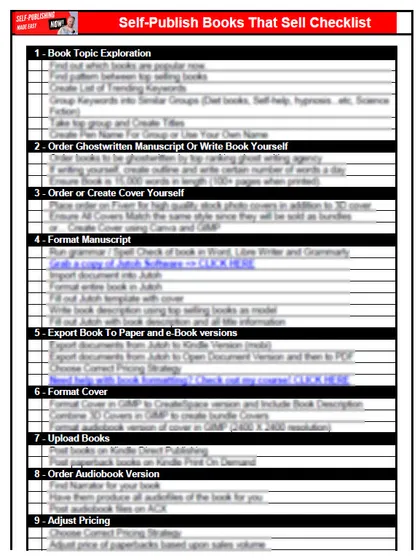
The checklist is the 12 steps I follow for every book I publish, from choosing a topic that already sells to setting up the book's marketing. It is free, and you get it straight away.
You get the free checklist and Chris's emails. Unsubscribe any time. Privacy policy
Not sure yet? Book a free 25-minute call
Newest posts
- IngramSpark Standard vs Premium Color: Which Interior for Your Book?
- Which AI Should You Use to Write and Self-Publish a Book?
- What Can I Do Before My Manuscript Is Finished? Five Jobs to Start Now
- How Should I Title My Book's Chapters?
- Atticus or Reedsy Studio: Which Should You Use to Format Your Book?
Popular guides
- Lulu Self-Publishing Review 2026: Pros, Cons and Costs
- IngramSpark Review 2026: Free Setup, New Fees and Is It Worth It?
- Is Pegasus a Vanity Publisher? (2026 Update)
- Can You Sell Self Published Books On Etsy?
- How To Edit Your Books For Free With Grammarly
- Self Publishing Lulu VS Blurb?
- 5 Best Self Publishing Courses for Beginners (2026)
- How Long Should A Self-Published Book Be
- What Are The Minimum Amount Of Words For Paperback Books?
- Comparing Ingramspark, Lulu, and KDP Print
- How Many Books Do Self Published Authors Sell?
- Self-Publish For Under $199!