

Get the free checklist: the 12 steps I follow for every book I publish.
It depends. At the basic level, self-publishing to Kindle is easy. Getting sales is harder. You can upload a Word file to KDP, make a cover with its free tools and publish. Better formatting, better covers and more books add complexity, so keep each book as simple as your current level allows, then publish again. The rest of this post covers how I judge that level.
What does it take to publish a basic Kindle book?
Not much. KDP’s Create a Book help page lists the steps: go to your Bookshelf, click + Create, add the book details, upload and preview your manuscript, then set the rights and price. Converting an ebook file can take five to seven minutes, and you then check it in the previewer. The same Create a Book page limits new titles to two per format each week, so check KDP’s current rule if you plan to publish a lot at once. Newly published books can take up to 72 hours to appear in Amazon search results.
A file can be a Word document (DOCX), an EPUB, or a KPF from Kindle Create, Amazon’s free formatting tool. When you publish, KDP asks you to tell them if text, images or translations are AI-generated. Work you wrote yourself and only edited with AI tools does not need that disclosure.
So at the lowest level it is simple. You can even upload one page of text with a cover from KDP’s cover tool and a plain title. That is not a book that will sell, but it shows how low the bar to publish is.
Why does it get harder when you want sales?
Because sales need better tools and more skill. I recommend Atticus for formatting, and as money comes in you can hire help. I have virtual assistants who build books with me, so I don’t do all of the main work myself.
When I started I read a book by Steve Scott on publishing a book in 30 days, and I wasn’t sure it was possible. I followed the steps in order and it was doable. The hard part for me was the cover. If you want to know where to find help, see Where To Find Amazon Kindle Self Publishing Help? and Can Anyone Learn How To Self Publish On Amazon Kindle?
What happens after you press publish?
KDP says it takes up to 72 hours for newly published books to appear in Amazon search results. If KDP cannot publish a book, it tells you by email, and you can also check the status on your Bookshelf by hovering over the book’s status.
For a paperback, the cover is where files get rejected. KDP’s paperback cover page says the cover must be a single PDF with the back cover, spine and front cover as one image, and that locked or encrypted files fail review. That is one reason I say paperbacks are harder than Kindle.
Is Kindle easier than a paperback?
Yes, and it is the easiest place to start. Paperbacks need cover formatting with a spine, a table of contents that matches the page numbers and a print-ready PDF, and those trip up many beginners. With Kindle you can upload a Word file and use a cover from KDP’s own tool, then move to proper formatting. I would not publish with the built-in cover if you want sales, but it works to get started. The tool I recommend for the next step is Atticus. I used Jutoh for years, but Atticus works in your browser and on Mac, Windows and Linux and builds EPUB and print-ready PDF files from one manuscript, with a table of contents that works in the EPUB. See Best Tool For Formatting Your Book.
If proper formatting is the part that worries you, you do not have to learn a tool. My team formats your book and I check it before it goes back: EPUB from $67, or with the print PDF from $127, within 3 business days of getting your manuscript. See book formatting.
How simple should you keep it?
As simple as your current level needs, not as simple as it could possibly be. Everyone has a level of difficulty. If you go past it, you get demotivated or bogged down and never get the book out. Or you finish once, find it so painful you never want to do it again.
Winning at self-publishing is about repeating the process and asking each time what could be better. Make it simple enough that it stays fun, then make the next book a little harder. A little difficulty is right. Like lifting weights, if you only use the light ones you do not grow, and if you do not grow you will not sell as many books.
Why use a checklist?
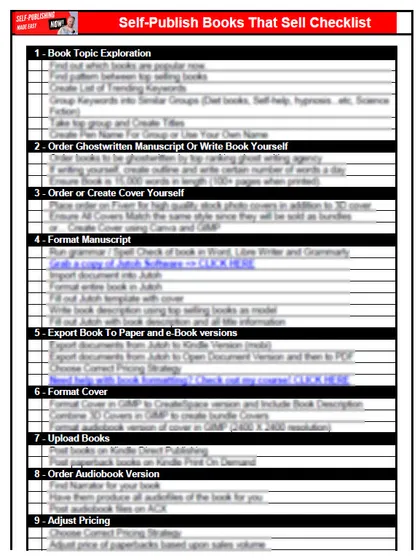
A checklist shows exactly what needs doing and stops you skipping steps. I use one for all 230 of my books, and my virtual assistants use the same pattern. Mine is more complex than what a beginner needs, so start with the simple version: my free 12-step self-publishing checklist. Each time through, ask whether it is as good as you can get and whether a better tool would help.
Still not sure whether it is worth the effort? Read Is Self Publishing On Kindle Worth It?
What have you found? Tell me in the comments.
Listen to this episode on Spotify
Frequently asked questions
Is self-publishing to Kindle difficult?
At the basic level it is easy: create the book from your Bookshelf, upload a manuscript, set a price and publish. Getting sales is harder, because it needs better covers, formatting, keywords and more books.
Is Kindle easier than a paperback?
Yes. Paperbacks need cover formatting with a spine, a matching table of contents and a print-ready PDF, which trip up many beginners. With Kindle you can upload a Word file and use a cover from KDP's own tool.
How simple should you keep your book?
As simple as your current level needs. Go past your level and you get bogged down; keep it simple enough to stay fun, then make the next book a little harder.
Why use a checklist?
A checklist shows what needs doing and stops you skipping steps. I use one for all 230 of my books, and my free 12-step checklist is the simple version to start with.
Start with the free checklist
The checklist is the 12 steps I follow for every book I publish, from choosing a topic that already sells to setting up the book's marketing. It is free, and you get it straight away.
You get the free checklist and Chris's emails. Unsubscribe any time. Privacy policy
Not sure yet? Book a free 25-minute call
Newest posts
- IngramSpark Standard vs Premium Color: Which Interior for Your Book?
- Which AI Should You Use to Write and Self-Publish a Book?
- What Can I Do Before My Manuscript Is Finished? Five Jobs to Start Now
- How Should I Title My Book's Chapters?
- Atticus or Reedsy Studio: Which Should You Use to Format Your Book?
Popular guides
- Lulu Self-Publishing Review 2026: Pros, Cons and Costs
- IngramSpark Review 2026: Free Setup, New Fees and Is It Worth It?
- Is Pegasus a Vanity Publisher? (2026 Update)
- Can You Sell Self Published Books On Etsy?
- How To Edit Your Books For Free With Grammarly
- Self Publishing Lulu VS Blurb?
- 5 Best Self Publishing Courses for Beginners (2026)
- How Long Should A Self-Published Book Be
- What Are The Minimum Amount Of Words For Paperback Books?
- Comparing Ingramspark, Lulu, and KDP Print
- How Many Books Do Self Published Authors Sell?
- Self-Publish For Under $199!