

This post contains affiliate links. If you buy through one, Urgesta AS may earn a commission at no extra cost to you. Read the affiliate disclosure.
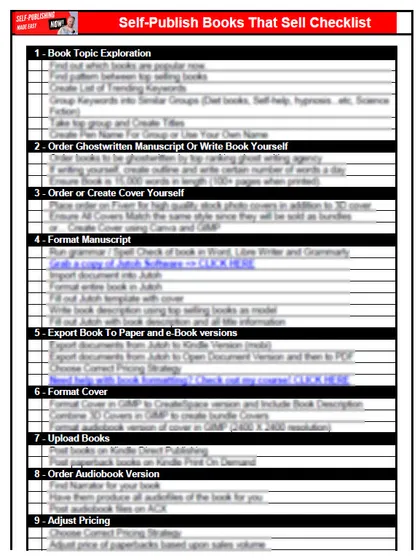
Get the free checklist: the 12 steps I follow for every book I publish.
Yes, anyone can learn to self-publish on Amazon Kindle, because the skills needed to get a book live are very few. What takes longer is choosing the right market and improving as you go, and perfectionism is what stops most people. Below I cover the skills you need, what you can fix after you publish, and why I say publish first.
What skills do I need to publish on Kindle?
Very few. You may think publishing on Kindle takes a lot of skill, money and time, and you’re not sure you can do it. My free 12-step self-publishing checklist lays out every step in order.
When I started, I read a step-by-step guide to publishing on Kindle (I think it was called 21 Days to Publishing Your First Kindle Book, or something close). I found you can publish a book in a couple of weeks.
Here is what you actually need, in order:
- A finished manuscript. KDP accepts Word (DOC/DOCX), KPF from Kindle Create, and EPUB, among other formats. Since March 2025 KDP no longer accepts MOBI files for fixed-layout ebooks, so stick to DOCX, EPUB or KPF.
- A cover. KDP’s Cover Creator is free and builds a cover from templates.
- A KDP account, a title, a description, keywords and categories, and a price.
Anyone can learn it, even children. It is simple, but most people make it difficult. See my post on the correct format for Kindle books for the formatting step.
Will my book sell just because it is published?
No. Publishing doesn’t mean the book will sell. You need the right market. I use KDSpy to find it, and Publisher Rocket to find keywords for ads. Together they help me write in the correct market. Then you need a cover that fits the market and the rest. But just getting the book published doesn’t have to be hard. For how hard it really is, see how hard self-publishing is.
You can upload a Word document directly and use KDP’s free cover creator to publish immediately. It won’t be high quality, and you may get no sales or poor reviews. In one sense that’s bad.
How long until my Kindle book is live?
Not instantly, so don’t schedule anything around the minute you press publish. Amazon says it takes 3 business days after you submit for a book or an update to be live, and the detail page, cover thumbnail and search listing of a new ebook can each take up to 72 hours. A paperback from an account with no earlier published book can take up to 6 days. Knowing this, you won’t think something is broken on day two.
Why should I publish first and improve later?
Start by publishing something. We don’t learn until we do. Once the book is up, you can improve it step by step: run ads, get a better cover, and rewrite the description.
Check what KDP lets you change, because it is less than it used to be. On a published ebook, KDP lets you update the description, keywords, categories and price, but the title, subtitle and primary author name are locked. A paperback’s title, subtitle and author can be edited only within 72 hours of first publication. So take a little extra care with the title and your author name before you press publish, and get the rest right over time.
How do I stop perfectionism from holding me back?
Our biggest enemy is perfectionism, the idea that the book must be perfect before it goes on the market. Many people say they’d like to write a book, but only a tiny share actually do, even though the process is simple. You do it one step at a time. Better to get something good, or even just okay, on the market and improve it than to wait. My post on perfectionism vs self-doubt goes deeper.
Each book is better than the last, and you can go back and fix earlier books, as I have over the years. After a while the sales come in. We don’t learn everything at once, so we improve slowly. If you want the whole process in one place, start with how to self-publish your first book.
So, can anyone learn to self-publish on Kindle? Yes. What have you found? Tell me in the comments.
Listen to this episode on Spotify
Frequently asked questions
What file can I upload to KDP for a Kindle book?
KDP accepts Word (DOC/DOCX), KPF from Kindle Create, and EPUB, among others. Since March 2025 it no longer accepts MOBI files for fixed-layout ebooks, so use DOCX, EPUB or KPF.
Can I change my Kindle book's title after it is published?
No. KDP locks the title, subtitle and primary author name of an ebook once it is published, so a change means creating a new edition. You can still edit the description, keywords, categories and price.
Do I need to pay for a cover to publish my first Kindle book?
No. KDP's Cover Creator is a free tool for building a cover from templates. A professionally designed cover usually sells better, but it is not required to publish.
How long does it take for a Kindle book to go live?
Amazon says 3 business days after you submit. A new ebook's page, cover and search listing can take up to 72 hours each, and a first paperback up to 6 days.
Start with the free checklist
The checklist is the 12 steps I follow for every book I publish, from choosing a topic that already sells to setting up the book's marketing. It is free, and you get it straight away.
You get the free checklist and Chris's emails. Unsubscribe any time. Privacy policy
Not sure yet? Book a free 25-minute call
Newest posts
Popular guides
- Lulu Self-Publishing Review 2026: Pros, Cons and Costs
- IngramSpark Review 2026: Free Setup, New Fees and Is It Worth It?
- Is Pegasus a Vanity Publisher? (2026 Update)
- Can You Sell Self Published Books On Etsy?
- How To Edit Your Books For Free With Grammarly
- Self Publishing Lulu VS Blurb?
- 5 Best Self Publishing Courses for Beginners (2026)
- How Long Should A Self-Published Book Be
- What Are The Minimum Amount Of Words For Paperback Books?
- Comparing Ingramspark, Lulu, and KDP Print
- How Many Books Do Self Published Authors Sell?
- Self-Publish For Under $199!