


This post contains affiliate links. If you buy through one, Urgesta AS may earn a commission at no extra cost to you. Read the affiliate disclosure.
Get the free checklist: the 12 steps I follow for every book I publish.
There is no minimum word count for a paperback, only a minimum page count. KDP needs at least 24 pages for a black ink paperback (KDP print options), which for me works out at about 3,000 words, and some of my best earning books are that short. This post covers the hard limits: how many pages KDP will print, the 79 pages you need for spine text, and how many words fill a page. For how long a book should be to sell, see how long a self-published book should be.
How many pages does a paperback need?
At least 24 pages on KDP for black ink or premium colour, and 72 for standard colour (KDP print options). The minimum is the same for every trim size KDP lists. The maximum can drop for the largest trims: in KDP’s table for its Japan store, the two widest sizes stop at 780 pages on white paper. So the ink, the paper and the format set the range, and for a very large trim check the row for your size.
| Format on KDP | Minimum pages | Maximum pages |
|---|---|---|
| Paperback, black ink, white paper | 24 | 828 |
| Paperback, black ink, cream paper | 24 | 776 |
| Paperback, standard colour | 72 | 600 |
| Paperback, premium colour | 24 | 828 |
| Hardcover, black ink (white or cream) | 75 | 550 |
The size you choose still matters for cost and feel, and which KDP trim size to choose covers it. Page count sets your printing cost too: above 110 pages a black ink paperback costs $1.00 plus 1.2 cents a page in a regular trim (KDP printing costs).
Can a short paperback have text on the spine?
Only from 79 pages. KDP’s cover help says “to include spine text, your book must have at least 79 pages,” and Cover Creator needs 80 (KDP spine text rules). Under that, leave the spine blank, or KDP will reject the cover.
To see how wide your spine is at your page count, use my free KDP cover size and spine width calculator.
How many words fill a page?
It depends on your font, margins and spacing, so any figure is a range. Kindlepreneur surveyed more than 900 authors and found an average of 233 words a page for nonfiction and 280 for fiction, with individual authors reporting 100 to 400 (Kindlepreneur, updated 08-Nov-25). Reedsy assumes 300 words a page for a paperback (Reedsy, 2026). Here are the page limits turned into words at the two ends of that range:
| Pages | Words at 233 a page | Words at 300 a page | Why it matters |
|---|---|---|---|
| 24 | 5,600 | 7,200 | The KDP minimum for black ink |
| 79 | 18,400 | 23,700 | The minimum for spine text |
| 110 | 25,600 | 33,000 | Where printing cost starts to rise per page |
| 300 | 69,900 | 90,000 | A long full-length book |
| 828 | 192,900 | 248,400 | The most for black ink on white paper |
So 24 pages of solid text is 5,600 to 7,200 words, not 3,000. My 3,000-word books still reach 24 or 25 pages because I use Georgia at 12 or 13 points with generous spacing, chapters that start on a new page, and the front and back matter: a title page, a copyright page, a disclaimer and an introduction. Format the book, then look at the page count in the KDP previewer, because the previewer is the only number KDP goes by. For a first estimate from your own word count, trim size and font, use my book page count calculator.
My manuscript is too long for KDP print: what are my options?
You have three: trim the book, change the print settings, or split it into volumes. KDP stops you at the maximum page count for your ink and paper, so check the table above first. White paper allows more pages than cream, and the hardcover limit is lower than the paperback one.
- Cut what the reader does not need. If you are well over the limit, a tighter edit usually makes the book better, not just shorter.
- Check your layout. Font size and spacing change the page count more than the word count does.
- Split it into volumes. Two books of a sensible length are often easier to sell than one huge one, and each can have its own price and cover. KDP lets you start a series page and add books to it at any time, so readers can find Volume 2 from Volume 1. Split at a natural break, not mid-chapter, and say on the listing that the story continues. KDP asks for the same if you ever sell the volumes together as an ebook boxed set, which needs its own ISBN.
I have not split a book that was over the KDP limit myself, and KDP’s pages do not say what to do when a book is over the maximum, so the splitting advice is my suggestion and not a KDP rule.
Can I sell one ebook and two paperback volumes?
Probably not on one page. KDP says Amazon links formats only when title, subtitle, author, contributor, series, language, edition, volume and interior type all match, about a week after each is live (KDP on linking formats). One ebook does not match paperbacks with volume numbers, so expect separate pages. That is my reading, not KDP’s words. Either publish the ebook in the same volumes as the paperback, so each pair links, or publish the one ebook as its own book in the same series and say in each paperback’s description that the ebook holds the whole work. Amazon decides what links, so check a week after going live.
What did I find when I tested different lengths?
My shorter books made more money than my longer ones. When I started, I had heard that 15,000 words was the magic number. So my first book was about 10,000 to 15,000 words, the next one 20,000 to 25,000, and I kept putting out different lengths.
When I put the results into Excel and graphed them, I was blown away. On my keyword-targeted books, the 3,000-word ones earned the most once I looked at what each book cost me to make.
I assumed people would want longer books, and plenty of authors will tell you a book should be 30,000 words or more. They have their reasons. I’m a data analyst, so I look at the data, and on my books it points to about 3,000 words. Plenty of people disagree with me on this one. For ranges by genre, see what is a good word count.
Is a short book a good idea?
It can be, if the book has a clear job. A short story, a set of poems or a book that solves one specific problem can serve a reader better than a long one that overwhelms them.
Two warnings. KDP’s content quality guide lists “content that is too short” as disappointing content it doesn’t allow, and KDP says it will remove content that breaks its guidelines (Guide to Kindle Content Quality). It doesn’t give a word count for “too short,” so make sure the book delivers what the title promises. And some readers leave one-star reviews when they feel a book is too short, so say how long it is in the description.
My short books work because I only go into hungry markets. I pick highly targeted keywords with KDSpy, which shows me how much competition a keyword has. I want very few books, and a lot of people searching for and buying them. With a 3,000-word book, a cover that fits the market and a good description, it’s then possible to get onto the first page of Amazon next to the big names, and the books start to sell.
How do I make more from short books?
Bundle them. Four 3,000-word books, A, B, C and D, can become a 12,000-word collection. With bundles such as A and B, C and D, and all four together, the four books you paid to produce give you seven titles, each with its own cover. After the paperback, I take them to audio.
For ebooks, follow KDP’s boxed and bundle edition guidelines: the title must show it contains several books, the description must list every book in it, and the bundle needs its own ISBN. Those guidelines cover ebooks only, so check KDP’s current rules before publishing a combined paperback. I cover this in more detail in make a killing with book bundles.
Which tool do I use to check the page count?
Atticus, my top pick. It shows you exactly how many pages the book has and lets you adjust it to reach the minimum, and it makes the paperback, the hardcover and the Kindle book from the same file.
Check the table of contents too, with the right page numbers. When I first started I tried Scrivener, and it couldn’t do the table of contents the way I wanted, so I got a refund. Then I used Jutoh for years before moving to Atticus.
If you’re new to all of this, my free self-publishing checklist shows every step from manuscript to published book.
Have you found that longer books sell better for you, once you compare what they cost with the royalties? Let me know in the comments.
Listen to this episode on Spotify
Frequently asked questions
What is the minimum word count for a paperback book?
There is no minimum word count, only a minimum page count. KDP needs at least 24 pages for a black ink paperback, which works out at about 3,000 words in my books.
How many pages does a KDP paperback need?
At least 24 pages for black ink or premium colour, and 72 for standard colour. The most is 828 pages for black ink on white paper and 776 on cream (KDP print options).
Can a short paperback have text on the spine?
Only from 79 pages, or 80 if you use KDP's Cover Creator. Under that, leave the spine blank, or KDP will reject the cover.
How many words fit on a page?
Kindlepreneur's survey of more than 900 authors found an average of 233 words a page for nonfiction and 280 for fiction, and Reedsy assumes 300 for a paperback. Your font, margins and trim size change it.
Is a 3,000-word book too short?
It can work if the book has a clear job. On my keyword-targeted books the 3,000-word ones earned the most. KDP does not allow content that is too short but gives no word count, so deliver what the title promises and say the length in the description.
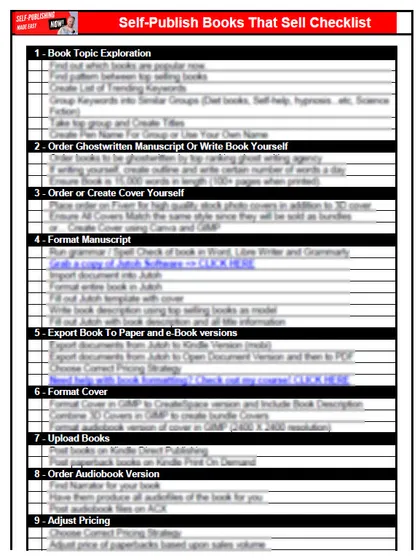
Start with the free checklist
The checklist is the 12 steps I follow for every book I publish, from choosing a topic that already sells to setting up the book's marketing. It is free, and you get it straight away.
You get the free checklist and Chris's emails. Unsubscribe any time. Privacy policy
Not sure yet? Book a free 25-minute call
Newest posts
Popular guides
- Lulu Self-Publishing Review 2026: Pros, Cons and Costs
- IngramSpark Review 2026: Free Setup, New Fees and Is It Worth It?
- Is Pegasus a Vanity Publisher? (2026 Update)
- Can You Sell Self Published Books On Etsy?
- How To Edit Your Books For Free With Grammarly
- Self Publishing Lulu VS Blurb?
- 5 Best Self Publishing Courses for Beginners (2026)
- How Long Should A Self-Published Book Be
- Comparing Ingramspark, Lulu, and KDP Print
- How Many Books Do Self Published Authors Sell?
- Self-Publish For Under $199!