

This post contains affiliate links. If you buy through one, Urgesta AS may earn a commission at no extra cost to you. Read the affiliate disclosure.
Get the free checklist: the 12 steps I follow for every book I publish.
The must-have self-publishing tools I recommend are Atticus for formatting and KDSpy to check a market before you write. Add Publisher Rocket for keywords and ads, Grammarly for editing, MailerLite for an email list, Todoist for tasks and a professional cover designer. Below is what each does, what it costs, and the mistakes I made before I found them.
What Are the Must-Have Self-Publishing Tools?
Some links are affiliate links, and you pay nothing extra. I only recommend tools I have tried myself. Prices change, so check each tool’s own page.
| Tool | What it is for | Cost I found |
|---|---|---|
| Atticus | Formatting ebook and print files | $147 one-time, no monthly fees (Atticus) |
| KDSpy | Checking a market and keywords before you write | One-time purchase |
| Publisher Rocket | Keywords and ads | Listed at $199, one-time (Publisher Rocket) |
| Grammarly | First-level editing | Free and paid versions |
| MailerLite | Your email list | Free up to 250 subscribers (MailerLite pricing) |
| Todoist | Tasks for each book | Free plan, Pro $7 a month (Todoist pricing) |
| Professional cover designer | The cover | Varies |
If I could recommend only two, they are KDSpy, to make sure you choose the right market, and Atticus. Then a professional cover designer, so your cover earns the sales your book deserves. For hosting a WordPress site I recommend WPX hosting, and I find virtual assistants through OnlineJobs.ph (see how it can help your self-publishing business). Both are affiliate links. I only promote tools I have used myself.
Why Do the Wrong Tools Cost You Time and Money?
When I first started, I didn’t have much money. I decided to use only free resources and not pay for training or coaching. That was my plan. I got rejection after rejection from Amazon because the cover or the book formatting was off, and I wasted my own time, which is the most valuable resource.
My first tools were Microsoft Word and Excel to keep track of which book I was on. I wrote my first book in Word. Then I needed a cover and formatting. I originally thought I would pay somebody on Fiverr to do the formatting. The table of contents did not work when clicked, and they hard-coded dark blue colors into the ebook file, so in night mode nobody could read it. They gave one revision, and in it they broke the bullet points. So I learned to format myself.
My first formatting tool was Scrivener, which many people praise. I read a lot of sites trying to get the table of contents to work and found it very difficult (maybe it has been fixed since). Next was Jutoh, which I used for years, and today I recommend Atticus. It does the table of contents properly, and it is easier to learn. I don’t speak negatively about anybody’s software. I only say it didn’t solve that problem when I used it. Since the ebook file is now EPUB, Atticus exports the same file for Kindle and other stores (see how to publish a book on Amazon).
How Do You Make a Cover With Free Tools?
I paid a freelancer about $40 for a cover once and it was terrible, so I learned to do covers myself. I went to GIMP and Canva and learned about free photos. Pexels allows commercial use with no attribution required, and you can edit the photos, but you can’t sell unaltered copies or use an image as a trademark (Pexels license). Pixabay is another free photo site, and Canva has its own free pictures. Check each site’s license before you use a photo on a cover.
I was amazed that you can throw books onto Amazon using Canva’s free cover templates without even changing the photos, and those books sell, because the covers are well designed. That is a fine start on a small budget. When you can, hire a professional cover designer. If you would rather hand the cover off, I make AI covers checked against your category in every format you need. If KDP rejects a print cover you made this way, see why KDP rejects a print cover and how to check it, and for the spine width and full cover size use my free KDP cover size calculator.
What Did I Learn About Choosing Tools?
I started paying for tools and services when I realized free was costing me. I learned to run Amazon ads, put a book together and format. KDSpy was one of the first paid tools I added. I tested lots of tools, spent a lot of money and time, and it was frustrating, because some work better than others and you don’t know which. Finally I found a set that worked for me, and once you find that, stick with it instead of swapping tools every few months.
The right tools save time and money, and they make sure your books earn as much as they can. But there are a thousand tools, and if you add training and information you get overwhelmed. The one thing we don’t want is that your book never gets on the market. Getting your book out is the top priority. The best way to win on Amazon is to produce more books, and you get better at making books by making them, not by saving money on tools. If you are on a tight budget, start with the free self-publishing tools that make a difference.
The tools are only part of it. The free 12-step checklist shows where each one fits, from the first draft to the book on sale.
What are your favorite self-publishing tools? Tell me in the comments, because maybe I’m using the wrong ones. I learn from you just as much as you learn from me.
Listen to this episode on Spotify
Listen to this episode on Spotify (part 2)
Frequently asked questions
What are the must-have tools for self-publishing a book?
A formatting tool (I recommend Atticus), a market and keyword tool (KDSpy and Publisher Rocket), an editing tool (Grammarly), an email service (MailerLite), a task manager (Todoist) and a professional cover designer.
Can I self-publish with only free tools?
Yes, to start. Canva, GIMP and free photos from Pexels or Pixabay can make a cover, and you can write in Word or Google Docs. But I wasted time and money on rejected files before paying for better tools.
Are Pexels photos free for book covers?
Pexels allows commercial use without attribution and lets you edit photos. You cannot sell unaltered copies or use the images as a trademark (Pexels license).
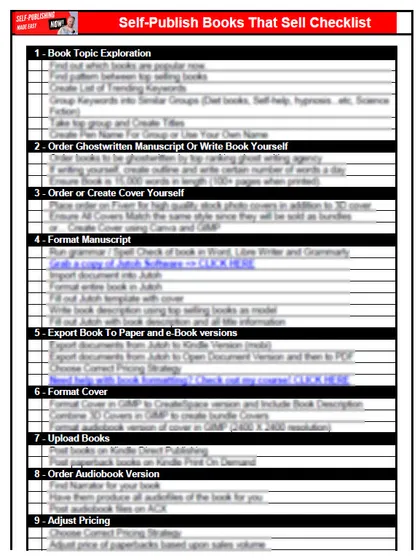
Start with the free checklist
The checklist is the 12 steps I follow for every book I publish, from choosing a topic that already sells to setting up the book's marketing. It is free, and you get it straight away.
You get the free checklist and Chris's emails. Unsubscribe any time. Privacy policy
Not sure yet? Book a free 25-minute call
Newest posts
- IngramSpark Standard vs Premium Color: Which Interior for Your Book?
- Which AI Should You Use to Write and Self-Publish a Book?
- What Can I Do Before My Manuscript Is Finished? Five Jobs to Start Now
- How Should I Title My Book's Chapters?
- Atticus or Reedsy Studio: Which Should You Use to Format Your Book?
Popular guides
- Lulu Self-Publishing Review 2026: Pros, Cons and Costs
- IngramSpark Review 2026: Free Setup, New Fees and Is It Worth It?
- Is Pegasus a Vanity Publisher? (2026 Update)
- Can You Sell Self Published Books On Etsy?
- How To Edit Your Books For Free With Grammarly
- Self Publishing Lulu VS Blurb?
- 5 Best Self Publishing Courses for Beginners (2026)
- How Long Should A Self-Published Book Be
- What Are The Minimum Amount Of Words For Paperback Books?
- Comparing Ingramspark, Lulu, and KDP Print
- How Many Books Do Self Published Authors Sell?
- Self-Publish For Under $199!