

This post contains affiliate links. If you buy through one, Urgesta AS may earn a commission at no extra cost to you. Read the affiliate disclosure.
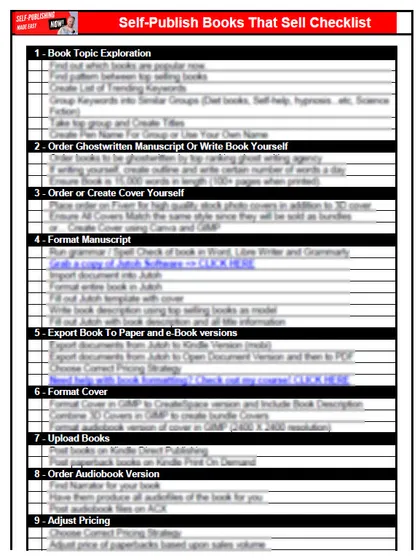
Get the free checklist: the 12 steps I follow for every book I publish.
My three self-publishing tools are KDSpy, Publisher Rocket and Atticus. KDSpy is my first pick because it finds keywords and shows the ratio for them, saving hundreds of hours of research by hand. Publisher Rocket finds more keywords to test and to use in ads, and Atticus formats the book. Publisher Rocket and Atticus are both made by Kindlepreneur, which lists them as premium tools it built itself on its tools page. Here is how an author who was burning out researching by hand got to them.
Why did researching keywords by hand burn Randy out?
Randy is a scuba diver in Tampa, Florida, writing scuba diving non-fiction. His sales weren’t great, and he had seen my videos on keywords, so he knew his title, subtitle and seven keywords mattered. To save money he researched competitors by hand on Amazon: typing “scuba diving A”, “scuba diving B” in searches, clicking through each result page, noting titles, rankings and how many were in the top 100,000, and keeping it all in an Excel sheet. Every keyword needed a ton of work, so he gave up and watched Netflix instead.
He then tried a free SEO tool, probably Ubersuggest. It is fine for Google searches, but people searching Google aren’t necessarily looking for books. No free tool gave him Amazon rankings and competition together. His real aim was to build a value ladder in scuba diving non-fiction and eventually leave his day job. See how to use keywords on Amazon KDP.
He signed up for my free 12-step checklist, which lists every tool I use, and we went back and forth by email about which tools to focus on.
Tool 1: What does KDSpy do?
KDSpy is a one-time purchase with no monthly fee. Type in a keyword and it shows the top 100 results. You can sort them by rank, remove irrelevant ones, make word clouds, export to Excel, and focus on books in the top 100,000 non-free books on Amazon, which matter most.
Affiliate link: I earn a small commission if you buy, at no cost to you.
My ratio: Amazon shows the total number of books returned for a search. Divide that by the number of books among the top results in the top 100,000. If the ratio is over 100, it is very hard to make sales. Randy’s keywords came out at a thousand or even more, like “scuba diving.” That’s a raw niche, so we needed sub-niches and keyword phrases. We also looked at the keywords the best sellers use in their titles and subtitles, plugged those back in, and built a complete list. Read how I use KDSpy.
Tool 2: What does Publisher Rocket do?
Publisher Rocket is the pricier of the two. Its site describes finding keywords, categories and Amazon Ads keywords. I use it for big keyword lists to use in ads, and to plug into KDSpy to calculate ratios. As a new author, I find it insanely difficult to make sales without running ads, so if ads seem pricey, this tool helps.
Put the best keywords in your title or subtitle and in your description, as many as fit, including some less profitable ones. Bold some keywords in the description so a searcher sees a book that matches.
What does Publisher Rocket cost?
Publisher Rocket’s own site shows a one-time payment of $199 with lifetime access, and a 30-day money-back guarantee (Publisher Rocket). Prices change, so check the page before you buy. Compare that with Atticus at $147 one time, as shown above, and decide which job you need done first. For most authors that is finding the right keywords, then formatting.
Tool 3: Why do I recommend Atticus?
Randy’s formatting was off. He had used Draft2Digital for the ebook and it wasn’t working well. I told him to learn Atticus, the formatting tool I recommend. Its site shows $147 one time, with no monthly fees, and works on Windows, Mac, Linux and Chromebook.
Should I invest in myself first?
Yes. The tools require an investment, and I’m not saying you must buy them now, only when you’re ready. I don’t mind helping people who can’t pay: by email, Slack or a Zoom discovery call. Randy had a small budget, so he cancelled Netflix and bought KDSpy, which is probably the most affordable of these. With it, he found gold-nugget keywords buried in Amazon. Trying to do it by hand is like digging a hole with your hands instead of a shovel.
I’ve never met anyone who sold millions of copies a week after publishing with no ads, a terrible cover and terrible keywords. Instead of hoping to win the lottery, reverse engineer Amazon’s algorithm with the right tools. I tell my coaching clients to spend a third of their time on learning and improving their own knowledge. Read 3 self-publishing practices you should do every day at home.
What if you want to go the free route first?
Terry, a science fiction writer in Australia, told me he was going the free route and would not buy any tools. He had put several books on the market with no sales, while other authors in his niche sold far more, even though he knew his books were better. He had checked his competition by hand, page by page, trying to find which keywords they used. He wasted hours and gave up. He had also taken his Word document through Calibre into an EPUB and uploaded it to Amazon, and readers left negative reviews because the formatting was off: pictures not centred, links that went nowhere. I asked him how the free route was working, and whether he expected a different result if he kept at it. He saw the problem and bought the three tools. He changed the keywords in his title and subtitle, ran ads against the book and formatted it properly in Atticus, the complaints about quality stopped, and his sales jumped enough to pay for the tools. I suggest going the free route until you see you are not making sales, then investing. If the book is not good yet, fix it and get it edited first.
Listen to this episode on Spotify
Frequently asked questions
What does Publisher Rocket cost?
Its own site shows a one-time payment of $199 with lifetime access and a 30-day money-back guarantee. Prices change, so check the page before you buy.
Do I need paid tools to find keywords?
You can do it by hand with Amazon searches, but Randy burned out doing it that way. Free Google keyword tools such as Ubersuggest show Google searches, which are not the same as searches for books on Amazon.
What is a good keyword ratio?
It is my own rule of thumb: divide the total number of search results by how many books are in the top 100,000. Under 30 is good for non-fiction, and over 100 is very hard. See how I use KDSpy.
Do I need to run ads to sell books?
As a new author I find it insanely difficult to make sales without ads. Amazon says its Sponsored Products are pay-per-click.
Start with the free checklist
The checklist is the 12 steps I follow for every book I publish, from choosing a topic that already sells to setting up the book's marketing. It is free, and you get it straight away.
You get the free checklist and Chris's emails. Unsubscribe any time. Privacy policy
Not sure yet? Book a free 25-minute call
Newest posts
- IngramSpark Standard vs Premium Color: Which Interior for Your Book?
- Which AI Should You Use to Write and Self-Publish a Book?
- What Can I Do Before My Manuscript Is Finished? Five Jobs to Start Now
- How Should I Title My Book's Chapters?
- Atticus or Reedsy Studio: Which Should You Use to Format Your Book?
Popular guides
- Lulu Self-Publishing Review 2026: Pros, Cons and Costs
- IngramSpark Review 2026: Free Setup, New Fees and Is It Worth It?
- Is Pegasus a Vanity Publisher? (2026 Update)
- Can You Sell Self Published Books On Etsy?
- How To Edit Your Books For Free With Grammarly
- Self Publishing Lulu VS Blurb?
- 5 Best Self Publishing Courses for Beginners (2026)
- How Long Should A Self-Published Book Be
- What Are The Minimum Amount Of Words For Paperback Books?
- Comparing Ingramspark, Lulu, and KDP Print
- How Many Books Do Self Published Authors Sell?
- Self-Publish For Under $199!