

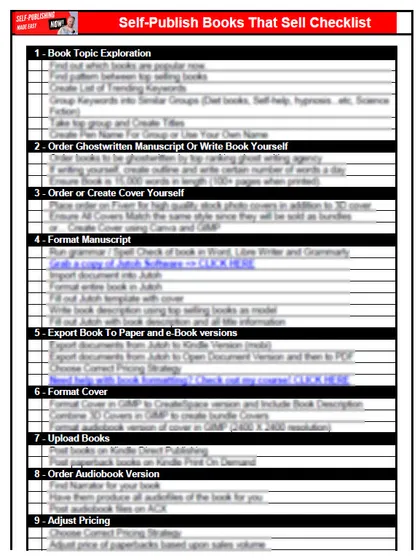
Get the free checklist: the 12 steps I follow for every book I publish.
To create an email list as a self-publisher, pick a simple email tool, offer a free gift in exchange for an email address, and email your list every week. For one fiction author the free gift was character bios, linked at the front of his book. The rest of this post is how that worked and why weekly beats monthly.
Why do self-publishers need an email list?
Ted was ready to quit self-publishing. He had no email list, no sales and no reviews on the book he had out. About six months before I wrote this he came to me as a coaching client. He had heard that email marketing could get him reviews and sales, but he did not know how to start, and he was not good with technology.
Some people he listened to pushed him toward very expensive, complicated funnel systems that promise to sell your books like crazy. His budget did not cover that, and he did not need it. A simple list does the job.
How does an email list compare with social media for selling books?
Email still has the best open rates and leads to more sales than the other channels I use. MailerLite’s benchmark report puts the median open rate for authors at 43.14% (December 2024 to November 2025, MailerLite email benchmarks). My own open rates are often around 20%. A post on Facebook reaches only a tiny fraction of my followers. Text message marketing can get even higher engagement, but it’s much harder to get permission for and you can burn people out. Email is safer, and even if someone doesn’t open every email, over time they will.
It is also permission-based marketing. People choose to give you their email address in exchange for something of value, so make sure the emails you send are of value too. That is lead generation, and self-publishers underuse it.
Why does owning the list matter?
If your email service suddenly doesn’t want to send your emails, you can switch, because the list is yours. The same goes for your blog and the search traffic that comes to it, as opposed to a YouTube channel or podcast, which could be taken down. My blog and the email list are the most stable parts of my content marketing. If a platform takes your books down, how will your audience find you? Only through your email list, where you can tell them about your next book in the same niche. In a sense you don’t own the people, but you own the right to contact those who have given you permission.
Don’t think you’re fine because Amazon sales are going well. If Amazon shuts your account down, you want to be able to contact your readers outside the platform.
Which email tool should a self-publisher use?
Don’t email from your personal email address, because Google and other providers will block bulk email sent that way. Pick a proper email service that does not need its own website. I started on Mailchimp, which would not let me send some links, like Amazon links. I moved to Aweber, which cost more and was slower to get going, and then to ActiveCampaign. Today I recommend MailerLite. It has the features you need and you can start the same day. You can use its built-in sign-up page and send readers straight to it.
MailerLite’s free plan covers up to 250 subscribers and 2,500 emails a month, and paid plans start at $12 a month (MailerLite pricing). That is enough to start. It allows automation and tracking, so you can send emails to the right people at the right time. For a comparison of other tools see the best email marketing service.
What should you give away to get sign-ups?
Offer something a reader of your book wants next. Ted and I settled on character backgrounds from his fiction book. A map of the world or a short bonus story would also work.
At the front of the book he added a link: get your free character bios here. He added the same offer in the middle and at the end. Readers browsing the sample on Amazon see the link too, and think they get something free without buying. They give their email address, and he can write to them. Nobody loses.
How often should you email your list?
Ted asked how often he could write without bothering people. My answer was weekly. If you write monthly or every other month, people forget you. They may mark you as spam, and too many spam reports hurt whether your emails reach the inbox.
Google’s rules for bulk senders (5,000 or more messages a day to Gmail addresses) ask for one-click unsubscribe, a properly authenticated sending domain, and a spam complaint rate below 0.30% (Google email sender guidelines). You may be far below that size, but the habits are the same. Your email tool handles most of the setup. Only email people who signed up themselves, and tell them what they signed up for.
I email my list twice a week. I also send notes for events like a sale, a special deal, or holidays such as St Patrick’s Day, Mother’s Day, Christmas and Black Friday.
If you stay on my list for six months and open nothing, I remove you, and you can join again. I clean the list because I need open rates to stay high and I’m not in the business of spamming people.
What mistakes did I make with my email list?
I targeted too many audiences on the same list. That’s a huge mistake. If one person is interested in intermittent fasting and another in stories with elves, what do I say to them? People who joined for puppy training don’t want to hear about indoor gardening. Many marked my emails as spam because they’d signed up for puppy training and suddenly got vegan cooking.
So I changed to targeting one audience at a time, and the result was a huge increase in interaction, sales and reviews. Stick to one niche. You target a specific audience with a specific problem, keep serving them until the audience is enormous, and only then expand if you’re tired of that niche.
How do you set up an email list for your book?
The steps are the same whichever tool you use.
- Choose a free gift readers want, like Ted’s character bios.
- Make a page that describes the gift, with the sign-up form on it, and link that page on the first and last pages of your book. KDP’s Hyperlink Guidelines do not allow links to web forms that request customer information, so do not link the form itself.
- Send a welcome email right away that delivers the gift and says how often you will write.
- Send your first real email within a week while they still remember you.
Ted did all four, and he started seeing people join the list.
How do I build an email list from zero with one book?
Start with the book you already have. You do not need a second title, a website or a big audience to collect the first ten addresses.
First, a reader magnet: one small free thing a reader of that book wants next, like Ted’s character bios. A bonus scene, a map or a checklist works. Make it short enough that you finish it in a weekend. What a reader magnet is covers the idea.
Second, a link where readers already are. Put it on the first and last pages of the book, in the back matter, with a line like “Want the bonus scene? See what is in it here.” Point it at a page on your website that describes the bonus, with the sign-up form on that page, not at the form itself: KDP’s Hyperlink Guidelines do not allow links to web forms that request customer information, and Amazon can remove links at its sole discretion. Can I put links and QR codes in my KDP book? has the details. Put the same link on your author page or website. KDP’s paperback guidelines don’t mention QR codes, so I treat one as a link.
Third, a welcome email that goes out right away. It delivers the gift, says who you are in two sentences and says how often you will write. MailerLite’s free plan covers up to 250 subscribers and 2,500 emails a month, with one landing page and up to 3 sign-up forms and 3 automations (MailerLite pricing, October 2026). The welcome email can be an automation, so it sends without you.
Then write to the list every week, even when it has eleven people on it. Eleven people who chose to hear from you are worth more than eleven hundred followers who never see your post.
With one book, the list grows slowly. Each reader gets to the back of the book once, so the numbers stay small. That is fine. The list pays off most when a second book comes out, because you have people to tell on launch day instead of starting from nothing. Build it now so it is there then.
Are newsletter swaps and group promos worth it?
A swap is simple: one author tells their list about your book, and you tell yours about theirs. A group promo is the same idea with many authors at once. BookFunnel describes its Newsletter Promos as designed to grow your newsletter, and readers have to download a free book to join. It says to join a promo full of like-minded authors who write books your readers would love (BookFunnel Group Author Promotions).
My advice, not BookFunnel’s:
- Swap only with authors in your genre whose book you would recommend to a friend. Read what you are about to share first.
- Expect promo subscribers to be cold. Send a welcome email that says who you are and what they signed up for.
- Judge a promo by who stays and opens your emails a month later, not by how many signed up on day one.
A small list of readers who like your kind of book beats a bigger one that never opens your mail.
How can you use your email list to get reviews?
Ted then asked how to turn the list into reviews. The easiest way is to ask the people on it (more in how to ethically get reviews for your books): “Would you like an advance copy of my next book? If you enjoy it, an honest review on Amazon would help me a lot, but there is no obligation.” That works whether your list has five people or five thousand.
Be clear it is an honest review. You are not asking for five stars. Amazon does not allow reviews that are paid for or required in exchange for something, so never make the free book depend on a review, or on a good one.
One catch: Amazon does not let everyone leave a review. Amazon sets its own rules for who can review, so ask people first whether they have reviewed on Amazon before. If they have, they can join your advance review team. If someone stops opening your emails, you can remove them from the list after a while.
By following these steps Ted grew his list and built a relationship with his readers. They became more enthusiastic about his books. He told them when new books were coming and sales went up. The reviews started to bring organic sales and more people onto the list, and it went round and round.
What should you do after the list is built?
Amazon ads are the next step once readers have somewhere to go after your book. Starting an email list is one of the stages in my free self-publishing checklist, with the stages before and after it in order.
Listen to this episode on Spotify
Frequently asked questions
What should I give away to get email sign-ups?
Give something a reader of your book would want next. For Ted, who writes fiction, it was character bios. A map of the story world or a short bonus story works too. See what a reader magnet is.
Do I need a website to start an email list?
No. Tools like MailerLite give you a hosted landing page, so you have somewhere to send readers without building a site. Make it a page that describes the gift, with the form further down, and link that page in your book rather than a bare form, because KDP does not allow links to web forms that request customer information.
How often should I email my list?
Weekly at least. I email twice a week. Going monthly means readers forget who you are and some will mark you as spam.
What is a good open rate for an author email list?
MailerLite's benchmark report puts the median open rate for authors at 43.14% and the click rate at 2.75% (December 2024 to November 2025, MailerLite benchmarks). Mine are often around 20%, so compare your own numbers over time rather than against one figure.
Can I ask my list for reviews?
Yes. Offer an advance copy and say an honest review would help, with no obligation. Never make the free copy depend on a review, or on a good one. More in setting up an advance review team.
Start with the free checklist
The checklist is the 12 steps I follow for every book I publish, from choosing a topic that already sells to setting up the book's marketing. It is free, and you get it straight away.
You get the free checklist and Chris's emails. Unsubscribe any time. Privacy policy
Not sure yet? Book a free 25-minute call
Newest posts
- IngramSpark Standard vs Premium Color: Which Interior for Your Book?
- Which AI Should You Use to Write and Self-Publish a Book?
- What Can I Do Before My Manuscript Is Finished? Five Jobs to Start Now
- How Should I Title My Book's Chapters?
- Atticus or Reedsy Studio: Which Should You Use to Format Your Book?
Popular guides
- Lulu Self-Publishing Review 2026: Pros, Cons and Costs
- IngramSpark Review 2026: Free Setup, New Fees and Is It Worth It?
- Is Pegasus a Vanity Publisher? (2026 Update)
- Can You Sell Self Published Books On Etsy?
- How To Edit Your Books For Free With Grammarly
- Self Publishing Lulu VS Blurb?
- 5 Best Self Publishing Courses for Beginners (2026)
- How Long Should A Self-Published Book Be
- What Are The Minimum Amount Of Words For Paperback Books?
- Comparing Ingramspark, Lulu, and KDP Print
- How Many Books Do Self Published Authors Sell?
- Self-Publish For Under $199!