


This post contains affiliate links. If you buy through one, Urgesta AS may earn a commission at no extra cost to you. Read the affiliate disclosure.
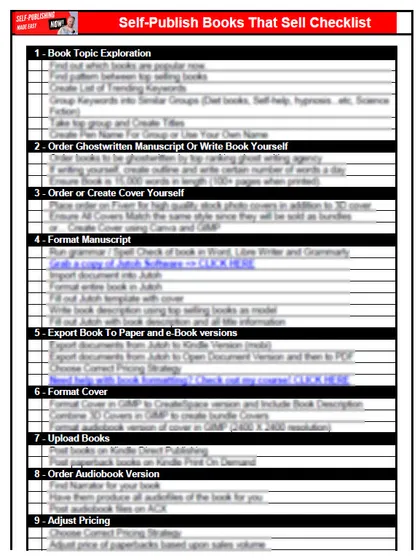
Get the free checklist: the 12 steps I follow for every book I publish.
Todoist is the productivity app I use to get things done as a self-publisher. It is simple, it is quick to learn, and it keeps track of your projects and recurring tasks so they do not pile up. Starting self-publishing is easy, and staying productive is the hard part. Here is how I use it: five tasks per area each day, and a daily checklist.
Why do I use Todoist?
There are piles of productivity apps. I have tested many of them, and none works as well as Todoist. It is simple and cheap, and it does not take long to learn. It tracks all of your projects and recurring tasks, which gets you productive fast.
There is a free Beginner plan with 5 personal projects and recurring due dates. Pro, at $5 a month billed yearly or $7 monthly, adds 300 personal projects, 150 filter views and more (Todoist pricing).
How do I stop tasks from piling up?
Most task tools have one big problem: the tasks pile up and overwhelm you. Todoist lets you space them out. I have different areas of focus each day and I allow each area only five tasks. If an area starts the day with 15 tasks, I move most of them to later dates, so that I focus only on the most important tasks for today. That is one of the most effective things I do. For a task system built for authors, see the right task management system for self-publishers.
How does a daily checklist work in Todoist?
I go a step further than most people. Give each step a repeating date, such as “every day” or “every Monday”. When you complete it, Todoist moves it to its next date, so it disappears from today’s list and appears on the next day’s list. There are two versions: “every” counts from the scheduled date, and “every!” counts from the day you actually complete the task (Todoist help). If you finish late, Todoist moves the task to a future date and does not leave it overdue.
My free 12-step self-publishing checklist gives you the steps I follow for every book, in order. Put each step into Todoist and tick them off as you go. This single use makes the app worth the cost. For more ideas, read about setting a deadline for publishing a book and what to add to the publishing process.
What does the free plan limit?
Todoist’s pricing page shows the Beginner plan at $0 with 5 personal projects, 3 filter views and task reminders. Pro is $5 a month billed yearly ($60 a year) or $7 billed monthly, with 300 personal projects, 150 filter views and custom task reminders. Prices change, so check the page before you pay.
For a start, the free plan is enough for a five-task-per-area routine. My advice: begin on Beginner, and upgrade only when you run out of projects or want reminders at set times.
What can a recurring date do?
More than “every day”. Todoist’s recurring dates help page, last updated 29-Oct-26, gives examples such as “every weekday”, “every other week”, “every mon, fri at 20:00” and “every! 2 months”. With “every 3 months” set for January 10, the task comes back on April 10 and July 10, even if you finish it late. With “every! 3 months”, finishing on January 20 sets the next date to April 20. Overdue recurring tasks move to a future date, not to another overdue one. Some patterns do not work, such as “every day except”.
A weekly task for checking your book’s keywords is one use I would try: “every Monday” fits, because the date does not drift when you are late.
Do I need Todoist’s Business plan?
Probably not if you work alone. Todoist’s pricing page shows Business at $8 per user a month billed yearly ($96 a year) or $10 billed monthly, plus local tax, with the same 300 personal projects per member as Pro, plus team projects and team filters. It is priced per user, which suggests it is built for teams. As a solo author with an editor and a cover designer, I would stay on Beginner or Pro, and add Business only if several people need to work inside the same projects.
Where can I learn more?
If you want a deeper dive, Steve Scott wrote Master Todoist: How to Use a Simple App to Create Actionable To-Do Lists and Organize Your Life. It is a good place to start whether you are new to Todoist or have used it for years. I could not confirm it is still current, so check the edition and reviews.
Want help setting up your plan? Start with the free checklist above and put its steps into Todoist.
Frequently asked questions
Is Todoist free?
There is a free Beginner plan with 5 personal projects and recurring due dates. Pro adds 300 personal projects, 150 filter views and more, and costs $5 a month billed yearly or $7 monthly (Todoist pricing).
How do I set up a daily checklist in Todoist?
Add each step as a task and give it a repeating date such as "every day". When you complete it, Todoist moves it to its next date so it appears on the next day's list.
What is the difference between "every" and "every!" in Todoist?
"Every" counts from the scheduled date, so completing late does not shift the schedule. "Every!" counts from the day you actually complete the task (Todoist help).
Do I need Todoist Business as a solo author?
No. Business is priced per user ($8 a month billed yearly or $10 billed monthly, plus local tax), and it has the same 300 projects and 150 filter views per member as Pro (Todoist pricing). Beginner or Pro is enough for one person.
Start with the free checklist
The checklist is the 12 steps I follow for every book I publish, from choosing a topic that already sells to setting up the book's marketing. It is free, and you get it straight away.
You get the free checklist and Chris's emails. Unsubscribe any time. Privacy policy
Not sure yet? Book a free 25-minute call
Newest posts
Popular guides
- Lulu Self-Publishing Review 2026: Pros, Cons and Costs
- IngramSpark Review 2026: Free Setup, New Fees and Is It Worth It?
- Is Pegasus a Vanity Publisher? (2026 Update)
- Can You Sell Self Published Books On Etsy?
- How To Edit Your Books For Free With Grammarly
- Self Publishing Lulu VS Blurb?
- 5 Best Self Publishing Courses for Beginners (2026)
- How Long Should A Self-Published Book Be
- What Are The Minimum Amount Of Words For Paperback Books?
- Comparing Ingramspark, Lulu, and KDP Print
- How Many Books Do Self Published Authors Sell?
- Self-Publish For Under $199!