

This post contains affiliate links. If you buy through one, Urgesta AS may earn a commission at no extra cost to you. Read the affiliate disclosure.
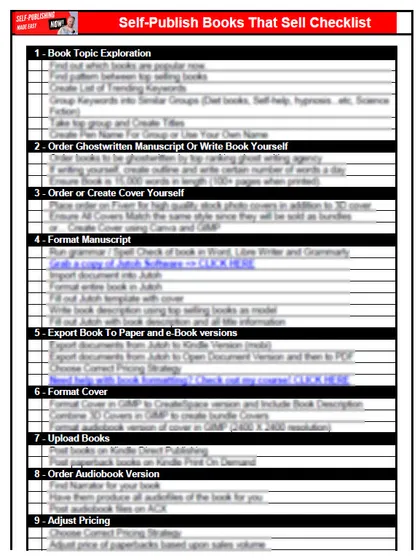
Get the free checklist: the 12 steps I follow for every book I publish.
The steps to self-publish a book are research, write, format, publish and market. Most authors think writing is the hard part, but formatting and marketing are harder, and the two steps people skip are research and marketing. Here is each step, how I do it, and how to do all of it for free if your budget is tight.
What are the steps to self-publish a book?
- Research. Find a market where books are selling before you write.
- Write. I write a thousand words a day. A manuscript can be as short as 3,000 words or as long as 30,000, depending on the genre.
- Format. Get a cover, a title, a description, keywords and a properly formatted file for ebook and paperback. Not sure which format comes first? Do paperbacks or ebooks make more money says to start with the Kindle ebook because it is the easiest to finish.
- Publish. Put the book on the platforms. KDP’s own steps are on its create a book help page: enter the details, upload and preview the manuscript, then set the rights, price and royalty rate.
- Market. Run ads, and do content marketing, which I highly recommend.
When I started, I followed a Kindle book that taught how to publish in 21 days. Some of it is out of date but the steps are pretty standard. Most people don’t fail because the steps are complicated. They fail because there are so many things you can do within each step. When I put out my first book I found I also needed a cover and a description, and the description needed HTML. Later, when I was producing hundreds of books at once, I needed a checklist to keep track of where each book was. My free 12-step checklist does the same job for one book.
How do I research a book before I write it?
Look at what the best sellers in your genre are doing, then make sure your book is along those lines. Check that you are in a market where books are selling. By hand, search your topic on Amazon and compare the number of Kindle books with how many are in the top 100,000 rankings. My rule of thumb is that a ratio under 40 is a good topic: lots of people buying and few books available. KDSpy automates this, and it is a one-time purchase with no monthly fee. Skipping research means you write a book nobody is looking for.
Affiliate link: I earn a small commission if you buy, at no cost to you.
You may also find that shorter books work for you, as I did. Experiment.
How do I format and cover a book?
I recommend Atticus for formatting both the paperback and the Kindle version, and it is a one-time purchase. You also need the title, keywords and description. For the cover, hire a freelance designer, or make one free in Canva or in KDP’s free Cover Creator, which has templates for ebook and paperback covers. Formatting is where many authors get lost, so break it into small steps.
Can I change my book after it is published?
Only some things. This is the second answer: start simple and improve over time, because you don’t need a perfect book. KDP’s page on editing a book says you can edit the description and keywords of both Kindle ebooks and paperbacks after publishing. The title, subtitle and primary author of a Kindle ebook are locked, and for a paperback they can be edited only within 72 hours of publication. A paperback’s ISBN is locked, and you would need a new edition to change it. So get your title right and fix the rest later.
If the book does poorly, work out which mistakes you made and fix them. Your readers will help you. Don’t wait for perfect editing before you publish. A good book doesn’t have to be free of errors. People forgive them if the book is useful or entertaining. It needs to be good enough to get average or high reviews, and if you try to be perfect on everything, you will be disappointed.
Can I self-publish a book for free?
Yes, every step can be done for free. Write in Word or a free word processor such as LibreOffice, upload your file to KDP, and make the cover in Canva or Cover Creator. The formatting will not be as good and your table of contents may not work, but you can get the book out and start making sales. I show what to spend on and what to skip in how to self-publish for under $199.
For keywords, do the research by hand as above, or let Amazon ads choose for you with automatic targeting. You don’t need to spend anything before the sales start. As money comes in, you can afford a better cover, correct formatting with Atticus, KDSpy for finding titles and Publisher Rocket for ad keywords. That is what I did, and the sales paid for the improvements.
Which step is the hardest?
Most people think writing is. It is usually one of the easier steps. Formatting and marketing are harder, and many authors get lost in the formatting and then market without the right information. For marketing, learn Amazon ads and content marketing before you spend anything. The free checklist keeps the whole process simple.
If you are tempted to add more steps or tools, read why I would add nothing to the publishing process.
Ready to take the steps? Start with my free 12-step checklist.
Listen to this episode on Spotify
Frequently asked questions
How long does it take to self-publish a book?
Once the manuscript is finished, you can have it on sale within days. I followed a Kindle book that taught how to publish in 21 days and it worked. KDP now allows two new titles per format each week, so check its current limit.
Do I need an ISBN to self-publish on Amazon?
For paperbacks and hardcovers, yes, and KDP gives you a free one that works only on KDP. For Kindle ebooks an ISBN is optional, according to KDP's ISBN page.
How much does it cost to self-publish a book?
It can cost nothing, because KDP is free to use and you can make a cover and format the book yourself. Costs come from paying for a designer, a formatting tool and ads. See the cost to self-publish a book on Amazon.
Start with the free checklist
The checklist is the 12 steps I follow for every book I publish, from choosing a topic that already sells to setting up the book's marketing. It is free, and you get it straight away.
You get the free checklist and Chris's emails. Unsubscribe any time. Privacy policy
Not sure yet? Book a free 25-minute call
Newest posts
Popular guides
- Lulu Self-Publishing Review 2026: Pros, Cons and Costs
- IngramSpark Review 2026: Free Setup, New Fees and Is It Worth It?
- Is Pegasus a Vanity Publisher? (2026 Update)
- Can You Sell Self Published Books On Etsy?
- How To Edit Your Books For Free With Grammarly
- Self Publishing Lulu VS Blurb?
- 5 Best Self Publishing Courses for Beginners (2026)
- How Long Should A Self-Published Book Be
- What Are The Minimum Amount Of Words For Paperback Books?
- Comparing Ingramspark, Lulu, and KDP Print
- How Many Books Do Self Published Authors Sell?
- Self-Publish For Under $199!