

To publish a large print edition, you set the book again in a bigger, plainer font, give that edition its own ISBN, and upload it as a separate paperback. Ingram Content Group says 14 to 18 point is typically considered large print. The extra pages make it cost more to print, so work out the price before you commit.
What counts as large print?
There is no single rule that every country follows. Ingram Content Group’s large print guidelines say large print is for readers who are print impaired or have other reading difficulties, and that guidelines vary by region.
Their mandatory list is short. The font must not be below 14 point. It must be an easy-to-read sans serif font, such as Arial, Helvetica or Luciole. No italics, bold, underlining or large blocks of capital letters. Nothing may be explained only by colour, images or diagrams.
Their general guidance is softer. A font size of 14 to 18 point is typically considered large print, and 16 point is recommended. The layout should be clear and consistent, the paper should not be glossy, and the paper and text need enough contrast. They also suggest a large print badge on the cover or a label on the spine. The same document points to the Royal National Institute of Blind People, the American Council of the Blind and other bodies for further file guidance.
How do I set it up on KDP?
I could not find a KDP help page that defines large print or describes a large print option. As far as I can find, KDP’s help pages use the word large only for trim size. So I can’t tell you which box to tick. Open the paperback setup screens in your own account and read them before you plan around a setting.
What KDP does say is about the ISBN. Its ISBN and imprint page says the same ISBN cannot be reused across multiple book formats or new editions that introduce significant changes from the original. A large print edition changes the whole layout, so treat it as a new edition: its own ISBN and its own listing. My post on where to get an ISBN number covers the choices.
Ingram’s guidelines say to put the words “large print edition” in the book description, and to add the font and font size you used. Doing the same on your own listing tells a buyer what they are getting.
Which font should I use?
Not the one you used for the standard edition, if that was a serif font. Ingram asks for an easy-to-read sans serif font. I use Georgia for my books, and for a large print edition I would change it. My post on the best font for a self-published book has the other font rules.
How do trim size and page count change the cost?
Bigger type fills more pages. KDP’s paperback printing cost page, opened on 03-Nov-26, says: “Fixed cost + (page count * per page cost) = printing cost.” It also says printing costs vary with trim size, page count, ink type and paper type.
On trim size, the same page defines a large trim as more than 6.12 inches (155.5 mm) wide or more than 9 inches (228.6 mm) tall, and says large trim sizes have higher fixed and per-page costs than regular ones. So a large print edition can cost more in two ways: more pages, and sometimes a larger page. Change one and look at the cost again before you set the price. My post on KDP publishing sizes helps you choose.
The page count limits matter too, but only at the edges. KDP’s ink and paper page lists the minimum page counts for each ink and paper type, so a short book is the one to check.
How do I check the result?
Order a printed proof and read it the way your reader will, in a normal chair and normal light. This is my advice, and it applies to every edition. Check that the lines are easy to follow, that no heading or caption has dropped back to a small size, and that photos and tables still make sense at the bigger size. Ingram’s guidelines say nothing should be explained only through colour, images or diagrams, so a caption that carries meaning needs to be in the text.
Then look at the pages as a whole. Bigger type means more pages, so a chapter that used to start on a right-hand page may now start somewhere else. Go through the contents page and any page references and fix what moved.
Is it worth doing?
That depends on who will read it. This is my opinion, not a rule. If you know of a reader who finds standard print hard, such as a relative, one proof copy shows you how it looks for the price of a single printed book. If you are not sure anyone wants it, publish the standard edition first and make the large print edition later. Both editions can sit side by side, each with its own ISBN and listing.
What about IngramSpark and Lulu?
Ingram’s large print file guidance includes a set-up step: for web account submissions, you switch on the large print flag. That is Ingram’s own document, and I have not tried it. I have not opened a Lulu page on large print, so I’m not going to say anything about Lulu.
What about the ebook?
KDP says a reflowable Kindle book lets the reader change the text size, font, spacing and margins, and a fixed layout book doesn’t. Check how your ebook reader lets people change the text size before you spend time on one.
How do I make my ebook accessible?
KDP asks an accessibility question when you set up the title. The default answer is “I don’t know”, and you can publish with it. To change your answer later, open Edit eBook content on your Bookshelf. KDP says it can take up to 72 hours to show on the detail page.
KDP recommends alt text for every image that carries meaning, kept short, and real text rather than pictures of text. It also recommends clear headings, and enough contrast without relying on colour alone. On the detail page, KDP says print replica and image-based fixed layout books aren’t readable in read aloud and braille.
My advice: answer the question honestly rather than leaving “I don’t know”. For a text-only novel, the main work is a clean heading structure and alt text on the few images you have.
Who is a large print edition for?
Often it is a parent or grandparent. If you are helping one publish a life story, my post on how to self-publish a memoir shows the whole road, and the large print edition can follow once the standard one is out.
What I do about it
A large print edition is a second book to format, so get the first one right. Want your book formatted properly the first time? Get my free 12-step checklist.
Frequently asked questions
What font size is large print?
Ingram Content Group's large print guidelines say 14 to 18 point is typically considered large print, with 16 point recommended, and that text must not go below 14 point.
Does a large print edition need a new ISBN?
Yes, in my view. KDP says the same ISBN cannot be reused across multiple formats or new editions with significant changes. A large print edition is a changed edition, so give it its own ISBN.
Does KDP have a large print setting?
I could not find a KDP help page that describes one. KDP's trim size pages use the word large only for the size of the page. Check the setup screens in your account before you plan around it.
Can I use Georgia for a large print book?
Ingram's guidelines ask for an easy-to-read sans serif font such as Arial or Helvetica, with no italics, bold or underlining. Georgia is a serif font, so it is not the right choice here.
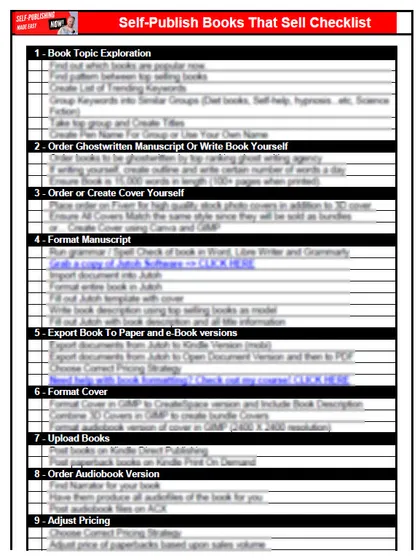
Start with the free checklist
The checklist is the 12 steps I follow for every book I publish, from choosing a profitable niche with keyword research to setting up the marketing machine. It is free, and you get it straight away.
You get the free checklist and Chris's emails. Unsubscribe any time. Privacy policy
Not sure yet? Book a free 25-minute call
Popular guides
- Lulu Self-Publishing Review 2026: Pros, Cons and Costs
- IngramSpark Review 2026: Free Setup, New Fees and Is It Worth It?
- Is Pegasus a Vanity Publisher? (2026 Update)
- Can You Sell Self Published Books On Etsy?
- How To Edit Your Books For Free With Grammarly
- Self Publishing Lulu VS Blurb?
- 5 Best Self Publishing Courses for Beginners (2026)
- How Long Should A Self-Published Book Be
- What Are The Minimum Amount Of Words For Paperback Books?
- Comparing Ingramspark, Lulu, and KDP Print
- How Many Books Do Self Published Authors Sell?
- Self-Publish For Under $199!