

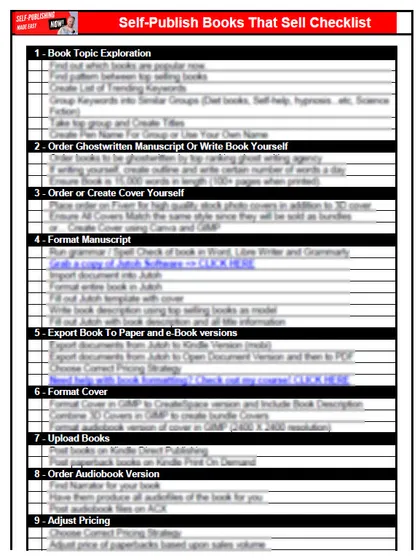
Get the free checklist: the 12 steps I follow for every book I publish.
Track three numbers for each book: net units sold, Kindle+ pages read, and total earnings. Everything else in the KDP Reports section is detail you can look up when one of those three surprises you. Here is where to find each number and how far to trust it. To see all three for every book and every month at once, drop your downloaded report into my free KDP sales report dashboard.
Does KDP have a KPI dashboard?
Not under that name. KDP’s Reports section gives you the figures you would watch in any business: how many copies sold, how many came back, how many pages were read, and what you earned. If you want a tour of every screen, read Understanding the KDP Amazon Self Publishing Dashboard. This post is shorter and picks only the numbers worth a regular look.
Which three numbers matter most?
| Number | Where to find it | What it tells you |
|---|---|---|
| Net units sold | Prior Months’ Royalties report, downloadable version | Copies sold after refunds |
| Kindle+ pages read | Month-to-Date report and the KENP column in Prior Months’ Royalties | Whether readers finish the book |
| Total earnings | Prior Months’ Royalties report, downloadable version | What the book actually paid |
KDP’s Prior Months’ Royalties report lists Net Units Sold as the units sold minus the units refunded, and Total Earnings, in the downloadable version. Read net units, not orders. A book with 40 sales and 10 refunds is a 30-sale book.
What does the Month-to-Date report show, and what does it leave out?
KDP’s Month-to-Date report shows Units Sold, Units Refunded and the pages read through Kindle+ for the current month, along with free units from promotions. It has no royalty column. So if you want to know how a launch week went, you can count copies and pages, but you cannot read your money off this screen.
Why do my Kindle+ page numbers change?
KDP’s Kindle+ help page explains that payment is counted in Kindle Edition Normalized Pages (KENP), and that a page earns only on a subscriber’s first read of it. It also says the rate is set again each month, and that a month’s page totals become final around the 15th of the next one. So a mid-month page count is a guide. If you want the full picture of how the program pays, I explain it in How Does Kindle Unlimited Pay, and Is It Worth It?. To turn the pages read and royalties in your report into a rate per page, use my free Kindle Unlimited page-read calculator.
How often should you check?
Once a month is enough for most authors, a few days after the 15th, once KDP has built the Prior Months’ Royalties report and the page counts are final. Checking daily mostly shows you noise from a few sales.
- Download last month’s Prior Months’ Royalties report.
- Write down net units sold and total earnings for each book.
- Compare each book with its own previous month, not with a book in a different topic.
- If a book dropped, look at what changed on its page, price or ads before you touch anything else.
What do the numbers not tell you?
They tell you what happened. They do not tell you why. After 230 books and more than 50,000 copies sold, my view has not changed: most books do not sell on their own, and ads, keywords and the right topic are what put a book in front of readers. A flat month is a reason to look at those, not at the report.
When money does come in, plan what to do with it using What to Do With Your Self-Publishing Royalties, and keep the downloaded reports for tax time, as How Self-Publishers Should Handle Finances explains.
If you are still setting up your first book, the order I follow is in my free 12-step self-publishing checklist. Work through it and you will soon have numbers worth tracking.
Frequently asked questions
Does KDP have a KPI dashboard?
KDP does not use the word KPI. Its Reports section gives you the figures you would track: units sold, units refunded, Kindle+ pages read and earnings. This post picks the few that are worth a look each month.
Where do I see how much I earned from one book?
Use the Prior Months' Royalties report. KDP says the downloadable version has Total Earnings, and the on-page table does not show Net Units Sold.
Why does my Kindle+ page count change after the month ends?
KDP settles a month's page totals around the 15th of the month after, which is why a mid-month figure can still move.
Start with the free checklist
The checklist is the 12 steps I follow for every book I publish, from choosing a topic that already sells to setting up the book's marketing. It is free, and you get it straight away.
You get the free checklist and Chris's emails. Unsubscribe any time. Privacy policy
Not sure yet? Book a free 25-minute call
Newest posts
- IngramSpark Standard vs Premium Color: Which Interior for Your Book?
- Which AI Should You Use to Write and Self-Publish a Book?
- What Can I Do Before My Manuscript Is Finished? Five Jobs to Start Now
- How Should I Title My Book's Chapters?
- Atticus or Reedsy Studio: Which Should You Use to Format Your Book?
Popular guides
- Lulu Self-Publishing Review 2026: Pros, Cons and Costs
- IngramSpark Review 2026: Free Setup, New Fees and Is It Worth It?
- Is Pegasus a Vanity Publisher? (2026 Update)
- Can You Sell Self Published Books On Etsy?
- How To Edit Your Books For Free With Grammarly
- Self Publishing Lulu VS Blurb?
- 5 Best Self Publishing Courses for Beginners (2026)
- How Long Should A Self-Published Book Be
- What Are The Minimum Amount Of Words For Paperback Books?
- Comparing Ingramspark, Lulu, and KDP Print
- How Many Books Do Self Published Authors Sell?
- Self-Publish For Under $199!