

Get the free checklist: the 12 steps I follow for every book I publish.
Most of it. You can open your KDP account, write the book description and author bio, tidy up your chapter titles and start formatting before the last chapter is written. The only job that has to wait is the paperback and hardcover covers, which need the final page count.
Here is the order I tell authors to work in.
1. Open your KDP account
I put this first because the tax step has to be validated before you can publish. Your normal Amazon login works for KDP. If you have none, KDP asks for a name, an email address and a new password. KDP then asks for a business type and a mailing address, which it uses for tax reporting and royalty payments, and after that you need to enter author, payment and tax information (KDP, Create a KDP Account).
The tax part matters. KDP says your tax identity has to be validated first, before you can publish a new book or change an existing one (KDP, Complete Tax Profile). If your US tax details do not exactly match IRS records, KDP gives you 30 days to update them. So I want the account finished while you still have months of writing ahead, not on the day you want to publish. If you live outside the US, my post on how to fill in the KDP tax interview shows the screens.
2. Write the book description and the author bio
I tell authors to write both now, and to use AI to help. Write down the reader you have in mind and the problem the book solves for them. Ask the AI tool to tighten it, then read it aloud and fix anything that does not sound like you. If you are unsure how far AI help can go, check KDP’s rules on AI-generated content before you rely on it.
Writing the description early has a second benefit. If you cannot say in a few sentences what the book gives the reader, you have found a problem while it is still cheap to fix.
KDP gives some limits and advice to work to (KDP, Write a Book Description):
- The description has a limit of 4,000 characters, and the HTML tags count toward it.
- KDP suggests aiming for a paragraph of about 150 words with sentences that are easy to scan.
- Describe the main plot, theme or idea, open with a first sentence that pulls readers in, and show the genre.
For non-fiction, my post on descriptions that sell non-fiction books goes further. Do the author bio the same way: a few sentences on why you are the person to write this book, with AI to polish your first draft.
3. Give the chapter titles some sales copy
Readers browse the contents to decide whether the book is for them, so I tell authors to treat each chapter title as a small piece of sales copy. A title like “Marketing” says nothing. A title that names the result or the question the chapter answers makes the reader want to open it.
You can do this long before the chapters are written. In fact, it helps you write them. Go through your list of chapters, rewrite each title so a reader can see the benefit, and keep the list at the top of your file as your map. If a chapter turns out different from its title, change the title at the end.
4. Start formatting in Atticus
I recommend Atticus for formatting. Put your text into it now, even if it is a rough draft. That way you learn how chapters, headings and the table of contents behave while nothing depends on it, and you will already have a working file when the last chapter lands. My post on how to format your book for Amazon KDP covers the settings.
Each time you add or change a chapter, the formatted file stays up to date, so the final page count is always one click away. That leads to the one job you cannot finish yet.
5. Wait for the final page count before the print covers
A paperback cover is one flat image that wraps around the whole book: back, spine and front. The width of the spine depends on how many pages the book has. KDP gives the formula for black and white books on white paper as page count times 0.002252 inches, and recommends its cover calculator and template generator for setting up the file (KDP, Create a Paperback Cover). The hardcover works the same way: you enter ink and paper choices, trim size and page count, and the calculator builds the layout (KDP, Create a Hardcover Cover).
With an estimated page count, my KDP cover size and spine width calculator tells you roughly how wide the spine will be.
The final page count comes from the formatted file, not from the word processor, because formatting changes how many pages the book has. So do not send a designer the page count until the book is formatted and the text is final. Until then, the front cover design can go ahead, and an ebook cover needs no page count at all.
What comes after the draft?
Once the last chapter is written, you are on the editing, cover and publishing path. I describe it in what to do after your first draft is complete. The five jobs above mean you arrive there with much of the work already done.
To see every step laid out in order, use my free 12-step self-publishing checklist.
Frequently asked questions
Can I write my book description before the book is finished?
Yes. I tell authors to write it early, because it forces you to say what the book is for. Change it at the end if the book has changed. KDP allows up to 4,000 characters, and suggests a short, easy to scan paragraph (KDP description guide).
Do I need the page count to design the ebook cover?
No. Only the print covers use the page count, because it sets the spine width. An ebook cover is a flat front image.
Should I wait until the manuscript is edited before I format it?
No. I tell authors to start formatting as soon as there is text in the file. Chapters added or changed later flow through the file, and it is better to learn the tool on a draft than on deadline day.
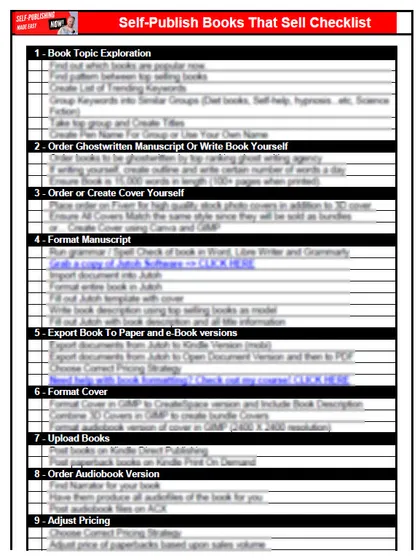
Start with the free checklist
The checklist is the 12 steps I follow for every book I publish, from choosing a topic that already sells to setting up the book's marketing. It is free, and you get it straight away.
You get the free checklist and Chris's emails. Unsubscribe any time. Privacy policy
Not sure yet? Book a free 25-minute call
Newest posts
Popular guides
- Lulu Self-Publishing Review 2026: Pros, Cons and Costs
- IngramSpark Review 2026: Free Setup, New Fees and Is It Worth It?
- Is Pegasus a Vanity Publisher? (2026 Update)
- Can You Sell Self Published Books On Etsy?
- How To Edit Your Books For Free With Grammarly
- Self Publishing Lulu VS Blurb?
- 5 Best Self Publishing Courses for Beginners (2026)
- How Long Should A Self-Published Book Be
- What Are The Minimum Amount Of Words For Paperback Books?
- Comparing Ingramspark, Lulu, and KDP Print
- How Many Books Do Self Published Authors Sell?
- Self-Publish For Under $199!