


This post contains affiliate links. If you buy through one, Urgesta AS may earn a commission at no extra cost to you. Read the affiliate disclosure.
Get the free checklist: the 12 steps I follow for every book I publish.
Table of Contents
- How To Self-Publish A Book
- 1. Write A Book Readers Want
- 2. Find A Professional Editor
- 3. Know Your Niche & Nail Your Branding
- 4. Design Your Cover
- 5. Lay Out Your Book To Capture Readers
- 6. Format Your MS Into A Reflowable Ebook
- 7. Decide Your Price
- 8. Optimize Your Metadata
- 9. Distribute Your Book
- 10. Create A Marketing Plan
- Where do I start?
To self-publish a book, follow the 10 steps I use: write a book readers want, edit it, pick a niche, get a cover, lay it out, format it as an ebook, set a price, add metadata, distribute it and plan your marketing. Publishing itself is free to start on Amazon KDP, and the paperback costs nothing upfront because KDP takes the printing cost out of each sale (KDP paperback royalties). The rest of this post covers each step in turn. If you only want the ebook, here is how to self-publish an ebook step by step.
How To Self-Publish A Book
If you are starting from zero, read what I would do if I had to start over first.
1. Write A Book Readers Want
Writing to Market
Before you write a word, find out where the market is. A market has buyers and sellers: what types of books are readers buying, and where are the gaps? Writing only for yourself and hoping for the best is the main reason so many authors don’t sell on Amazon. Skip the research into who your readers are and you lose time, money and often the motivation to write.
Finding the Sweet Spot
Once you know your readers, write in a way that pulls them in, and ask them for feedback. That gives you a loop: readers tell you what they want, and you give them more of it in the next book. Most authors skip this deep dive.
Size Matters
Match the length of the books you compete with. A tiny book next to competitors of several hundred pages looks wrong, and a bloated one loses readers halfway. Edit ruthlessly and cut the fluff. Quality beats quantity.
Going From Standalones to a Series
A series almost always does better than a standalone, because readers who finish a book want the next one. Map the arc of the whole series so characters and story build from one book to the next, but give each book its own complete arc. Readers complain when a book depends too much on the others or ends on a cliffhanger that forces them to buy the next one.
2. Find A Professional Editor
Hire a Pro
You can find editors on Upwork and Reedsy, among other places. A good one finds the mistakes you can’t see in your own book. If you want every error in your draft marked, with the writing left as yours, I offer a manuscript review.
The Editorial Process
Editing happens in stages: first an assessment of the manuscript’s strengths and weaknesses, then story editing, copy editing and proofreading. You can do some of it yourself and pay for the rest.
Self-editing
Self-editing is your first step. Let the book rest after you finish it, so you read it with some distance. Then go through it looking for one kind of problem at a time, plot first, spelling and grammar later. Trying to fix everything at once burns you out.
Story Editing
Story editing checks the structure: plot, character development and pacing. I have read plenty of big-publisher books where one chapter reads as if a different author wrote it. This is the stage that catches that.
Beta Readers
Beta readers are your ideal readers. They tell you where the book loses them before it goes on sale. They get a free copy and a connection with you, and they aren’t paid, which helps when your budget is small.
Copy Editing
Copy editing fixes grammar, spelling, punctuation and formatting. Readers notice these mistakes and leave one-star reviews for them.
Proofing
Proofreading is the last check before publishing, with fresh eyes. Even after many rounds of editing, this is where the last errors turn up.
My Personal Process
My own process starts with planning: keywords, the market and what people are buying. Then I study the competition, especially the bestsellers, and go through editing, formatting and the cover before the book goes to market.
3. Know Your Niche & Nail Your Branding
Determine Your Specific Niche
Look for a niche where many readers buy books on Amazon but there aren’t that many books. KDSpy helps you find keywords with low competition and high sales or search volume. Balance that with what you care about: write in a niche you don’t care about and you lose motivation.
Research Your Sub-Category On Amazon
Don’t aim at the top categories, which are impossible to compete in. The subcategories tell you much more, and some show few books selling a lot of copies. Position the book well there and it may earn a bestseller flag in its subcategory, though how Amazon awards that flag is up to Amazon and can change.
What is Packaging?
Packaging is the look of the book: cover, layout, fonts, spacing and margins. One thing I have my coaching members do is look closely at the bestsellers in their niche and make sure their book isn’t far from that look and feel.
Find Commonalities In Your Niche
Look for patterns, but only among the bestsellers in the niche you target, not every book in it. See what they do with covers and interiors and line your book up with them. Of all the tips here, this one may be the most useful.
4. Design Your Cover
Cover Design Costs
Balance cost and quality. Unless you have a background in graphic design, a cover you make yourself won’t look professional. Family and friends will say it looks wonderful, but readers will know it’s a poor cover even if they can’t say why. The free route has a cost in lost sales, so I recommend paying a professional designer. I use a designer for all of my own covers, and I also design covers for authors; ask about it on the call at the end of this post.
5. Lay Out Your Book To Capture Readers
Optimal Book Layout
Make the book easy to read: a font that is easy on the eyes, margins that aren’t too tight, and a table of contents so readers can find their way around.
Slim Down Your Front Matter
This is a big mistake on Amazon. Readers use Look Inside to decide whether to buy, and pages of front matter get in the way. Keep the title page and table of contents, maybe a short preface, then start the book. Put the praise, the acknowledgments and the long author bio at the back. Front matter doesn’t increase sales; it decreases them.
My free front matter and back matter order tool lists the pages of your book in order.
Make It Easy For Readers
Organize the book so readers get what they need when they need it. Use headings and subheadings, make them work in both the paperback and the ebook, and keep the formatting consistent.
6. Format Your MS Into A Reflowable Ebook
Hire a Pro
You can pay someone to format the ebook, or do it yourself with a tool. For more on choosing your route, see self-publishing: the best option for you?
Use a Tool
I recommend Atticus. You keep one version of the book in it, and one click exports the ebook or the print file, formatted so Amazon and the other platforms accept it on the first try.
Code it Yourself
You can code the ebook yourself, but that is for experts, and I don’t see why you would when a tool like Atticus does it better.
7. Decide Your Price
Look at Your Genre
Start with what books in your genre charge. I walk my clients through pricing strategy in detail, but here is the short version: you are probably charging too little. My basic rule is $2.99 for an ebook and a $5 royalty on each paperback, so you can run ads and still make money.
KDP pays 70% on ebooks priced from $2.99 to $12.99 on Amazon.com in the 70% countries, and 35% otherwise (KDP ebook royalties). The top of that band was $9.99 until 7-Jul-26. For paperbacks, the royalty is 60% of the list price on Amazon.com at $9.99 or more (50% below that) minus the printing cost. KDP’s own example is a $15 paperback with $5.00 printing cost, which pays $4.00 (KDP paperback royalties). Use KDP’s calculator to hit your $5 target before you set the price.
8. Optimize Your Metadata
Collating Your Metadata
Gather your title, subtitle, description, categories and keywords in one place, in a clear folder structure (I use Google Drive), so they stay consistent everywhere the book appears.
Categories
Pick categories that really describe the book, so readers browsing them find it. KDP requires categories to describe your book accurately, and misleading ones cause problems.
Keywords
Keywords are how readers find your book, whether they type into Amazon or ask Alexa. Choose them with the same research you did for your market, so they match what people already search for.
9. Distribute Your Book
Always Publish Direct to Amazon
Publish directly on Amazon through KDP. It gives you more control, and changes usually go live within a day or so, though KDP says they can take up to 72 hours.
Amazon Exclusivity
KDP Select gives you Kindle Countdown Deals and free promotion days, and puts your ebook in Kindle+ (Kindle Unlimited), where it earns a share of the KDP Select Global Fund. It is a free 90-day program, and KDP says you have three days from the start to cancel. The exclusivity covers the digital format only: you can’t distribute the ebook digitally elsewhere while it is enrolled, but your paperbacks can sell anywhere.
Pros and Cons of KDP Select
The pros are the extra marketing tools. The cons are the 90-day commitment and that you can’t go wide while enrolled. I recommend going wide, so you don’t depend on Amazon alone. Amazon can and does close accounts.
Going Wide: Outside the World of Amazon
Going wide means also selling on Kobo, Barnes & Noble, Apple Books and Google Play, so your books reach readers on every platform.
Using a Distributor
I like Draft2Digital, which now includes Smashwords, the distributor I used to choose. It gets your book to many stores without much trouble. It charges new accounts a $20 one-time activation fee and keeps about 10% of each sale.
10. Create A Marketing Plan
Divesting Yourself of Marketing Myths
Most marketing myths say that if you post your book on social media it will sell a million copies. Let the numbers decide instead: what counts is how many books you sell, not how you feel about a campaign or how many likes a post gets.
What Sells Books
Positive reviews, a strong author brand and a book that matches its market sell books.
Building A Marketing Campaign
Follow best practices, whether you use paid ads or content marketing. Write down what you expect from a campaign before it starts, then measure the real results against it.
How To Get Reviews
You can ask book bloggers, use social media, or, my favorite, build an email list and an advance review team. Give the team a free copy and ask for an honest review, never a paid or swapped one, so you stay inside Amazon’s review rules.
Where do I start?
There are a lot of steps, but you only need to do one at a time. My free 12-step self-publishing checklist puts them in order, so you always know which one comes next.
If you prefer to follow the Amazon KDP part on video, here is my longer walkthrough of the KDP account, dashboard, book details, pricing and publishing:
Frequently asked questions
How much does it cost to self-publish a book?
Publishing on KDP costs nothing upfront and the paperback printing cost comes out of each sale. Your real costs are an editor, a cover and formatting software. See how much it costs to self-publish a book.
Do I need an ISBN?
Not for ebooks on KDP. For paperbacks KDP gives you a free ISBN that works only on KDP and lists the imprint as Independently published.
Should I enroll my ebook in KDP Select?
It gives you Countdown Deals, free promotions and Kindle+ reads, but your ebook must be exclusive to KDP for the 90 days. I recommend going wide so you are not completely dependent on Amazon.
How long does it take for changes to go live on KDP?
Usually within a day or so, though KDP says it can take up to 72 hours.
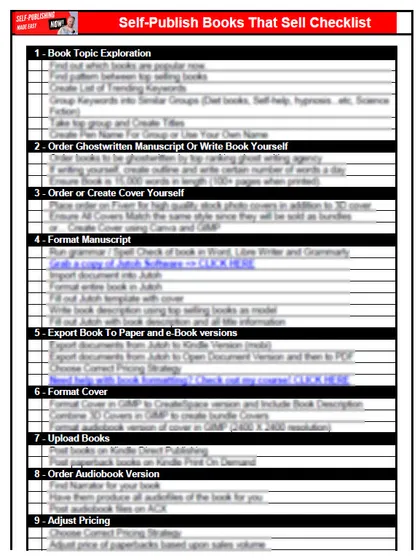
Start with the free checklist
The checklist is the 12 steps I follow for every book I publish, from choosing a topic that already sells to setting up the book's marketing. It is free, and you get it straight away.
You get the free checklist and Chris's emails. Unsubscribe any time. Privacy policy
Not sure yet? Book a free 25-minute call
Newest posts
- IngramSpark Standard vs Premium Color: Which Interior for Your Book?
- Which AI Should You Use to Write and Self-Publish a Book?
- What Can I Do Before My Manuscript Is Finished? Five Jobs to Start Now
- How Should I Title My Book's Chapters?
- Atticus or Reedsy Studio: Which Should You Use to Format Your Book?
Popular guides
- Lulu Self-Publishing Review 2026: Pros, Cons and Costs
- IngramSpark Review 2026: Free Setup, New Fees and Is It Worth It?
- Is Pegasus a Vanity Publisher? (2026 Update)
- Can You Sell Self Published Books On Etsy?
- How To Edit Your Books For Free With Grammarly
- Self Publishing Lulu VS Blurb?
- 5 Best Self Publishing Courses for Beginners (2026)
- How Long Should A Self-Published Book Be
- What Are The Minimum Amount Of Words For Paperback Books?
- Comparing Ingramspark, Lulu, and KDP Print
- How Many Books Do Self Published Authors Sell?
- Self-Publish For Under $199!
Tags
- Posts tagged amazon
- Posts tagged authors
- Posts tagged books
- Posts tagged content marketing
- Posts tagged eBook
- Posts tagged Editing
- Posts tagged Fiverr
- Posts tagged Formatting
- Posts tagged Jutoh
- Posts tagged manuscript
- Posts tagged market
- Posts tagged proofreading
- Posts tagged readers
- Posts tagged sales
- Posts tagged self-publishing