

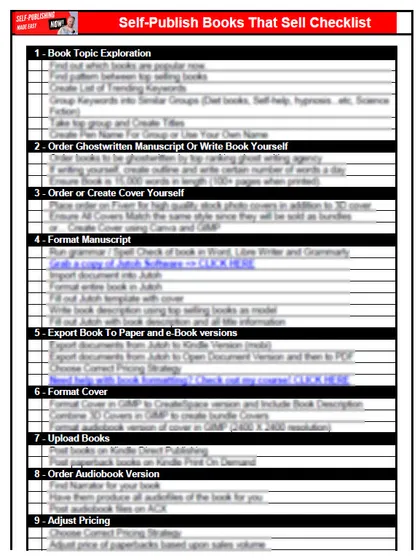
Get the free checklist: the 12 steps I follow for every book I publish.
How do you get started with self-publishing? Get your first book out fast, build momentum with a daily writing habit, and then fix and optimize the book once it is live. These three steps put you ahead of most people who say they want to publish a book and never do. When you are ready to choose where to publish, see the 20 best self-publishing websites.
What does driving on ice have to do with self-publishing?
Momentum. I grew up in Florida and had never driven on ice or snow. Then I was in Montana on a road completely covered in ice. I had gone to school in Colorado, so I knew a little about snow, but nothing like that day.
I had learned to go slowly. Going up the hill I was moving at the right speed. Coming down, the brakes stopped working and I was going full speed ahead, still carrying all the speed I had built up, sliding towards a red light. I hit the brakes and tried to steer out of the way, and the car spun around. I remembered two lessons from experts: do not slam the brakes, and steer where you want to go. AAA gives the same advice today: take your foot off the accelerator slowly, steer toward where you want to go, and avoid slamming the brakes (AAA Northeast, updated 28-Jan-26).
Fortunately other cars were not coming down the hill and could stop, and I got through the light and gained control. It was a lesson in momentum, in a negative sense. It also changed how I think about habits.
Why should you get your first book out fast?
Because most people spend far too long on the first book. They focus on things that do not matter, lose interest and motivation, and it costs them the book. Get your first book onto Amazon Kindle Direct Publishing as fast as you reasonably can. It does not have to cost much either; I break down the numbers in how much it costs to write and publish a book. Check KDP’s limits as you plan: it currently allows up to 2 titles per book format to be created and up to 2 new titles per format to be submitted for the first time each week, and the count resets every Sunday at 12:00 AM UTC (KDP help, Create a Book).
Then let momentum carry you. Like my car on the ice, the speed you build keeps you going even when you don’t feel like it. It can be terrifying, and it can be exhilarating. Write 30 minutes a day or a thousand words a day, or more if you have the time. No exceptions, no off days. Keep pounding until it becomes a habit and an identity: I am a person who publishes books. We become who we are through the habits and rituals we put in place.
That is why I produce blogs and videos every day. I want to make self-publishing as simple as I can, unlike many who make it complicated.
Momentum is also how my team and I got to 230 books and over 50,000 sales, which I write about in how I sold over 50K books self-publishing.
Can you fix your book after it is published?
Yes, most of it. Keywords, description, cover and the manuscript itself (including chapter headings) can be updated after the book is live. The title is the exception: KDP locks the title, subtitle and author name of a Kindle ebook once it is published, and on a paperback or hardcover you can only change them within 72 hours of first publication, after which you need a new edition (KDP help, update book details). So spend your care on the title before you publish, and fix the rest later. Build momentum, get the book on the market, then change what you are doing and improve it.
Start with keywords, so you target people who are already searching for books like yours. Then make sure the cover and description do their job, alongside the title you chose. The title is designed to pull people in. It is not about describing the book, it is about selling it, and many self-publishers get that wrong with their cover, description and title. The chapter headings that readers see in the preview sell the book too. If you fail to optimise, readers never get into your book. Make it easy and irresistible for your target reader. Then add marketing.
None of it has to be complicated if you break it into small bites.
Your next step is to download my free 12-step self-publishing checklist. Did I miss anything? Tell me in the comments, because I reply to all of them.
When you are ready to begin, read how to start self-publishing one book at a time.
Listen to this episode on Spotify
Frequently asked questions
How do I get started with self-publishing?
Get your first book out fast, build momentum with a daily writing habit, and then fix and optimize the book once it is live.
How much should I write each day?
Write 30 minutes a day or a thousand words a day, or more if you have the time. No exceptions and no off days, until it becomes a habit and an identity.
Can I change my book after it is published?
Most of it. Keywords, description, cover and the manuscript can be updated after the book is live, but KDP locks the title, subtitle and author name of a Kindle ebook once it is published. On a paperback or hardcover you can only change them within 72 hours of first publication.
How many new books can I submit to KDP each week?
KDP currently allows up to 2 new titles per format to be submitted for the first time each week. The count resets every Sunday at 12:00 AM UTC.
Start with the free checklist
The checklist is the 12 steps I follow for every book I publish, from choosing a topic that already sells to setting up the book's marketing. It is free, and you get it straight away.
You get the free checklist and Chris's emails. Unsubscribe any time. Privacy policy
Not sure yet? Book a free 25-minute call
Newest posts
- IngramSpark Standard vs Premium Color: Which Interior for Your Book?
- Which AI Should You Use to Write and Self-Publish a Book?
- What Can I Do Before My Manuscript Is Finished? Five Jobs to Start Now
- How Should I Title My Book's Chapters?
- Atticus or Reedsy Studio: Which Should You Use to Format Your Book?
Popular guides
- Lulu Self-Publishing Review 2026: Pros, Cons and Costs
- IngramSpark Review 2026: Free Setup, New Fees and Is It Worth It?
- Is Pegasus a Vanity Publisher? (2026 Update)
- Can You Sell Self Published Books On Etsy?
- How To Edit Your Books For Free With Grammarly
- Self Publishing Lulu VS Blurb?
- 5 Best Self Publishing Courses for Beginners (2026)
- How Long Should A Self-Published Book Be
- What Are The Minimum Amount Of Words For Paperback Books?
- Comparing Ingramspark, Lulu, and KDP Print
- How Many Books Do Self Published Authors Sell?
- Self-Publish For Under $199!