

This post contains affiliate links. If you buy through one, Urgesta AS may earn a commission at no extra cost to you. Read the affiliate disclosure.
Get the free checklist: the 12 steps I follow for every book I publish.
Table of Contents
Yes, you can self-publish for free. Amazon KDP, Apple Books, Google Play Books, Kobo Writing Life and Barnes & Noble Press charge nothing to set up, and IngramSpark has no title setup fee any more. Each one takes its cut from your sales instead. Below are the nine sites I would look at, what each pays and what it costs you in time and fees. If you only want my pick: Amazon first, IngramSpark for paperbacks, and an aggregator for the other ebook stores.
Which free self-publishing sites pay what?
Prices and rates below were checked on each company’s own page on 14-Nov-26 unless marked otherwise. Rates change, so confirm them on the company’s page before you publish.
| Site | Cost to start | What it pays |
|---|---|---|
| Amazon KDP | Free | 70% on Kindle ebooks from $2.99 to $12.99 on Amazon.com (from 07-Jul-26), 35% outside; a delivery fee applies to the 70% option (KDP) |
| Apple Books | Free | 70% on ebooks at any price, no exclusivity (Apple) |
| Google Play Books | Free | 70% in 60+ countries at any price after you accept the updated terms, 52% otherwise (Google) |
| Kobo Writing Life | Free | 70% from $2.99, 45% below (not re-checked today, Kobo’s page blocked my check; see Kobo) |
| IngramSpark | No title setup fee | 1.875% global distribution fee on each sale from 01-Feb-26, plus printing costs (rate card) |
| PublishDrive | One ebook free | Paid plans for more titles, no cut of your royalties (PublishDrive) |
| Lulu | Free ebooks; print costs are deducted per sale | Lists books with over 40,000 retailers (Lulu) |
“Free” here means no fee up front. Print books are cheap to set up, but the printing cost is taken from each sale, and editing and cover design are separate costs. To add up those costs for your own book, use the free self-publishing cost calculator.
What should you check before using a free publishing site?
Check five things: the royalty rate, how hard it is to get your book onto the platform, how big its audience is, its customer support, and how often and how much it pays. Once your book is written and formatted, choosing the wrong platform costs you sales.
There are also paid routes, vanity presses and hybrid presses. Some of them genuinely try to help, but I am mostly interested in the free routes here.
The nine free sites, one by one
Amazon KDP: my first choice
Amazon has the widest reach. You do not need a Kindle device to read its books, because the Kindle app runs on any phone. I read almost all of my books on an iPhone through that app.
The platform is my favourite of the free ones. It is a little clunky in places, but you control the price, the distribution and every aspect of the book, and you can see what your royalties will be. The people on Amazon are ready to buy: they click Buy Now and it’s done.
The downside is the royalty. KDP pays 70% on Kindle books priced between $2.99 and $12.99 on Amazon.com (KDP raised the top of the band from $9.99 on 07-Jul-26, per its royalty page). Outside that range it pays 35%, and a delivery fee comes off the 70% option. Paperbacks take a bite for printing too.
The other downside is competition. Millions of books are on Amazon, so unless you learn to find your audience, you are one of millions. My free 12-step checklist walks you through the steps I follow for every book, including the keywords that make your book show up when people search. Even with that competition, Amazon is still my number one place to start.
PublishDrive
PublishDrive pushes your ebook out to many online stores and libraries, and it has built-in sales reporting. You can publish one ebook free for Apple Books, Barnes & Noble and Kobo. Its paid plans cost a subscription and in return you keep 100% of your royalties (PublishDrive pricing). Check that page for today’s plans.
The downsides are the subscription, which is why most self-publishers I know don’t use it, and little control over marketing: there is nothing like Amazon’s ads. If you want to learn more about publishing wide, I list some good self-publishing podcasts that cover it.
Barnes & Noble Press
Barnes & Noble is one of the largest book retailers in the United States, and Press puts your book straight onto its marketplace, with a dashboard for sales and royalties. The downside is reach: far fewer readers than Amazon, so you are still competing with a lot of books for a smaller crowd. Check the rates on Barnes & Noble Press, as I could not read them there today.
Apple Books
Your books are on every iPhone, iPad and Mac. Apple pays 70% on ebooks at any price, with no exclusivity and no hidden fees (Apple Books for Authors). Amazon pays the same rate only on books priced between $2.99 and $12.99, while Apple pays it at any price.
Those rates are good if you can get your book to sell by targeting the right keywords, as I teach my group coaching and 1-on-1 clients, using tools like KDSpy and Publisher Rocket to see whether a keyword is profitable.
Affiliate link: I earn a small commission if you buy, at no cost to you.
The downside is a smaller audience (a large part of the world uses Android) and a steep learning curve, with its own formatting and submission rules. That is the main reason I don’t use Apple Books directly. If you go through an aggregator like Draft2Digital, you get onto Apple anyway. Draft2Digital bought Smashwords in 2022 and has been moving Smashwords accounts onto its own system. Draft2Digital says it charges a one-time activation fee, with the yearly maintenance fee waived in the first year (Draft2Digital, no amounts shown), so check its FAQ before you call it free.
Google Play Books
Google Play reaches every Android device and desktop browser, and the upload process is not painful. Google has closed sign-up for new publishers at times, depending on your country. If you can’t get an account, go through an aggregator like Draft2Digital instead.
The downside is visibility: not many people go to Google Play to buy a book. Royalties used to be a drawback too, but Google now gives you 70% of the list price in over 60 countries, including the US, UK, Canada and Australia, for partners who accept the updated terms. Partners who don’t accept the new terms get 52%, and in countries outside the list, such as India, Japan and Singapore, you keep your current split (Google Play Books FAQ). If you publish wide, it is worth adding.
IngramSpark: my favourite for paperbacks
IngramSpark is the one I love. Its network runs to over 45,000 outlets, from retailers to universities (2026 rate card). I put all of my books on it, as paperback and ebook.
I used to cut the cost with promo codes from the Alliance of Independent Authors, which I joined mainly for the free codes so I wouldn’t pay the $50 setup fee per book. IngramSpark no longer charges a title setup fee, so you don’t need a membership just for that. Since 01-Feb-26 it takes 1.875% of the list price on every sale for distribution. I make more money from IngramSpark’s paperbacks than from Amazon’s, and I don’t even focus on reviews there.
It is print on demand, like KDP Print: books are printed when people order them, so you don’t sit on a garage full of stock.
The negatives are cost, because printing and distribution fees are higher than on other platforms, and the learning curve. Learning a little at a time works; it is one of the 3 things to do in self-publishing every day. The one I complain about monthly is reporting: when IngramSpark pays me, it is hard to get a PDF receipt for my accountants, so I keep asking until they send one. There is also less competition there because of those costs, and your books also show up on Amazon.
You need an ISBN for IngramSpark. I bought 1,000 ISBNs so I never run out. A free ISBN from a platform stays tied to that platform. If you want one that works on IngramSpark and KDP, I can publish your book under my imprint, Urgesta AS. You keep all rights and royalties, and you get the ISBN and barcode within 2 business days.
Kobo Writing Life
Kobo says it reaches readers in over 200 countries (I cover it in Kobo self-publishing: all you need to know). It pays 70% on books priced at $2.99 and above with no top price limit, and 45% below that, and you control prices by currency, which helps authors outside the US. Here in Norway, Kobo e-readers are more common than Kindles in the shops.
The downsides are a smaller market share than Amazon and few promotional tools. I don’t personally put my books through Kobo.
Lulu
Lulu is easy to use, shows you exactly how many sales you have and makes receipts easy to get, unlike IngramSpark. It has the most options for sizes, and you can make an ebook for free. Lulu lists retail books with over 40,000 retailers (Lulu).
I used to recommend it for hardcovers, but its printing costs left too little royalty, so I moved my hardcovers to Amazon and only keep the old ones on Lulu. Its reach is also limited, though you can link a Lulu book to Amazon.
Whatever site you use, make your books 6 x 9 inches. That maximises distribution, for adult and children’s books alike. I have clients who want a triangle or a hexagon, and I ask why they don’t want their books in libraries and on as many platforms as possible. If you really need an odd size, Lulu is the place.
Dreame
Dreame is an app for serialized web fiction run by Stary, a company in Singapore, popular with readers in Asia. It takes stories in English and several other languages. It is not a normal self-publishing store: to earn from it you usually sign a contract with them. In 2022 Writer Beware warned about those contracts (for example, Stary could pass your rights on to other companies without asking you), so read the current contract in full before you sign. It also has strict content rules, and it pays through in-app purchases and advertising revenue sharing.
If your book is in a language they take, it may be fine. Otherwise you need a translation (how to get your book translated covers the options). And a tip: if your English book hasn’t sold, don’t start selling it in 50 languages. I have clients who do this before they have even launched. If you use automatic translation, you can get banned on Amazon for pumping out garbage translations. KDP also asks you to say when a translation was made with AI, even if a person edited it afterwards. Amazon’s own AI translation service, Kindle Translate, was still a beta open only to some authors in October 2026. Wait until you see sales in the US, translate then, and then maybe try Dreame.
Conclusion
My own choice: put your books on Amazon, then run your paperback and ebook through IngramSpark and other platforms too. For the ebook I would probably use Draft2Digital for the other stores. It depends on your situation and what matters most to you.
Which platforms are you using? Tell me in the comments.
Frequently asked questions
Is it free to self-publish a book?
Amazon KDP, Apple Books, Google Play Books, Kobo Writing Life and Barnes & Noble Press cost nothing to set up. IngramSpark has no title setup fee, but since 01-Feb-26 it takes a global distribution fee of 1.875% of the list price on each sale. PublishDrive lets you publish one ebook free and has paid subscription plans.
What does Amazon KDP pay on ebooks?
KDP pays 70% on Kindle ebooks priced from $2.99 to $12.99 on Amazon.com, and 35% outside that band. The $12.99 top was raised from $9.99 on 07-Jul-26, and a delivery fee comes off the 70% option.
Which free platform is best for paperbacks?
I use both KDP Print and IngramSpark. I make more on IngramSpark paperbacks than on Amazon's, and IngramSpark says it reaches over 45,000 retailers, libraries, universities and educators, but it takes longer to learn.
Does Google Play Books pay less than other stores?
Not any more. Google's FAQ says partners who accept the updated terms get 70% on ebook sales in 60+ eligible countries regardless of price, and 52% otherwise.
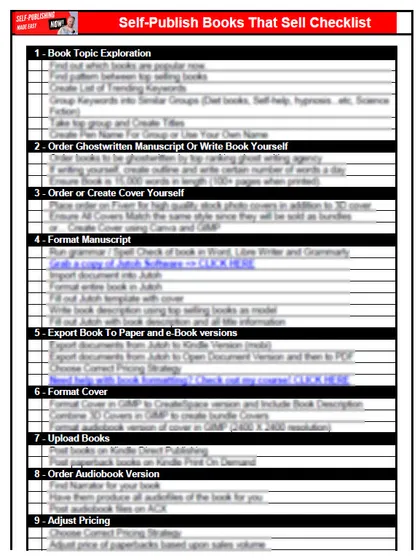
Start with the free checklist
The checklist is the 12 steps I follow for every book I publish, from choosing a topic that already sells to setting up the book's marketing. It is free, and you get it straight away.
You get the free checklist and Chris's emails. Unsubscribe any time. Privacy policy
Not sure yet? Book a free 25-minute call
Newest posts
- IngramSpark Standard vs Premium Color: Which Interior for Your Book?
- Which AI Should You Use to Write and Self-Publish a Book?
- What Can I Do Before My Manuscript Is Finished? Five Jobs to Start Now
- How Should I Title My Book's Chapters?
- Atticus or Reedsy Studio: Which Should You Use to Format Your Book?
Popular guides
- Lulu Self-Publishing Review 2026: Pros, Cons and Costs
- IngramSpark Review 2026: Free Setup, New Fees and Is It Worth It?
- Is Pegasus a Vanity Publisher? (2026 Update)
- Can You Sell Self Published Books On Etsy?
- How To Edit Your Books For Free With Grammarly
- Self Publishing Lulu VS Blurb?
- 5 Best Self Publishing Courses for Beginners (2026)
- How Long Should A Self-Published Book Be
- What Are The Minimum Amount Of Words For Paperback Books?
- Comparing Ingramspark, Lulu, and KDP Print
- How Many Books Do Self Published Authors Sell?
- Self-Publish For Under $199!