
Get the free checklist: the 12 steps I follow for every book I publish.
You can’t publish an ebook on iTunes itself, but you can publish it on Apple Books, and you shouldn’t publish on Apple Books alone. There are two routes: publish directly with Apple Books for Authors, or go through an aggregator such as Draft2Digital that also reaches many other stores and libraries. Below is how I got from confusion to multiple networks.
Can you publish an ebook on iTunes?
No. iTunes sells movies and music, not books. People who ask this mean Apple Books, and the question is how to use Apple’s platform for ebooks, paperbacks or audiobooks. For the setup steps once you have an Apple Books account, see Apple self-publishing.
When I started there was so much advice, expensive software and memberships that it was super confusing. That’s why I started my channel. I began with Amazon, then saw that having books on as many networks as possible increases sales, and I put some of my books on Apple Books.
What are the two ways to publish on Apple Books?
1. Direct. Apple Books for Authors lets you publish from a web browser: you submit an EPUB through a publishing portal with an iTunes Connect account (Apple Books for Authors). Apple pays 70% on every ebook, regardless of price, with no file delivery fees. Apple’s page doesn’t mention a Mac requirement.
2. Through an aggregator. I prefer this, because we want to maximize distribution. An aggregator gets your book into Apple Books and many other stores without you managing each store’s standards separately. Draft2Digital (which now includes Smashwords) takes an EPUB, sends it to Apple Books and other stores and to libraries, charges a $20 one-time activation fee and keeps about 10% of the retail price of each sale. See also how to self-publish on iBooks and the best self-publishing platforms.
What about audiobooks?
Publish through ACX, which Amazon owns. ACX delivers to Audible, Amazon and Apple Books, so you reach people with iPads, Macs and iPhones. Under ACX’s new royalty model, exclusive titles earn 50% and go only to those three stores, while non-exclusive titles earn 30% and you may sell them elsewhere as well (ACX distribution options). Older titles on the legacy rates earn 40% and 25%.
Can I put a KDP Select ebook on Apple Books?
No. KDP Select requires you to make the digital format of the ebook available exclusively through KDP while enrolled, so keep the ebook out of Select if you want to go wide.
How do I make the EPUB files?
Atticus is the program I recommend. It is a one-time purchase and with one click it produces the file types you need for the different stores.
What does Apple ask for, and what does it not say?
Apple’s page for authors lists Microsoft Word documents and EPUB files, and it lists no file delivery fees among the benefits (Apple Books for Authors). It does not say what countries it covers or whether you need an ISBN, so read Apple’s terms before you plan a launch around it. An aggregator can answer those questions for you before you upload.
Can I change my price or make my ebook free on Apple Books?
Yes. Apple’s page for authors says you can adjust your prices anytime you want to test different price points and that there are no limitations on offering free books to customers. It also says Apple does not match prices and takes no payment for preferential store placement. So a price test costs you nothing, and a free ebook that leads readers to your next book is allowed. Apple’s page does not say how or when you are paid, so check that in your account before you plan around it.
Do most authors sell on one store only?
No single answer fits everyone. In the Written Word Media 2025 Indie Author Survey, 38% of authors had all their books in KDP Select, which is Amazon-only for the ebook, and 30% had none in it. The survey says this is correlation, not proof that either choice earns more. If you want your ebook on Apple Books, it cannot be in Select while you are enrolled.
Why shouldn’t I publish only on Apple Books?
Because in my experience Amazon is where most readers look for books, so publishing on Apple alone leaves a lot of sales behind. Publish directly to Amazon through KDP too. The answer is not Amazon only either: Amazon, Apple and any other store you can reach. Through Draft2Digital you also get into libraries. The margins beat what a traditional publisher gives you. Related: is self-publishing on Amazon worth it.
Before you start, grab my free 12-step self-publishing checklist. What have you found? Let me know in the comments.
Listen to this episode on Spotify
Frequently asked questions
Do I need a Mac to publish on Apple Books?
Not to publish from the web. Apple's page describes a publishing portal where you upload an EPUB with an iTunes Connect account. Apple's page does not mention a Mac requirement, but check it before you start.
How do I get my audiobook on Apple Books?
Through ACX, which delivers to Audible, Amazon and Apple Books. Under ACX's new royalty model, exclusive titles earn 50% and non-exclusive titles 30%, and non-exclusive lets you sell the audiobook elsewhere too.
Can I change my price or give my ebook away free on Apple Books?
Yes. Apple's page for authors says you can adjust your prices anytime to test price points and that there are no limits on offering free books to customers. It also says there is no price matching.
Should I use Draft2Digital or publish directly to Apple?
I prefer an aggregator because it reaches Apple Books and many other stores and libraries without you managing each store's standards. Direct publishing on Apple is fine if you only want Apple.
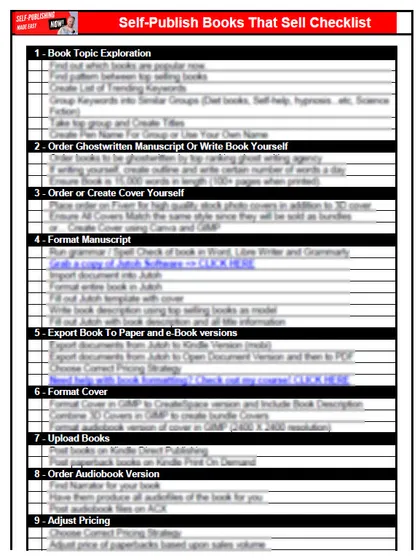
Start with the free checklist
The checklist is the 12 steps I follow for every book I publish, from choosing a topic that already sells to setting up the book's marketing. It is free, and you get it straight away.
You get the free checklist and Chris's emails. Unsubscribe any time. Privacy policy
Not sure yet? Book a free 25-minute call
Newest posts
Popular guides
- Lulu Self-Publishing Review 2026: Pros, Cons and Costs
- IngramSpark Review 2026: Free Setup, New Fees and Is It Worth It?
- Is Pegasus a Vanity Publisher? (2026 Update)
- Can You Sell Self Published Books On Etsy?
- How To Edit Your Books For Free With Grammarly
- Self Publishing Lulu VS Blurb?
- 5 Best Self Publishing Courses for Beginners (2026)
- How Long Should A Self-Published Book Be
- What Are The Minimum Amount Of Words For Paperback Books?
- Comparing Ingramspark, Lulu, and KDP Print
- How Many Books Do Self Published Authors Sell?
- Self-Publish For Under $199!