


Get the free checklist: the 12 steps I follow for every book I publish.
Self-publishing is not too complicated if you take it one step at a time. It feels that way when you try to learn every tool and every course at once. KDP itself asks for five things, and the rest of this post covers them, how I got through the noise, and when to hire help. If you do want a course, start with my guide to the best self-publishing courses for beginners.
Why does self-publishing feel so complicated?
When I started, I wanted to publish one book and it looked simple. Then I saw too many options and too many tools, no roadmap, and a lot of paid programs with a lot of noise. You can do everything yourself or hire a company. You wonder what happens if you make the wrong choice, which can cost money and time, or leave the book unpublished. Many authors feel this at the start.
What steps does KDP actually ask for?
Five. KDP’s own steps for creating a title are:
- Go to your Bookshelf and click Create, then choose the type of book.
- Enter the book details: title, subtitle, author, description, keywords and categories. Some cannot be changed after publishing.
- Upload your manuscript and preview it. Paperbacks and hardcovers need print options first, and each format needs its own ISBN.
- Set rights and pricing: your price and royalty rate, and KDP’s terms.
- Publish. KDP lets you create and submit up to 2 new titles per book format each week, so check its page for the current rule.
Everything else, such as the cover, the formatting, the keywords and the ads, is a skill you learn one at a time. You don’t have to be perfect. You have to get through the steps and be a bit better each time.
How many files does a paperback need?
Two. KDP’s “Format Your Paperback” page says a paperback needs a manuscript file for the interior and a cover file for the outside, and it links to separate guides on trim size, margins, front and back matter, saving your files and making a cover (KDP: Format Your Paperback). That is the part most authors think will be the hardest, and it comes down to two files. Take the guides one at a time, in that order. If a step still stops you, that is a good job to hand to someone later, once you know what you want.
How do you keep it simple?
Break it into small steps and do one at a time, with daily progress. I experimented and learned one tool at a time, until I could produce a high-quality book. Staying in a community of self-publishers helped, because people share what they have learned and you are not alone with a book you wrote, or paid to have ghostwritten. Since then I’ve put hundreds of books on the market without feeling overwhelmed.
It is too complicated if you let it be: learning everything at once, listening to too many voices, and taking lots of training you never put into action. That leads to failure.
What happens after you click publish?
Less than people fear. KDP says it takes 3 business days for a book or an update to be live on Amazon, and that an ebook’s detail page can take up to 72 hours to appear (KDP timelines). After that, changes are quick: a new list price shows within 24 hours, and a new cover or manuscript within 72 hours. So a mistake in step two or three is not final. You can fix it and republish, which is one more reason to stop polishing and get through the five steps.
It also means you do not need to be an expert before you start. You need to finish one pass through the steps, see what KDP shows you, and improve from there. That is how the learning gets done in small pieces instead of all at once.
Should you learn the steps yourself or hire someone?
Learn them yourself first. Many people ask me whether they should pay others to do it all to save time and energy. It usually doesn’t work, because you need to understand each step. Sometimes you don’t know what you want until you have done it once. Then, as royalty money comes in, pay people to take over steps, and you will be able to tell them what you want and what you don’t. Paying for single jobs is fine, but never hand over your account: see should I pay someone to publish my book for me?
I still help authors with publishing under my imprint, cover design and book formatting, when they reach that part. For the cost side of this, read does self-publishing cost too much money?
What feels hardest right now? Tell me in the comments. If you want the steps in order, grab my free 12-step checklist.
Listen to this episode on Spotify
Frequently asked questions
How long does it take to self-publish a book?
Writing takes the longest. On KDP, creating the title, uploading the files and setting the price can be done in a day, and in my experience a book goes live one to three days after you submit it.
How many books can I publish on KDP at once?
KDP says you can create and submit up to 2 new titles per book format each week (KDP help). Check that page for its current rule.
How many files does a KDP paperback need?
Two: a manuscript file for the interior and a cover file for the outside, according to KDP's Format Your Paperback page. The same page links to guides on trim size, margins and front and back matter.
Do I need to buy lots of tools to start?
No. KDP's own Cover Creator and the free ISBN for print books get you started, and you can add paid tools one at a time as your books earn. See how much self-publishing costs.
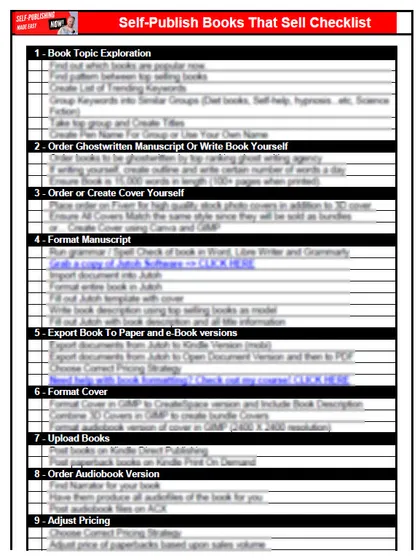
Start with the free checklist
The checklist is the 12 steps I follow for every book I publish, from choosing a topic that already sells to setting up the book's marketing. It is free, and you get it straight away.
You get the free checklist and Chris's emails. Unsubscribe any time. Privacy policy
Not sure yet? Book a free 25-minute call
Newest posts
- IngramSpark Standard vs Premium Color: Which Interior for Your Book?
- Which AI Should You Use to Write and Self-Publish a Book?
- What Can I Do Before My Manuscript Is Finished? Five Jobs to Start Now
- How Should I Title My Book's Chapters?
- Atticus or Reedsy Studio: Which Should You Use to Format Your Book?
Popular guides
- Lulu Self-Publishing Review 2026: Pros, Cons and Costs
- IngramSpark Review 2026: Free Setup, New Fees and Is It Worth It?
- Is Pegasus a Vanity Publisher? (2026 Update)
- Can You Sell Self Published Books On Etsy?
- How To Edit Your Books For Free With Grammarly
- Self Publishing Lulu VS Blurb?
- 5 Best Self Publishing Courses for Beginners (2026)
- How Long Should A Self-Published Book Be
- What Are The Minimum Amount Of Words For Paperback Books?
- Comparing Ingramspark, Lulu, and KDP Print
- How Many Books Do Self Published Authors Sell?
- Self-Publish For Under $199!