


Get the free checklist: the 12 steps I follow for every book I publish.
You can get a Kindle ebook onto Amazon today. Create a KDP account, upload your manuscript as a Word or EPUB file, make a cover with KDP’s free Cover Creator and hit publish. In my experience the book goes live within a day or three. Then improve everything else at your own pace. Here are the steps, a lesson I learned from Steve Scott and why it pays to publish first. The full walk-through is in how to self-publish an ebook step by step.
How did I learn to publish quickly?
When I started in 2015, I thought I had missed the gold rush. People said you could not earn anything unless you had published in 2012. That was wrong, and believing it was a barrier. If my first book failed, I might never put out another, so a lot was at stake.
Then I came across Steve Scott, who had published a great many books on habits. I followed the steps he gave, which broke the process down. He did not cover everything, and I have learned the rest since. But I got my book onto the market and saw it make sales, and I have made many more sales since.
What do I need to publish a Kindle ebook today?
- Your manuscript. KDP converts a Word file (DOC or DOCX) automatically, and it also accepts EPUB and KPF files made with Kindle Create. A formatting tool such as Atticus makes the EPUB for you. Complex formatting may not convert well from Word, so check the result in Kindle Previewer (KDP supported formats).
- A KDP account. Create one, enter your book details and upload the file.
- A cover. KDP has a free Cover Creator that makes basic covers from templates (KDP Cover Creator). You can publish with that cover today and replace it later.
- A title and description. Put your keywords in the title and write what the book does for the reader.
The formatting of a raw Word upload is basic, but it works. You can take the Cover Creator cover and publish with it.
Why publish now and fix the rest later?
Because you can post the book and fix most things afterwards. You do not need to stress. When you make forward momentum and see progress on your books, you feel better and you learn faster. Once the book is out, you can improve the cover, formatting and description at your own pace, and use what the market tells you. The title, subtitle and author name are the exception: KDP locks them once an ebook is published (KDP, update book details), so check them before you press publish.
You can publish this week without hitting the limit. Since 21-Sep-26 KDP allows two new titles per format per week (KDP; ALLi, 24-Sep-26). For the full version with my own first-book mistakes, read how to publish a book on Kindle Direct Publishing. If you are worried about cost, self-publishing on Amazon is free, and the top 3 mistakes people make self-publishing a book are worth avoiding from the start.
What royalty will I earn on a Kindle ebook?
KDP gives you two options. With 35%, you earn 35% of the list price without VAT for each sale. With 70%, you earn 70% of the list price without VAT, less delivery costs, for sales in the 70% territories, and 35% elsewhere. The 70% option applies only to in-copyright works, so public domain books are limited to 35%. KDP says average delivery costs are $0.06 per unit sold and vary by file size (KDP royalties). The page sends you to KDP’s pricing page for the list price range and territories, so check that before you set a price.
How long until it is live?
KDP’s timelines page says it takes 3 business days for a book or an update to go live on Amazon, and that contacting support will not speed up the review. A new ebook’s detail page can take up to 72 hours to appear. After that, changes to the manuscript, cover, description or keywords take 72 hours to show, and a price change takes 24 hours (KDP timelines). So “today” means you submit today, and plan for a few days before readers can buy. The “Read Sample” preview is slower still: KDP lists 7 to 8 business days for it to update, so do not worry if the sample lags behind the rest of the page.
Grab my free 12-step self-publishing checklist so you do not skip an important step. Tell me what you found in the comments.
Listen to this episode on Spotify
Frequently asked questions
How long does it take for a Kindle ebook to appear on Amazon?
In my experience it takes about a day to three days after you hit publish. KDP reviews the book first, so give it time.
Do I need an ISBN for a Kindle ebook?
No. KDP says ebooks and low-content books are the only formats where an ISBN is optional (KDP ISBNs). Paperbacks and hardcovers need one, and KDP can give you a free one.
Can I publish a Word document directly?
Yes. KDP converts DOC and DOCX files, but complex formatting may not convert well, so check the result in Kindle Previewer.
What is the difference between the 35% and 70% royalty?
The 35% option pays 35% of the list price without VAT. The 70% option pays 70% less delivery costs in the 70% territories, 35% elsewhere, and only for in-copyright works (KDP royalties).
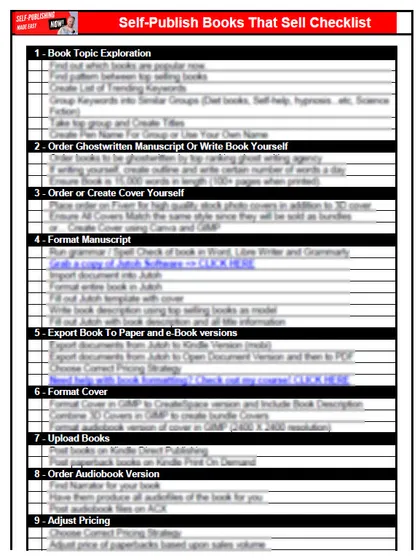
Start with the free checklist
The checklist is the 12 steps I follow for every book I publish, from choosing a topic that already sells to setting up the book's marketing. It is free, and you get it straight away.
You get the free checklist and Chris's emails. Unsubscribe any time. Privacy policy
Not sure yet? Book a free 25-minute call
Newest posts
Popular guides
- Lulu Self-Publishing Review 2026: Pros, Cons and Costs
- IngramSpark Review 2026: Free Setup, New Fees and Is It Worth It?
- Is Pegasus a Vanity Publisher? (2026 Update)
- Can You Sell Self Published Books On Etsy?
- How To Edit Your Books For Free With Grammarly
- Self Publishing Lulu VS Blurb?
- 5 Best Self Publishing Courses for Beginners (2026)
- How Long Should A Self-Published Book Be
- What Are The Minimum Amount Of Words For Paperback Books?
- Comparing Ingramspark, Lulu, and KDP Print
- How Many Books Do Self Published Authors Sell?
- Self-Publish For Under $199!