

Get the free checklist: the 12 steps I follow for every book I publish.
Table of Contents
- What content does KDP not allow?
- What are the rules for covers?
- Where should the table of contents go?
- Can I put links in my book?
- Do I need to format the book myself?
- Do I have to disclose AI-generated content?
- Who is responsible for quality?
- What are the rules for titles, subtitles and keywords?
- Can I put tropes or the genre in my subtitle?
- What can I put in the description?
- What are the rules for publisher and author names?
- What is KDP Select, and should I use it?
- Should I use Amazon pre-orders?
- What happens if I break the rules?
Before you publish on Amazon, check KDP’s rules on content, covers, links, metadata, AI-generated content and KDP Select, because breaking them can get your account in trouble and the rules change from time to time. The short version: everything in the book, the cover, the title and the description must be real, original or licensed, and match what the book is. The rest of this post goes through each rule, with the KDP page for it.
What content does KDP not allow?
KDP’s content guidelines (no update date shown) cover the whole book, including the title, cover art and description. Your content must not infringe copyright, trademark, privacy or publicity rights. Hate speech, child exploitation, pornography, advocacy of terrorism and other material Amazon finds inappropriate or offensive are out. Misleading content and false claims about what the book will do are also out.
Public domain content is allowed, but Amazon won’t take an undifferentiated copy of a public domain title if a free version is already in the store, and it may ask you to prove the work is public domain.
Breaking these rules can get your account terminated, and that is serious. If Amazon asks you to prove your rights, answer immediately. If you are worried that following the rules might still get you banned, read will KDP ban my account if I follow the rules.
What are the rules for covers?
The cover must look professional and match what the book is about. A puppy training book shouldn’t show a glass of milk. Some people tried controversial images as clickbait, and that is a huge no-no. The cover can’t be offensive or violate anyone’s copyright, and its title, subtitle and author must match your metadata (KDP metadata guidelines).
One of my covers was challenged. It used a free Unsplash image, and Amazon asked how I knew I had the right to use it. My cover designer found the image’s free-to-use terms, I replied to Amazon right away, and within 24 hours they said the image was fine.
Where should the table of contents go?
At the front, and it must match the book. Several years ago some people put the table of contents at the end so that readers reaching it would count as having read the whole book, and some accounts got banned. I still see books with the contents at the very end. It could look like cheating, and the contents are also a selling tool when someone uses “Look Inside.”
Make sure the table of contents is correct, easy to read and that the links go to the right place. That is one reason I learned to format my own books. Atticus is my top pick for formatting. Amazon has never had a problem with the table of contents in any of my 230 books.
Can I put links in my book?
Links to outside websites are fine if they directly improve the reader’s experience and don’t violate anyone’s rights. KDP’s Hyperlink Guidelines do not allow links to other ebook stores or to web forms that request customer information, so link a page on your website rather than a sign-up form. I go through the full list in can I put links and QR codes in my KDP book? In my experience other stores, such as Smashwords and Draft2Digital, did not like affiliate links in books, so be careful. Links shouldn’t try to manipulate sales rankings or reviews. Asking readers to leave a review is fine. Giving a free book on the condition that the reader leaves a review breaks Amazon’s rules: authors “can’t require a review in exchange for free books” (Amazon Community Guidelines). To sell more without risking your account, use Amazon ads, and a keyword tool such as Publisher Rocket can help you choose what to bid on.
Do I need to format the book myself?
The book must be formatted correctly and free of errors. I say learn the tool yourself rather than outsource it. Poor formatting gets one-star reviews, and Atticus makes it easy. It also must not hide malicious code or break laws.
Do I have to disclose AI-generated content?
Yes, when the AI made it. KDP requires you to disclose AI-generated text, images (including covers and interior art) or translations when you publish a new book or republish an edited one. If an AI tool created it, it counts as AI-generated even if you edited it afterward. AI-assisted work, where you created the content and used AI to edit, refine, error-check or brainstorm, doesn’t need to be disclosed. You remain responsible for making sure the content meets the guidelines (KDP content guidelines).
Who is responsible for quality?
You are. Amazon can review and remove content that breaks its guidelines, and it’s not Amazon’s problem if your quality is poor. You won’t get positive reviews either.
What are the rules for titles, subtitles and keywords?
From KDP’s metadata guidelines (no update date shown):
- The title is only the actual title, as on the cover. The title and subtitle together must be under 200 characters.
- No repeated generic keywords, references to other titles or authors, trademarked terms you have no right to, sales-rank claims like “bestselling,” or promotional words like “free.”
- Keywords are 2 to 3 word phrases that match the book’s central content. No other authors, sales rank, promotions or unrelated terms.
- You can pick up to three categories, and they must fit the book.
In the old days, parentheses and a string of keywords after the title were standard. Now the subtitle should be a sentence that flows. A long one is fine. No false promises like losing a thousand pounds in a week. Trademarks cost accounts: a few years ago people used “Instant Pot” in titles and got in trouble. Say “high-pressure cooker” instead. A clear, honest title also sells better, as I explain in how to write the world’s best-selling book on Amazon.
Can I put tropes or the genre in my subtitle?
KDP says a subtitle “contains additional information about the content of your book” and “must adhere to the same guidelines as your title” (metadata guidelines). So every title rule above applies to the subtitle too, including the 200 character limit for both together. The title, subtitle and author name on the cover should also match what you typed into KDP.
KDP has no list of trope phrases that are allowed or banned, so I can’t tell you a given phrase is fine. One rule does bite romance authors. If the title or subtitle has sexually explicit language, you must answer Yes to KDP’s explicit content question, and KDP says such books will not surface in general product searches.
My advice: a genre phrase that is true for the book, such as “A Small Town Romance”, reads as information. A string of five tropes reads as keywords, and that is what the rule is against. Put the tropes in the blurb, where readers expect them.
What can I put in the description?
Sales copy that pulls the reader in and says what problem a nonfiction book solves, in a way that matches the book. KDP does not allow explicit content, contact details or URLs, reviews or testimonials, requests for reviews, ads, time-sensitive information, pricing, or keyword lists (metadata guidelines). Don’t promise what you can’t deliver. If you write fiction, how to write a blurb for a novel covers the same job.
What are the rules for publisher and author names?
The publisher field (ebooks only, optional) can hold only your name or your publisher’s name. It can’t hold other publishers, Amazon, Kindle or KDP, or website names. Random House would be a terrible choice. Use your own name or a pen name, and check that the name doesn’t already exist on Amazon.
What is KDP Select, and should I use it?
KDP Select is a free 90-day program for Kindle ebooks and audiobooks. Your ebook can’t be sold on other platforms during that time. In return the book is included in Kindle+ and can use Free Book Promotions and Kindle Countdown Deals (KDP Select). If you don’t need those promotions, going wide on other stores is usually a good option. If Amazon terminates your account, you want your books on other networks too.
Should I use Amazon pre-orders?
For a new author, no. KDP lets you set pre-orders up to 18 months ahead for pre-orders created on or after 2-Sep-26. The final file must be in at least 72 hours before release. A first missed deadline or cancellation is a courtesy. A second one removes pre-order privileges across your catalog for 6 months (KDP pre-orders).
I tell new authors to skip pre-orders, because unless you can build a large number of them, they cannibalize your real sales. It’s good to know the rules, though.
Want help getting your book published without breaking a rule? My free 12-step checklist takes you through the steps in order.
What happens if I break the rules?
You may go back and forth with Amazon before they approve the book, or they may approve it and then tell you later that you violate the guidelines. KDP also limits how many new titles you can create: since 21-Sep-26 it is two per format per week, so two ebooks, two paperbacks and two hardcovers (ALLi). The rules change, so check KDP’s current pages before each launch.
Have you ever broken one of Amazon’s guidelines? Tell me in the comments.
Frequently asked questions
Do I have to tell Amazon if I used AI in my book?
Yes if AI created the text, images (covers too) or translation, even if you edited it afterward. No if you wrote it and used AI only to edit, refine, error-check or brainstorm.
How long can a KDP title and subtitle be?
Together they must be under 200 characters, and extra descriptive text, repeated generic keywords and trademarked terms you have no right to are not allowed.
What is KDP Select?
A free 90-day program for Kindle ebooks. In exchange for exclusivity on Amazon, enrolled books get Kindle+ royalties and access to free promotions and Countdown Deals.
Start with the free checklist
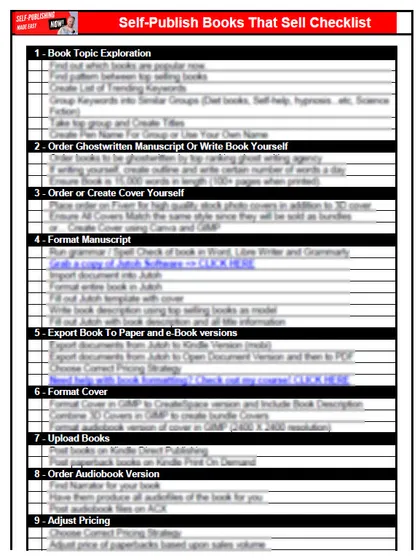
The checklist is the 12 steps I follow for every book I publish, from choosing a topic that already sells to setting up the book's marketing. It is free, and you get it straight away.
You get the free checklist and Chris's emails. Unsubscribe any time. Privacy policy
Not sure yet? Book a free 25-minute call
Newest posts
- IngramSpark Standard vs Premium Color: Which Interior for Your Book?
- Which AI Should You Use to Write and Self-Publish a Book?
- What Can I Do Before My Manuscript Is Finished? Five Jobs to Start Now
- How Should I Title My Book's Chapters?
- Atticus or Reedsy Studio: Which Should You Use to Format Your Book?
Popular guides
- Lulu Self-Publishing Review 2026: Pros, Cons and Costs
- IngramSpark Review 2026: Free Setup, New Fees and Is It Worth It?
- Is Pegasus a Vanity Publisher? (2026 Update)
- Can You Sell Self Published Books On Etsy?
- How To Edit Your Books For Free With Grammarly
- Self Publishing Lulu VS Blurb?
- 5 Best Self Publishing Courses for Beginners (2026)
- How Long Should A Self-Published Book Be
- What Are The Minimum Amount Of Words For Paperback Books?
- Comparing Ingramspark, Lulu, and KDP Print
- How Many Books Do Self Published Authors Sell?
- Self-Publish For Under $199!