
One of my early group coaching clients, Betty, had a very small budget. She was trying to format her book, and she kept asking herself the same two questions. How am I going to pay for the formatting? How am I going to pay for the cover? She did not know there was a free way to do either, so she was close to stalling.
I took her through the tools one at a time. Here is what we used, in the order you would use it. All of it is free.
1. Check your niche before you write
If you pick the wrong genre or niche, you will struggle to sell, however well you write. People tell me they will just write the book and trust that readers will find it. In my discovery sessions I have never met an author who was selling a lot of books in an unprofitable niche. There are exceptions, but mostly the problem is the niche.
You can check it for free with Amazon itself:
- Open the category your book would sit in and sort by bestsellers.
- Click through the books one by one and look at their sales rank.
- Count how many are inside the top 100,000. A book in that range is selling at least about a copy a day, which tells you readers are buying in that niche.
If you are writing a book like these and the books above you are selling steadily, that is a good sign.
The paid way to do this is KDSPY or Publisher Rocket, which do the same research much faster. When money is tight, the free route works.
2. Check the trend with Google Trends
Google Trends is free. Type in the topic you are writing about and you will see whether the number of searches is rising or falling over time. If fewer and fewer people are searching, that is a problem.
Fidget spinners are the example I like. Search for them in the US and you will see a huge spike in 2017, and then almost nobody searching. That is the kind of topic you do not want to build a book around, because nobody cares any more.
3. Free covers with Canva
Canva has professionally designed book covers you can use on a free account. You can swap the images for free, royalty-free ones from Pixabay or Pexels.
One tip: keep the fonts and the colour scheme the template already uses. The people who made those templates do this for a living. Changing everything usually makes the cover worse.
A warning. I do not recommend designing a cover from scratch unless you are a graphic designer. Readers rarely know why they like one cover and not another, but they do know when a cover looks home-made. Do not make a cover in PowerPoint. If you have a budget, hire a designer. If you do not, start with a Canva template. You can read more in What You Need to Know About Covers.
4. Free formatting
There are two parts to formatting, and there is a free route for each.
The paperback. Put your book into a word processor at the right page size, then export it to PDF and upload that to KDP. I do not love this route, because Word hides extra characters and spacing that can cause problems, but it works and it costs nothing.
The ebook. For the EPUB, you can use Draft2Digital’s free tool, or the free program Calibre, which also converts one file type to another. I have seen problems with both. They will pass Amazon’s checks, but your readers may find that the table of contents or the bullet points do not behave. Open the EPUB in Calibre and look through it before you upload.
If you have a budget, I still think it is worth paying for a formatting tool, because it gets the details right every time. I use Atticus now. But if you cannot yet, the free route gets a book on the market.
For more on formats, read What Is the Correct Format for Kindle Books? and How to Convert Kindle Books to EPUB.
What all of these have in common
None of them costs a cent. You can research your niche, check the trend, get a cover and format both versions of your book without paying anybody. That only helps if you are aiming at the right niche and the right keywords. The research is free as well.
Your turn
What cheap or free tool do you use the most that I have not mentioned? I would like to know, because there may be something I have missed that works just as well. Tell me in the comments.
If you want help choosing a niche or planning your first book, book a free 25-minute discovery call. You can also start with my free 12-step self-publishing checklist. For the tools I would pay for later, see Must-Have Self-Publishing Tools and Cheapest Self-Publishing.
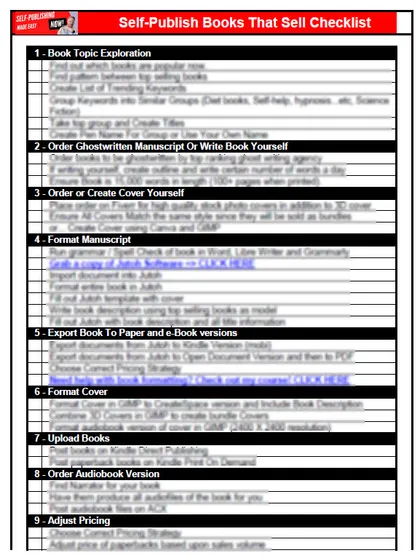
Start with the free checklist
The checklist is the 12 steps I follow for every book I publish, from choosing a profitable niche with keyword research to setting up the marketing machine. It is free, and you get it straight away.